
After GETting a Meraki SSID slot, a developer enables it by PUTting the entire GET payload back unchanged except flipping enabled. Dashboard rejects the call. What is the sounder enable construction?
Select an answer to reveal the explanation.
Short Explanation
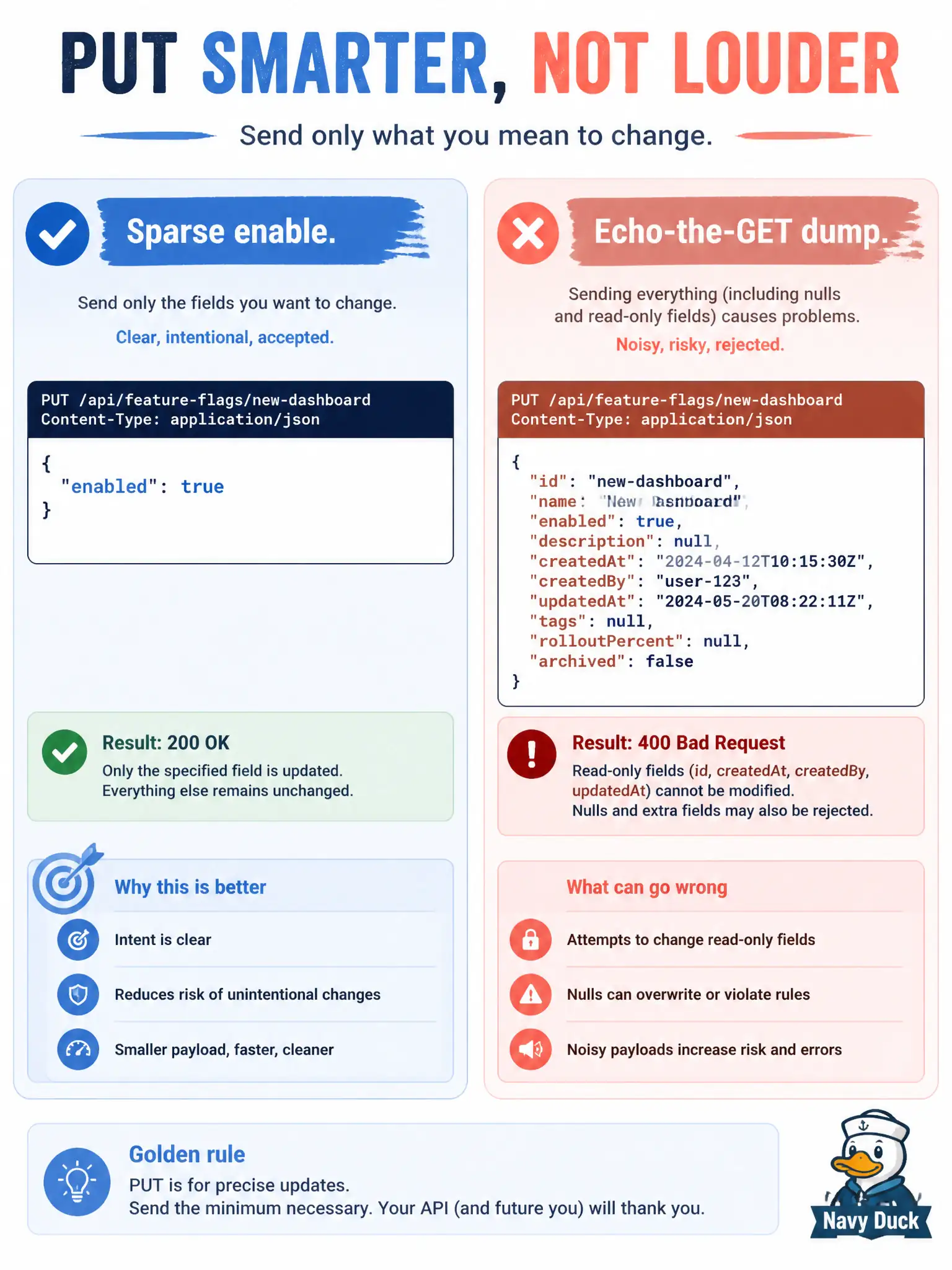
Replaying the whole GET is like mailing back every blank on a form—including ones marked do not write. Send a sparse enable body: enabled true and only what you mean to change.
Full Explanation
Enabling a Meraki SSID after a GET should use a sparse PUT: set enabled to true and include only fields you intentionally change. Echoing the entire GET payload back is brittle because responses include nulls and read-only attributes that Dashboard may reject on write or may interpret as destructive clears. A minimal enable body keeps municipal Wi-Fi changes surgical—flip the switch without rewriting unrelated WLAN attributes you did not mean to touch.
Echoing every GET field including nulls and read-only attributes fails when Dashboard validates the writable shape and rejects mirrored non-writable junk. POST to a location Scanning API observation endpoint fails the wireless SSID enable job entirely—Scanning receives client observations at your HTTPS receiver; it does not toggle SSID enabled. Omitting the JSON body and relying on the path alone fails because enablement is expressed in the body attribute enabled, not implied merely by addressing the slot URL.
Exam caveat: “round-trip the GET” looks tidy in casual scripts but is a frequent cause of 400-class Dashboard errors on SSID updates in labs and production alike.
Operational check: capture GET for the slot, build a body with only {"enabled": true} (plus any deliberate changes), PUT, then GET again and confirm enabled flipped while attributes you care about did not reset unexpectedly.