
A city library needs the Guest SSID turned on through the Meraki Dashboard API. Which request enables that SSID slot?
Select an answer to reveal the explanation.
Short Explanation
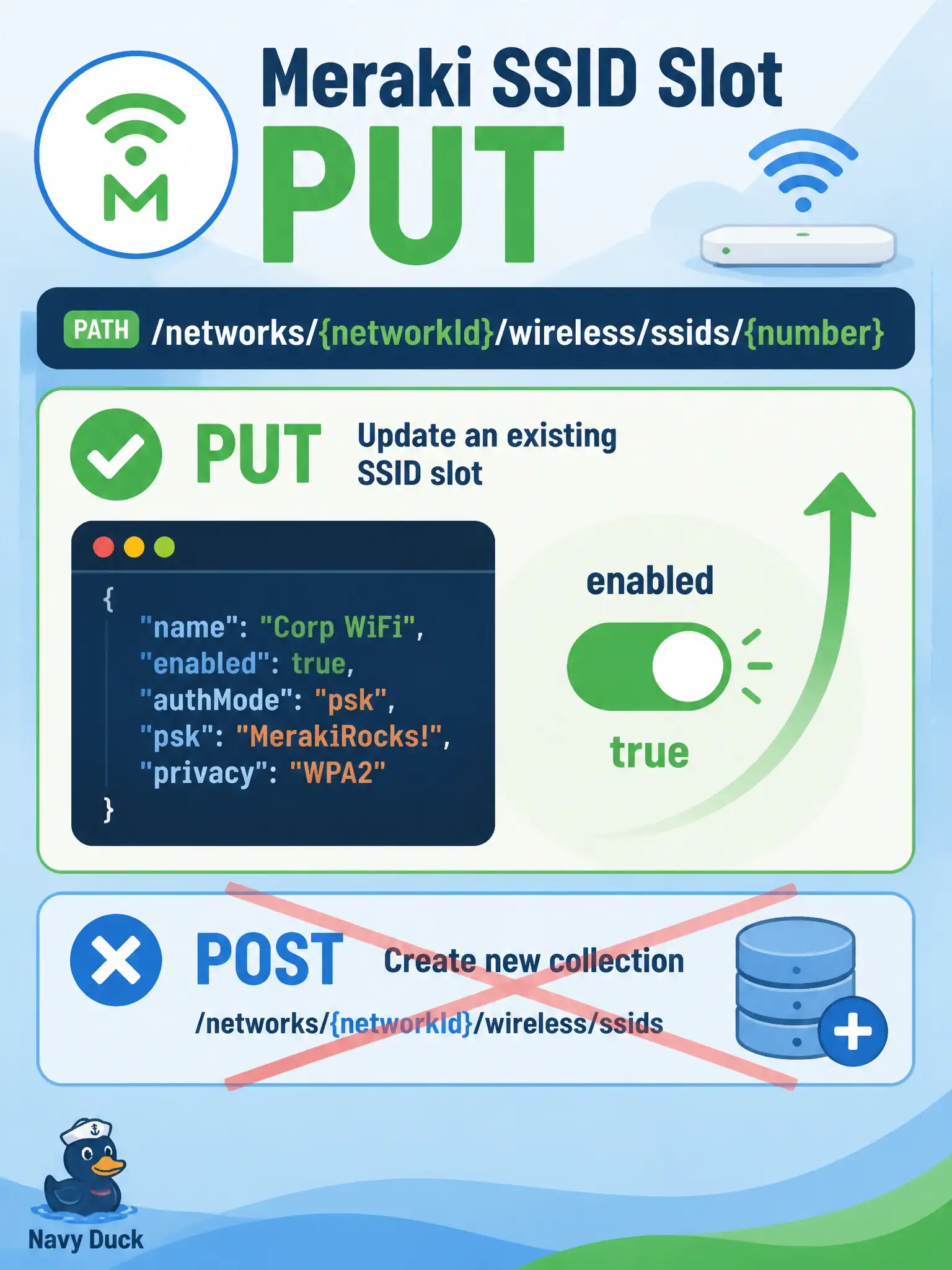
Meraki SSIDs already occupy numbered slots—you flip enabled to true with a PUT, you do not POST a brand-new SSID factory. CLI wlan tricks are not this Dashboard task.
Full Explanation
Meraki wireless SSIDs on a Dashboard network already occupy numbered slots. Enabling the Guest SSID for a city library is done with PUT /networks/{networkId}/wireless/ssids/{number} and a JSON body that sets enabled to true, ideally sending only the attributes you intend to change. That update flips the existing slot rather than manufacturing a new SSID collection entry.
POST /networks/{networkId}/wireless/ssids to invent a brand-new SSID collection entry fails the Dashboard model for this task: slots are predefined indices you configure, not a free-form factory of unlimited named SSIDs via POST create. Running a controller CLI wlan enable and ignoring Dashboard fails the API task—local CLI is not the Meraki Dashboard wireless SSID resource. DELETE /networks/{networkId}/wireless/ssids/{number} fails enable semantics: delete/reset of a slot is not how you turn Guest on, and it risks wiping configuration rather than setting enabled true.
Exam caveat: enabled true on the wrong {number} silently configures a different SSID than the ticket named Guest—always resolve slot index first.
Operational check: GET /networks/{networkId}/wireless/ssids, find the slot whose name is Guest, PUT that number with {"enabled": true}, then GET the same slot and confirm enabled is true in the library network.