
A clerk portal Functions app has an APM domain ready, but function-level tracing toggles never appear. What enablement order does OCI require?
Select an answer to reveal the explanation.
Short Explanation
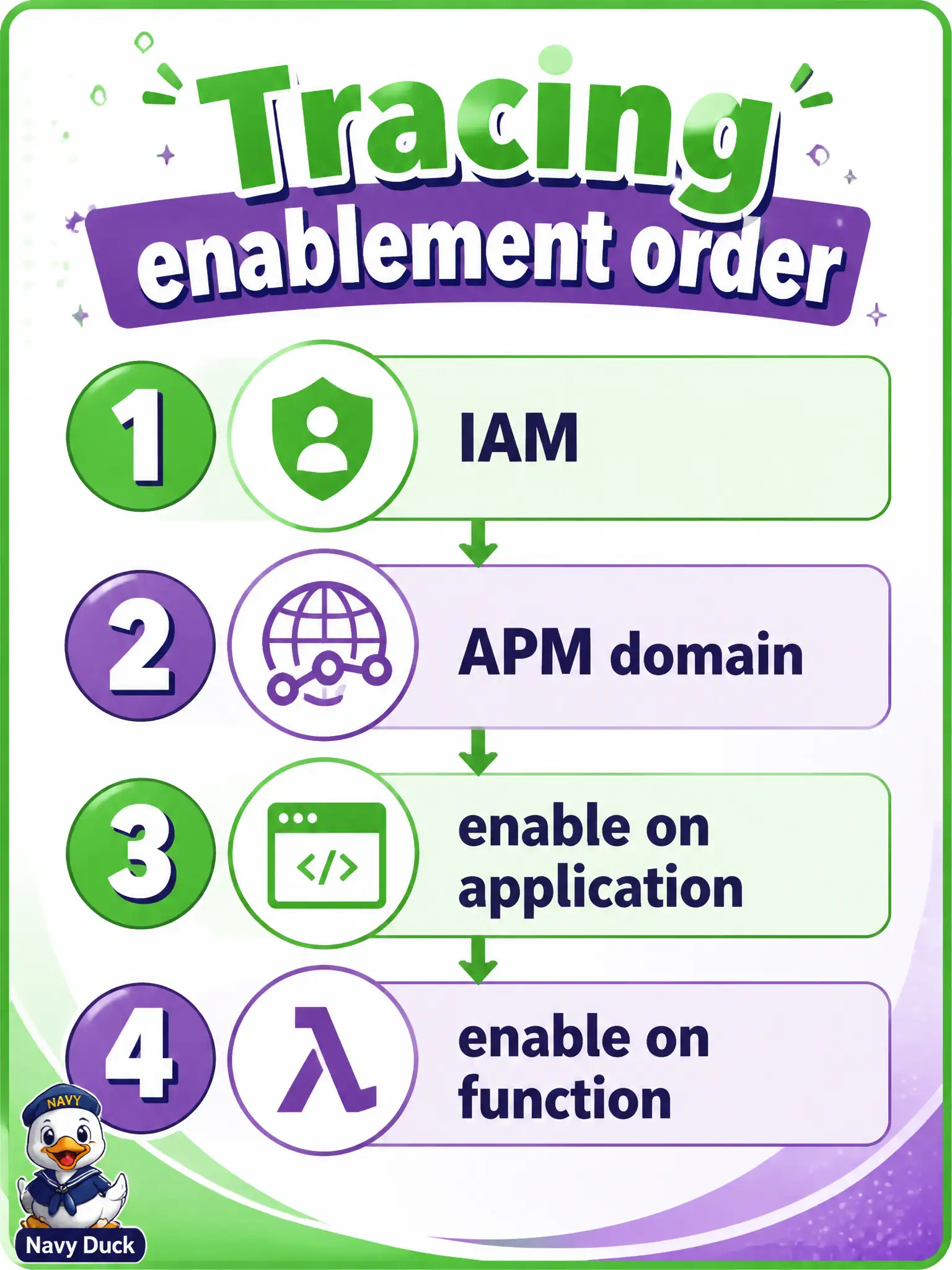
Application first with the APM domain attached, then each function—otherwise the function-level switch never shows up. Two clicks in the wrong order fail.
Full Explanation
OCI requires an ordered enablement path for Functions tracing. Ensure IAM allows Functions and the user to use APM domains; create or select an APM domain (with public and private data keys as documented); enable tracing on the Functions application and attach that APM domain; then enable tracing on each function. Function-level toggles do not appear as a usable path if the application-level tracing attachment was skipped—hence a clerk portal app with a ready APM domain but no function toggles usually means application enablement/attachment is incomplete.
Enabling tracing on each function first while treating the application toggle as optional inverts the required order. Skipping the APM domain and enabling only Logging JSON format improves structured logs, not span collection in APM. Enabling tracing only via OCIR image labels before push does not substitute for the Functions application and function tracing switches against an APM domain.
Exam caveat: IAM and domain keys must be correct before toggles matter—permission or wrong domain attachment can look like "missing toggles" or empty traces. Operational check: attach and enable tracing on the Functions application to the APM domain first, confirm function-level tracing controls become available, enable the target function, invoke, and verify a trace lands in the domain.