
When a parks recreation booking alarm fires, where should the firing message go so on-call staff get email or PagerDuty, without treating Logging as the alarm destination?
Select an answer to reveal the explanation.
Short Explanation
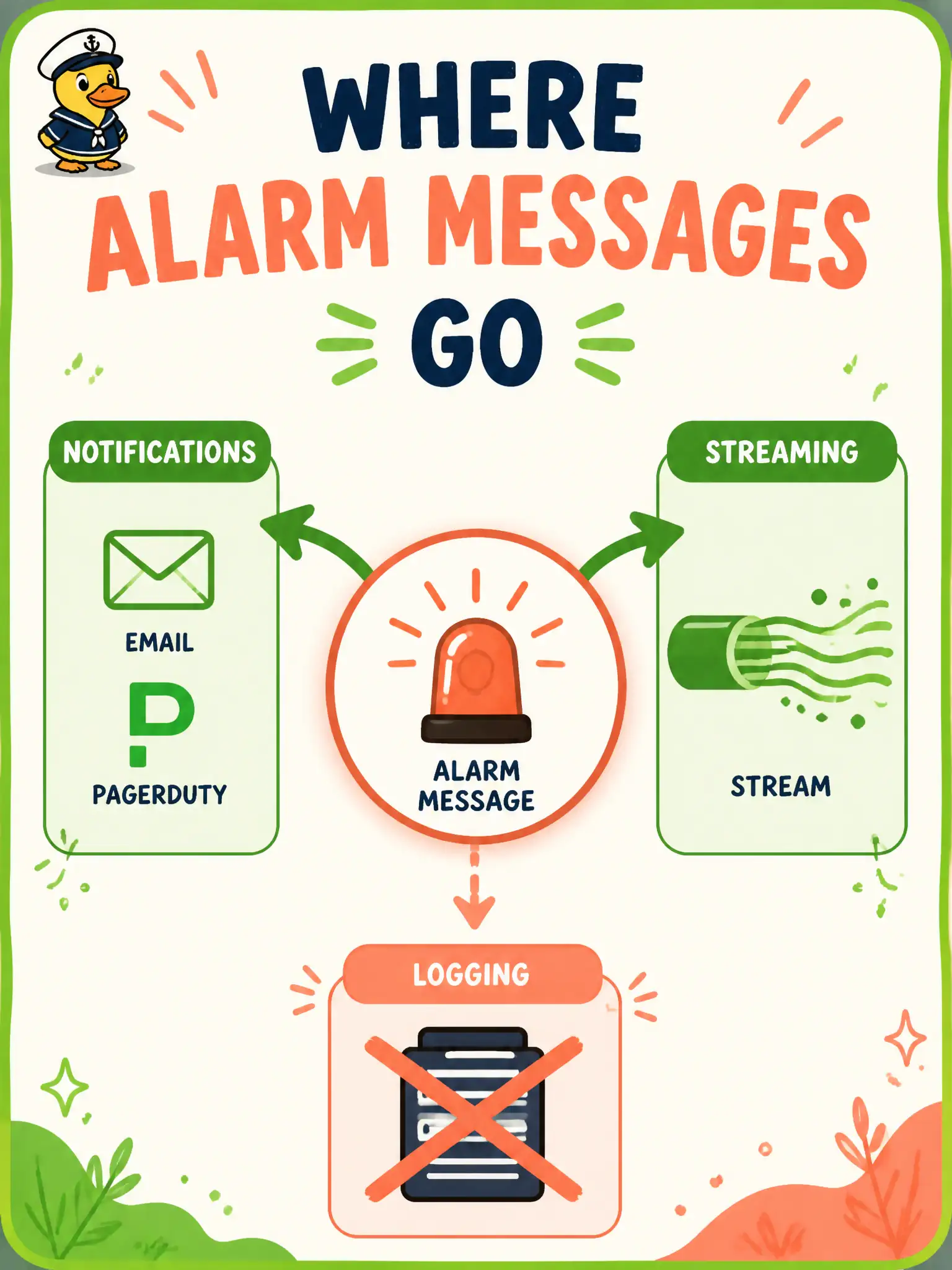
Alarm messages are like dispatch radio: they go out on Notifications (or a stream when volume is huge), not into the log binder. Connector Hub is not required just to emit the alarm.
Full Explanation
When a Monitoring alarm fires, the supported destinations for getting email, PagerDuty, or similar to on-call are a Notifications topic, or—when volume and fan-out call for it—a Streaming stream (including split-by-stream patterns). Notifications subscriptions turn the firing message into the channels parks recreation staff already use. Streaming is the high-volume alternative when you need durable, partitioned delivery rather than topic fan-out alone. Connector Hub is not a prerequisite merely to emit the alarm message to those destinations.
Sending the firing message only into an OCI Logging audit log category misunderstands both products: Audit captures the tenancy’s public API trail and is not the alarm destination contract. Parking alarm text in Object Storage through a Logging policy leftover path is not how Monitoring pages humans; docs treat Object Storage logging-policy routes as legacy for Functions logging, not as the alarm path. An APM domain public data key is for accepting traces into Application Performance Monitoring, not for receiving Monitoring alarm firings as the required destination.
Exam caveat: you can still use Connector Hub or Logging downstream of Notifications/Streaming for enrichment, but the alarm’s configured destination remains topic or stream—not Audit and not APM. Operational check: create or reuse a Notifications topic, subscribe an email or PagerDuty endpoint, attach it as the parks booking alarm destination, force a controlled fire, and confirm the message arrives without relying on log search as the page channel.