
After deploying a new Oracle Function for online payments, the team wants invocation and duration charts. What must they enable first?
Select an answer to reveal the explanation.
Short Explanation
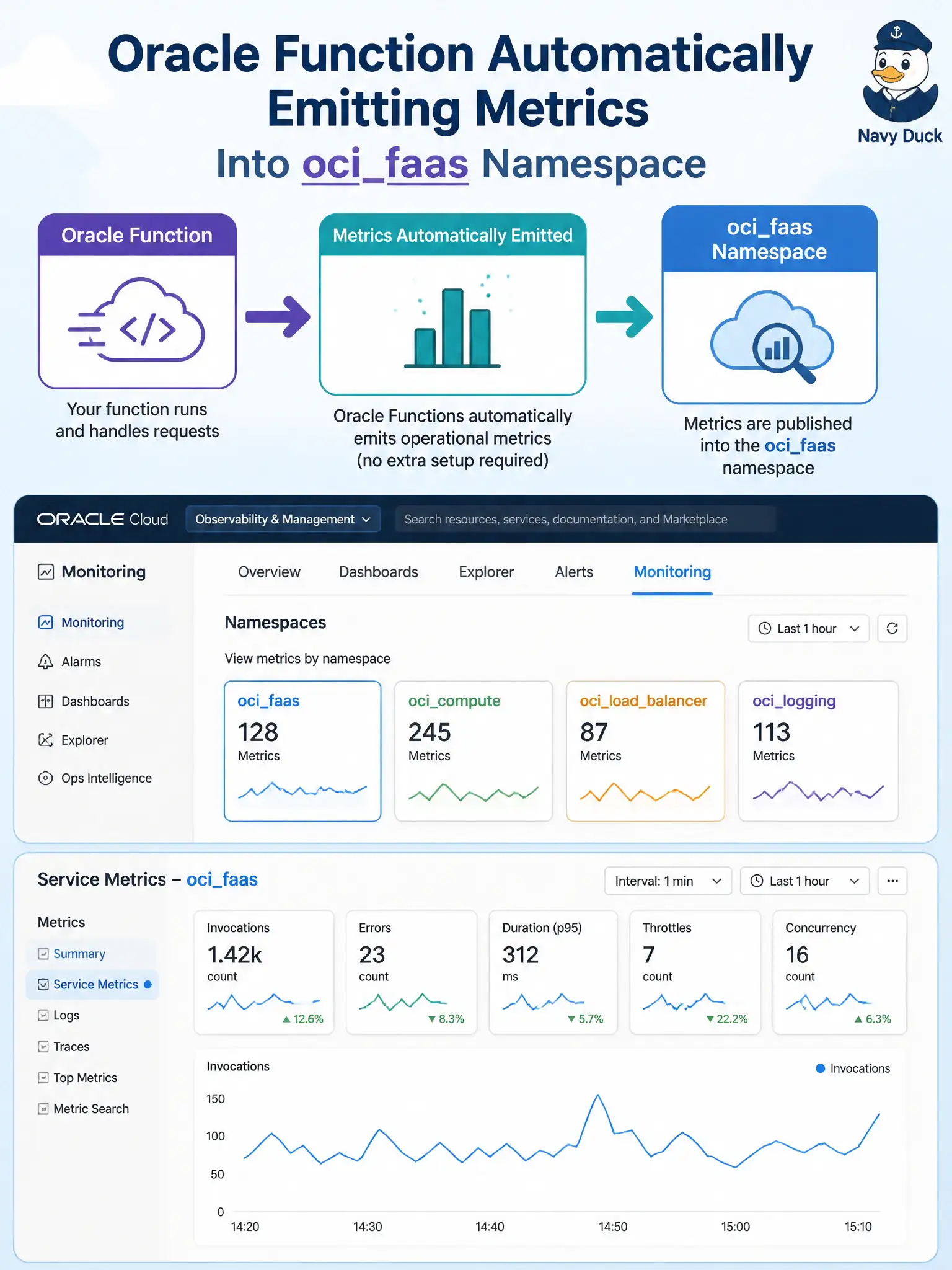
Functions already shout their basic stats into oci_faas—no special Insights switch. Open the Monitoring tab or filter Service Metrics to that namespace.
Full Explanation
Basic Oracle Functions metrics require nothing extra to enable: Functions emit into the oci_faas namespace automatically, and charts appear on the function or application Monitoring tab or under Service Metrics filtered to that namespace. After deploying the online-payments Function, operators can immediately view invocation and duration (and related) metrics without provisioning a side product or instrumenting manual posts for those platform metrics.
A separate product called Functions Insights that must be provisioned per application before any metric appears is not the documented prerequisite for basic oci_faas metrics. Manual metric posting from the FDK on every invoke is unnecessary for the standard platform metrics—though custom metrics are a different story. Creating a Cloud Guard target because Functions metrics are published only through Cloud Guard confuses security posture detection with Monitoring metric emission.
Exam caveat: absence of data points can still mean the Function was never invoked, the console is scoped to the wrong compartment, or filters exclude the resource—not that a hidden Insights switch is off. Operational check: invoke the payments Function a few times, open its Monitoring tab or Service Metrics for oci_faas, and confirm FunctionInvocationCount and FunctionExecutionDuration (or equivalent charts) update without any additional enablement step.