
A city’s Events rule already matches Object Storage create-object events, but every bucket in the tenancy would fire it. How should the developer narrow matches to one bucket’s family of resources?
Select an answer to reveal the explanation.
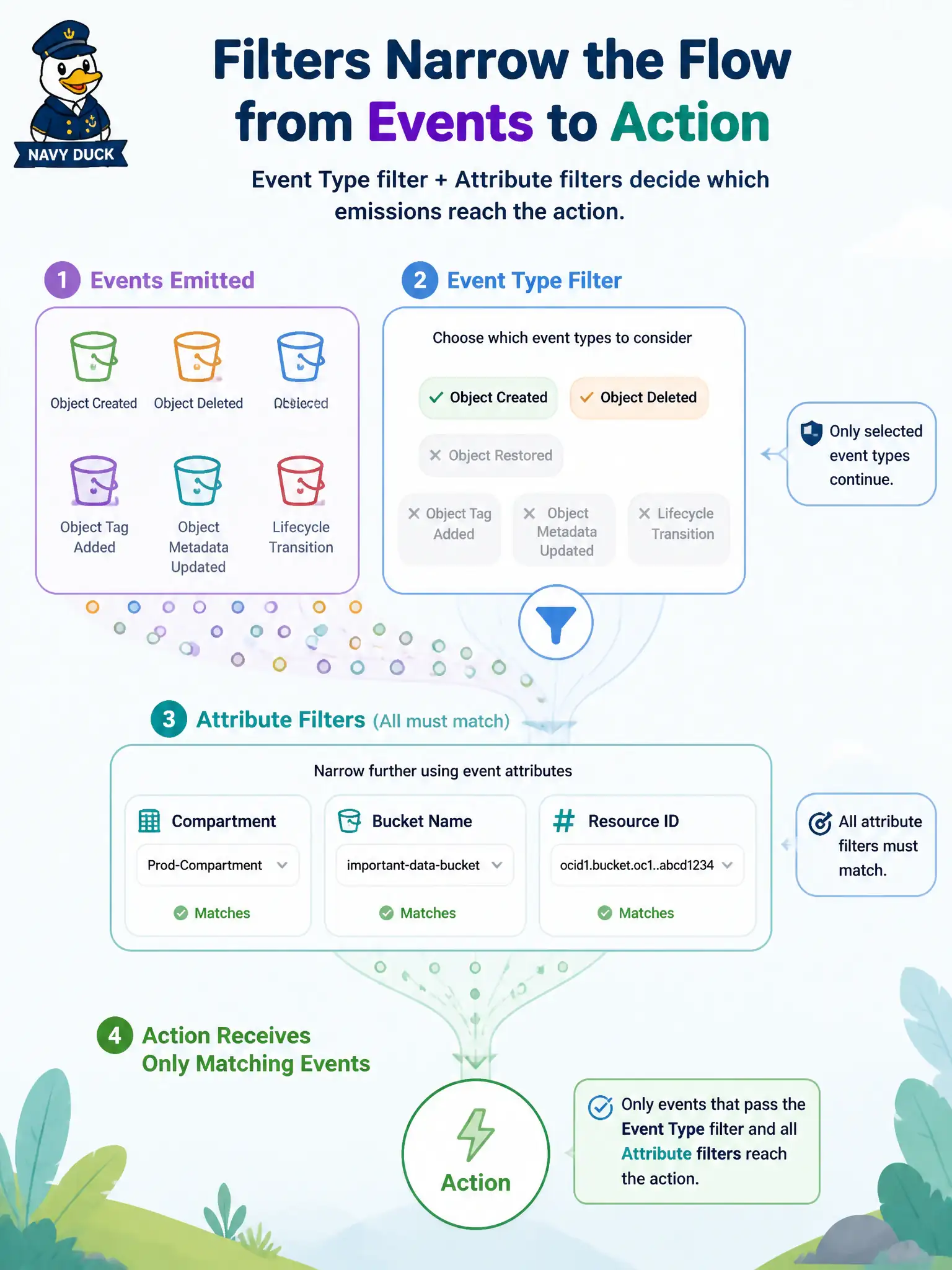
Short Explanation
After you pick an event type, attribute filters refine it—compartment, bucket name, resource id, and similar fields. That is how you avoid “every object create in the tenancy” without writing a JSONPath exam answer.
Full Explanation
When the city’s Events rule already matches Object Storage create-object events but would fire for every bucket in the tenancy, narrow matches with Attribute conditions. Attributes refine the Event Type filter using fields from the CloudEvent payload—compartment ID, bucket name, resource ID, and similar documented attributes—so only the intended bucket’s family of resources triggers the action. That is the supported way to scope without rewriting the event type or hand-listing every object. Replacing the event type with a Streaming SQL filter on Kafka headers abandons Events filtering for a Streaming-query idea that does not configure which OCI resource emissions match a rule. Deleting the rule and recreating it once per object OCID listed by hand does not scale and misunderstands that create-object events describe objects as they appear; attributes on bucket or compartment are the durable scope. Moving the Function into the bucket’s compartment so Events auto-scopes by placement is false: action placement does not redefine which emitters the rule matches—rule compartment and filter conditions do. Exam caveat: attribute names and allowed comparisons are service-specific; a misspelled bucket-name attribute silently matches nothing even when Event Type is correct. Operational check: add an attribute condition for the target bucket name (or OCID/compartment as documented), emit create-object events from both the target bucket and a sibling bucket, and verify only the target fires the Function or test stream.