
The city's isolated lab must turn Distributed Firewall off globally during a messy packet-reproduction test. Where is that enable/disable control?
Select an answer to reveal the explanation.
Short Explanation
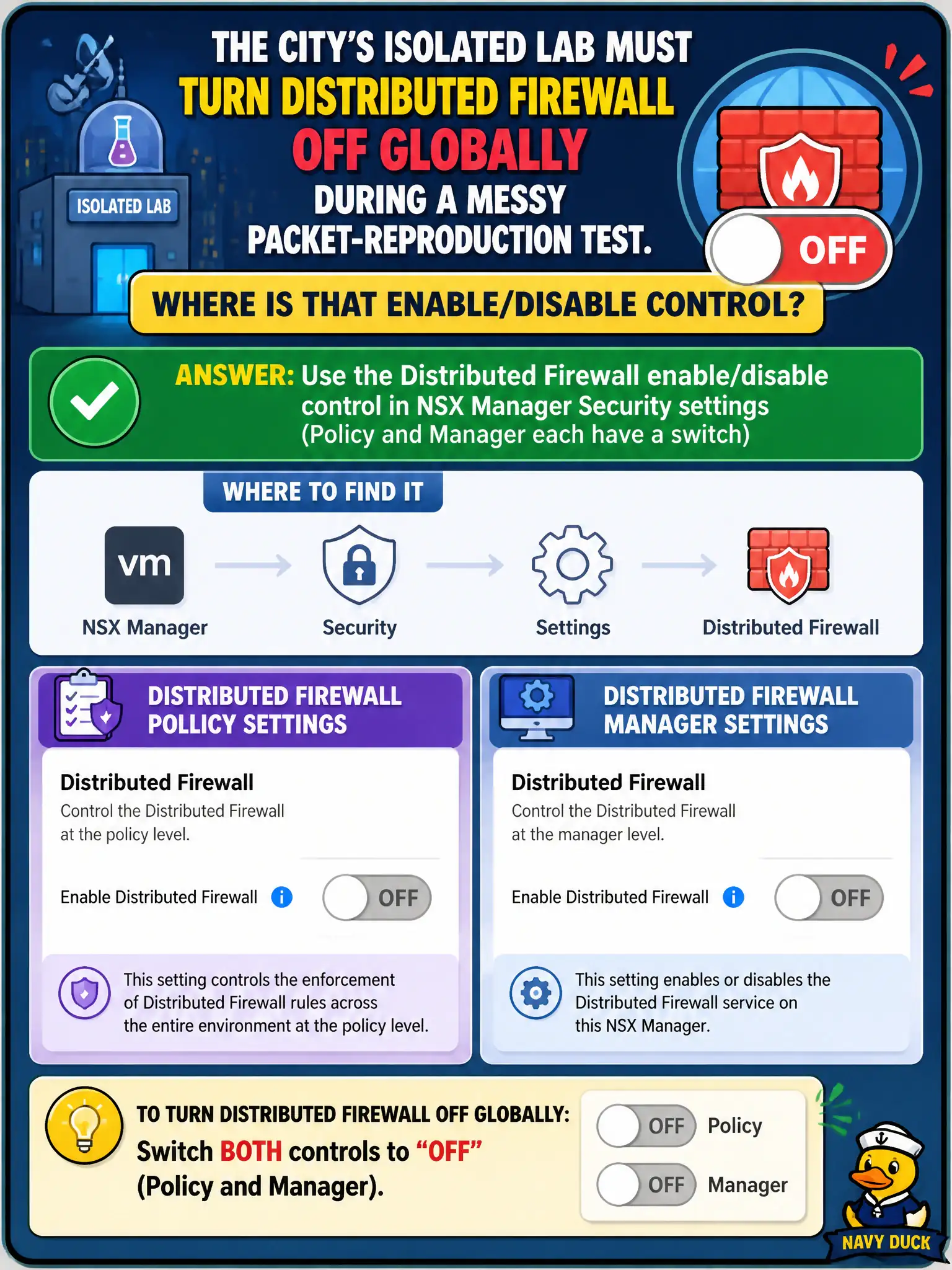
Global DFW off is a marked lab switch on the Security settings page—Policy and Manager each have one. Unplugging vmnics, guest Windows Firewall, and vSAN licenses are not that switch, and production cities keep DFW on.
Full Explanation
An isolated city lab that must turn Distributed Firewall off globally during a messy packet-reproduction test uses the Distributed Firewall enable/disable control in NSX Manager Security settings—Policy and Manager each expose that switch for lab or emergency identify tasks. Powering off every ESXi vmnic on lab hosts disables physical connectivity rather than toggling the NSX DFW service cleanly. Disabling Windows Firewall inside one guest only affects that guest OS firewall and is not global NSX DFW off. Removing the vSAN license does not force NSX to disable Distributed Firewall and would harm storage licensing unrelated to Security. Exam caveat: production civic fabrics keep DFW enabled; treat global disable as a controlled lab action with explicit start/stop criteria, not routine hardening. Operational check: in the isolated lab Manager, locate the Security DFW enable/disable control, disable only for the reproduction window, capture before/after Traceflow or log evidence, then re-enable and confirm default deny or baseline policies still realize. In municipal operations, record the chosen control and the rejected alternatives in the change ticket so future on-call staff understand which failure modes would affect city services. Re-validate after the next maintenance window that the same GUI path and realized state still hold under the current NSX build used by the civic platform team.