
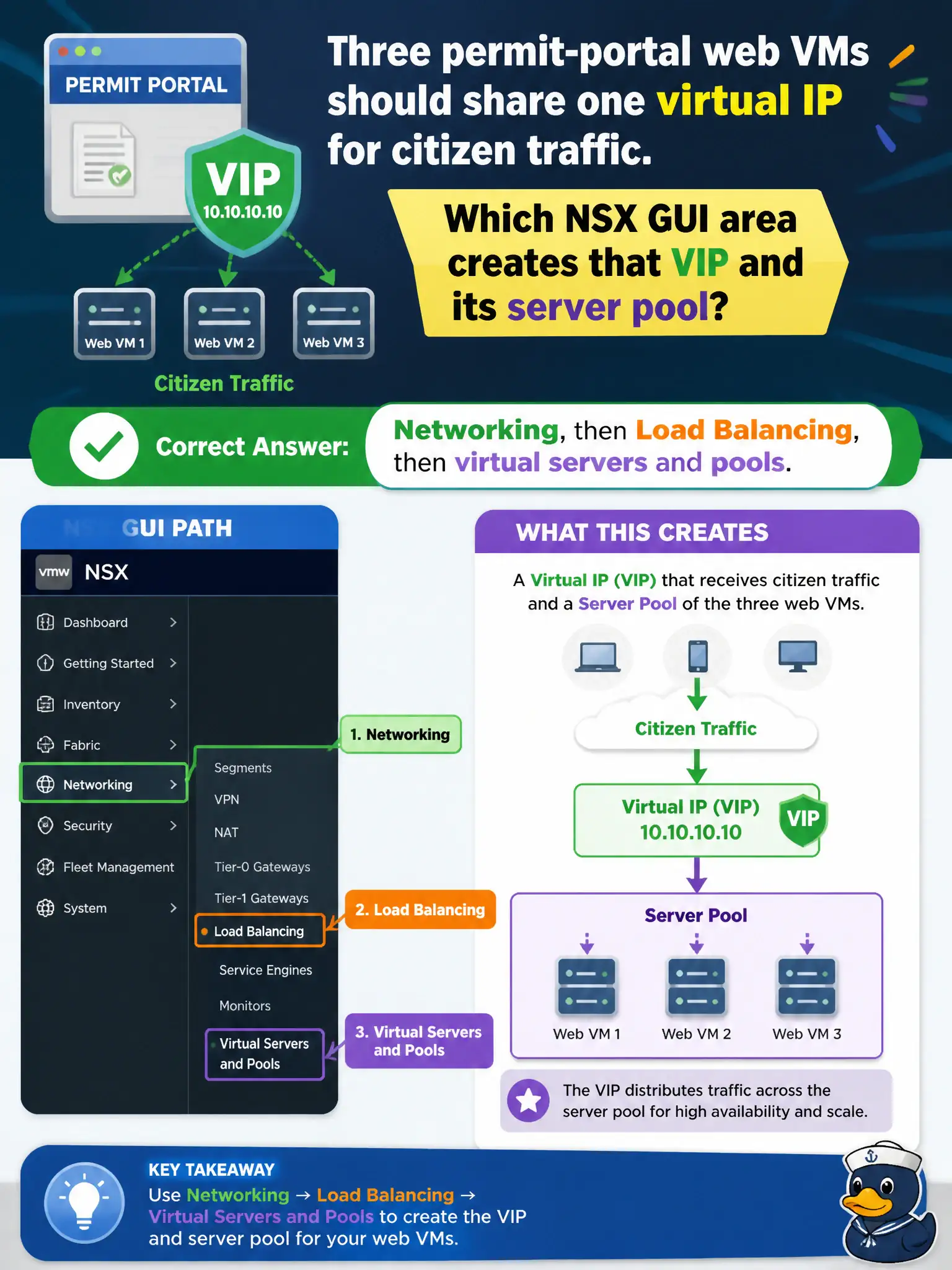
Three permit-portal web VMs should share one virtual IP for citizen traffic. Which NSX GUI area creates that VIP and its server pool?
Select an answer to reveal the explanation.
Short Explanation
One front-door number for three permit-web clerks is a load balancer, not a firewall rule. Build the VIP and pool under Networking, then Load Balancing. Transport zones and Horizon UAG are not that NSX VIP.
Full Explanation
NSX load-balancer virtual servers and server pools are created under Networking, then Load Balancing, in NSX Manager so three permit-portal web VMs can share one virtual IP for citizen traffic. One front-door number for three permit-web clerks is a load balancer, not a firewall rule. Distributed Firewall rules do not host a VIP object. Transport zones define overlay or VLAN span, not a citizen-facing virtual IP. Unified Access Gateway is an EUC edge and is not the NSX load-balancing GUI. Exam caveat: create both the pool and the virtual server; a VIP without backends or a pool without a virtual server will not serve citizens. Operational check: under Networking Load Balancing, create a pool with the three web VMs and a virtual server VIP, send test connections, confirm distribution, and reject DFW, transport zones, and Horizon UAG as the VIP create path. Document the civic rationale in the change record so the next operator can restate why the correct control matches the agency outcome, why each distractor fails by concept, and which NSX Manager view confirms the result after publish. Document the civic rationale in the change record so the next operator can restate why the correct control matches the agency outcome, why each distractor fails by concept, and which NSX Manager view confirms the result after publish.