
Domain-joined permitting PCs should get a silent Kerberos sign-on to Workspace ONE Access instead of a password prompt. What on-premises piece typically enables that authentication method?
Select an answer to reveal the explanation.
Short Explanation
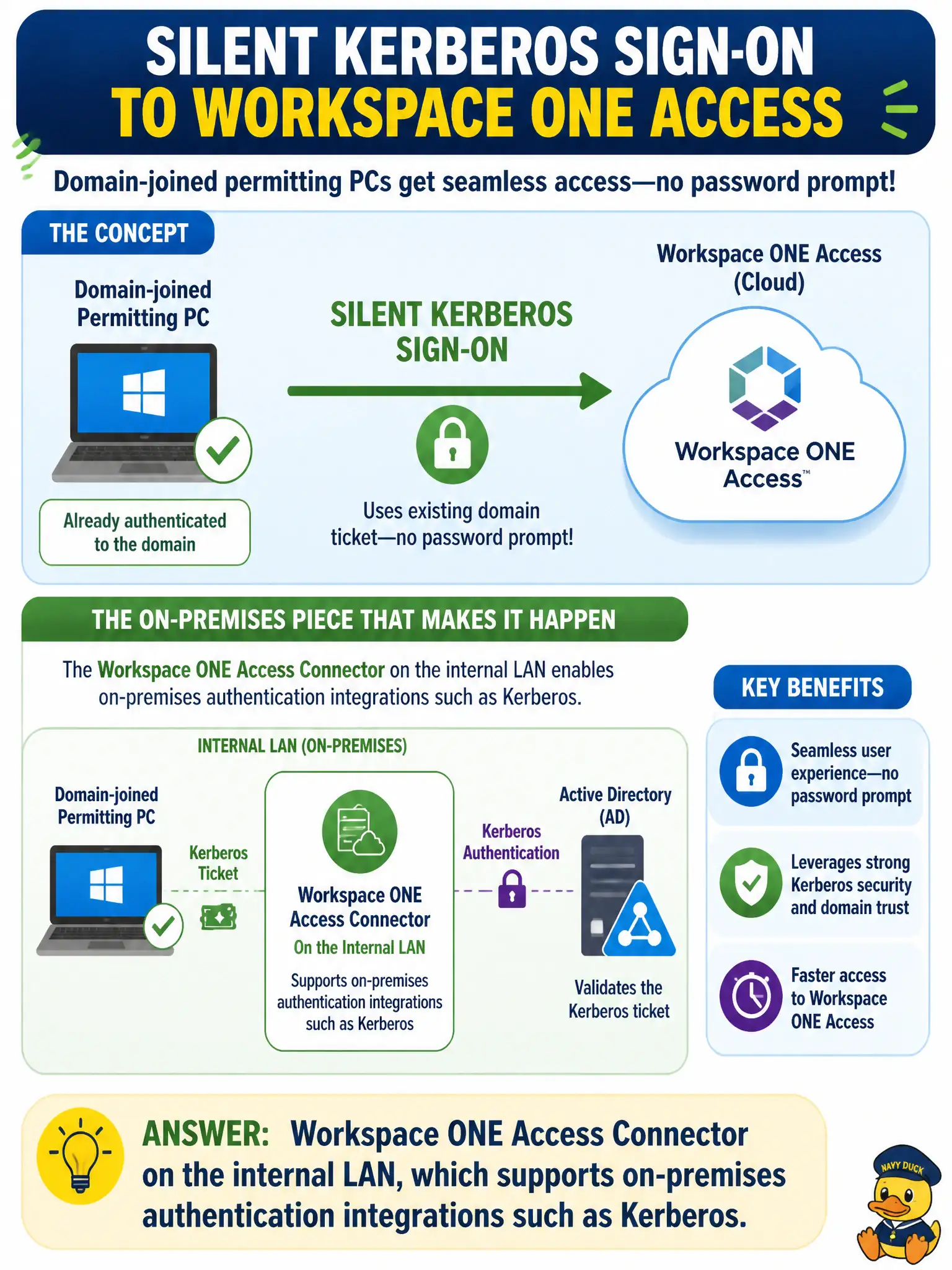
Kerberos is a handshake that has to happen near the domain, not from a remote-control window. Access Connector on the LAN is the on-premises auth helper. Assist, App Volumes, and DEM are not the Kerberos desk.
Full Explanation
Domain-joined permitting PCs that should get a silent Kerberos sign-on to Workspace ONE Access instead of a password prompt typically rely on Workspace ONE Access Connector on the internal LAN, which supports on-premises authentication integrations such as Kerberos. Kerberos is a handshake that has to happen near the domain, not from a remote-control window or a package attach. Workspace ONE Assist fails by concept: Assist is remote support for endpoints and does not type Kerberos tickets into the Hub login field as an authentication method. App Volumes Manager fails because it assigns application packages and writables; injecting a “Kerberos package” is not how Integrated Windows Authentication to Access is configured. Dynamic Environment Manager fails because DEM applies user environment settings and can automate aspects of a Windows desktop experience, but writing a kiosk auto-logon INI is not the Access on-premises Kerberos integration point. Exam caveat: silent Kerberos also requires the PCs to be domain-joined, Access authentication methods to be configured for Kerberos/IWA, and correct network path to Access Connector—Connector alone without auth method configuration is incomplete. Operational check: from a domain-joined permitting PC on the internal LAN, open the Access/Hub sign-on path and confirm Kerberos silent authentication succeeds; verify Assist, App Volumes, and DEM are not the components enabling that auth method.