
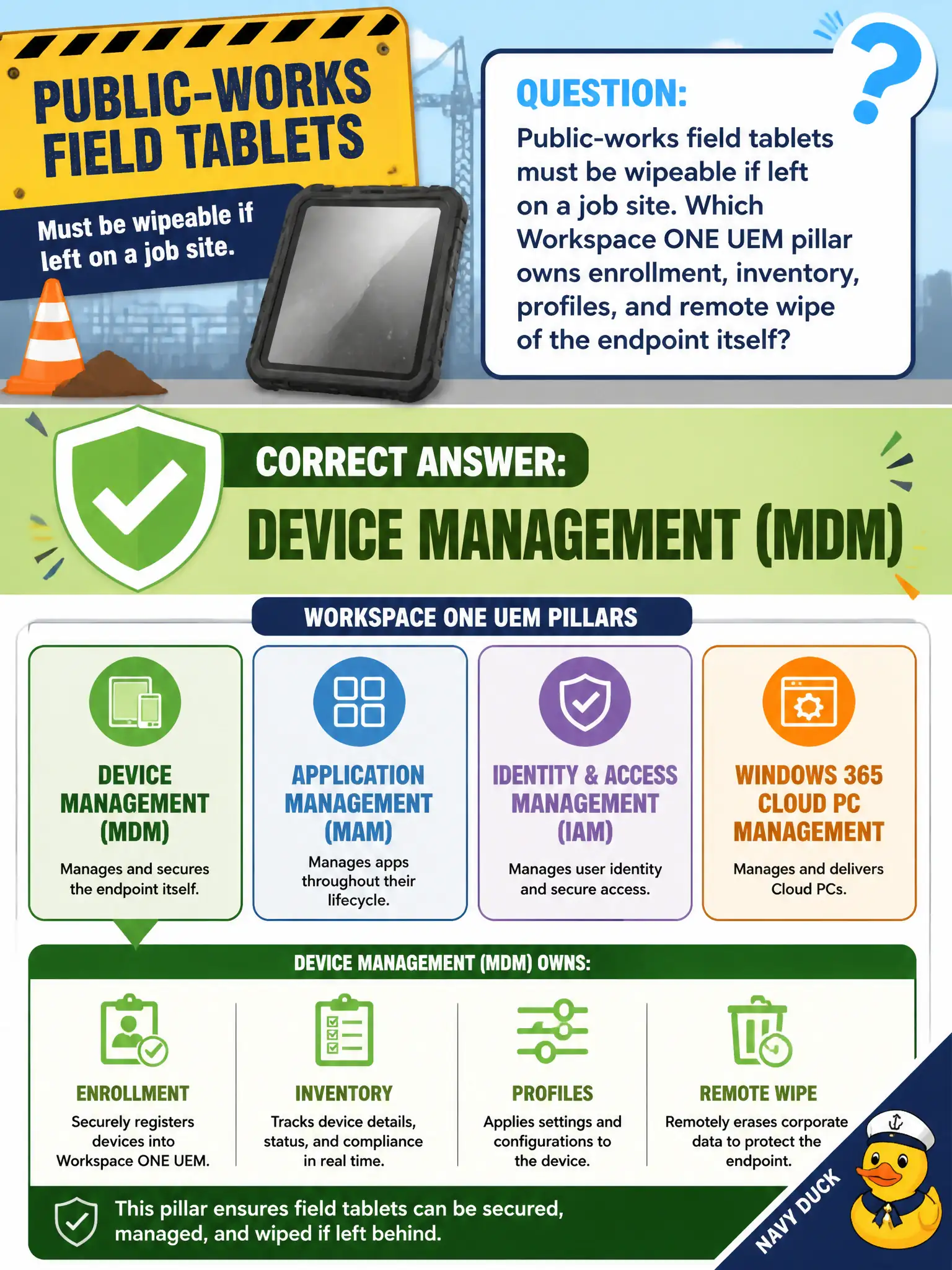
Public-works field tablets must be wipeable if left on a job site. Which Workspace ONE UEM pillar owns enrollment, inventory, profiles, and remote wipe of the endpoint itself?
Select an answer to reveal the explanation.
Short Explanation
If the tablet is the whole truck, device management is the ignition key and the kill switch. Enrollment, inventory, profiles, and remote wipe live on that MDM pillar, not in the mail app.
Full Explanation
Device management (MDM) owns enrollment, inventory, profiles, and remote wipe of the public-works field tablet—the pillar that makes a lost job-site device wipeable. In municipal EUC terms, treat the endpoint as a window into city systems when the architecture says so, not as the system of record for the files or apps in the stem. Distractor concept: Email management (MEM/managed mail) governs mailbox access, not full device inventory and wipe. Distractor concept: Content management protects files in a locker; it does not enroll or wipe the endpoint as a whole. Distractor concept: App Volumes packaging layers Horizon desktop apps and is not the UEM wipe/enrollment pillar. Exam caveat: Map stem verbs enroll/inventory/profile/wipe to MDM; adjacent UEM pillars are frequent distractors. Operational check: Confirm MDM enrollment and inventory, required profiles, and a tested remote/enterprise wipe on a lab tablet before field rollout. Record the chosen control and the rejected failure modes in the civic change ticket or runbook so on-call staff and auditors share the same rationale after the next maintenance window. Re-validate after personnel or image changes that the same control still meets the city's continuity, security, and support expectations for this service.