
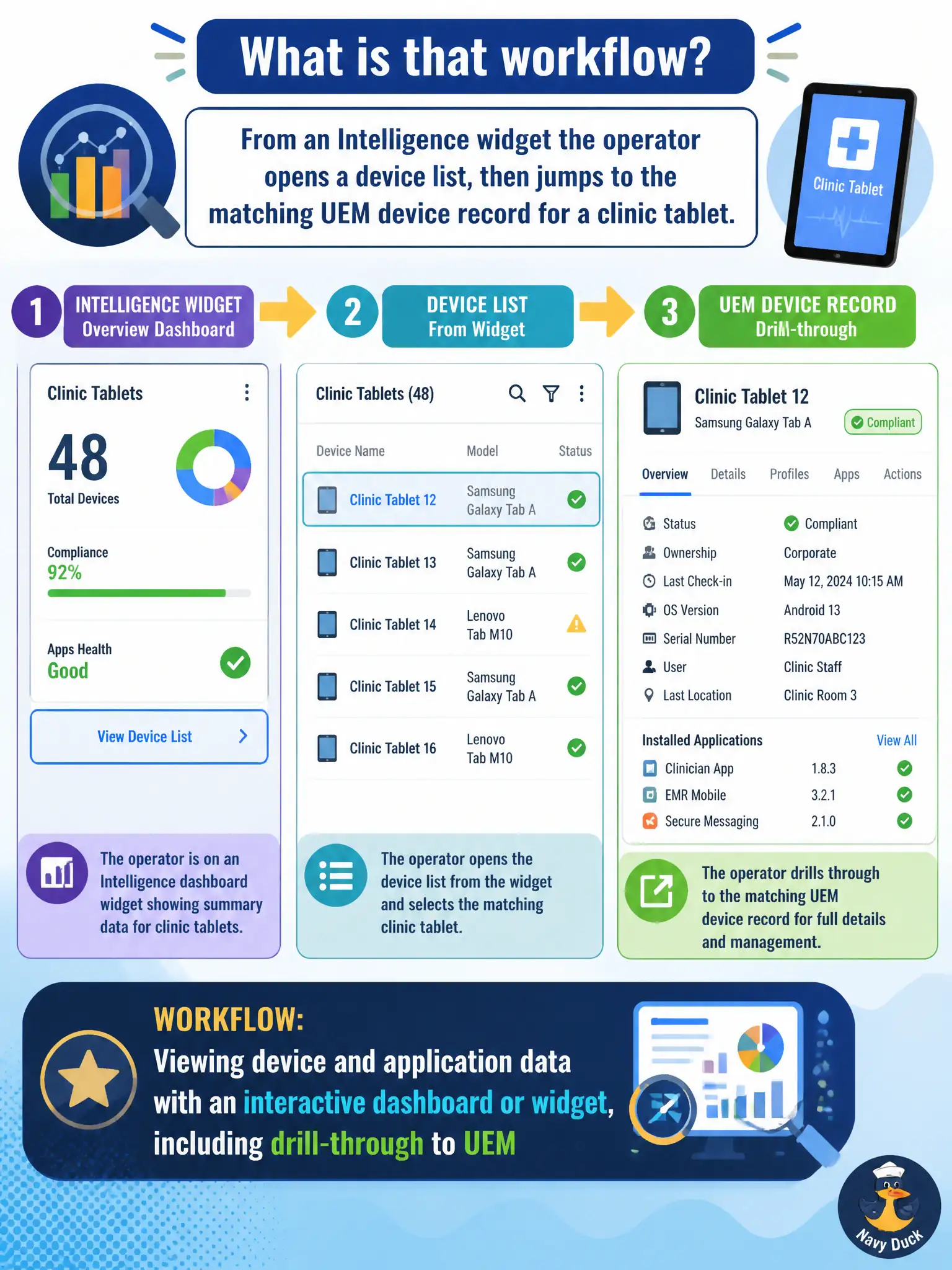
From an Intelligence widget the operator opens a device list, then jumps to the matching UEM device record for a clinic tablet. What is that workflow?
Select an answer to reveal the explanation.
Short Explanation
Click the tile, get the roster, open the tablet's folder. That is still viewing data with a dashboard or widget, not a new product.
Full Explanation
Opening a device list from an Intelligence widget and then jumping to the matching UEM device record for a clinic tablet is still the admin task of viewing device and application data with an interactive dashboard or widget, including drill-through into UEM. Interactivity does not change the product plane: Intelligence presents the analytics view and hands off to UEM for the authoritative device record. That workflow is not proof the widget became Workspace ONE Assist, which is remote support rather than analytics drill-through. It is not proof that widget device lists are Horizon pool entitlements; Horizon pools are VDI objects unrelated to this UEM drill path. It also does not prove that clicking a widget permanently disables Intelligence reports. Exam caveat: after drill-through, remediate in UEM if needed, then return to Intelligence to confirm the widget population updates after the next data refresh. Operational check: from the widget open the filtered clinic tablet list, select one device, land on the UEM record, verify identity and compliance fields, document the path in the runbook, and confirm reports remain schedulable. In municipal EUC operations, record the console path and the rejected alternatives in the change ticket so the next on-call technician repeats the same evidence-first workflow for city staff.