
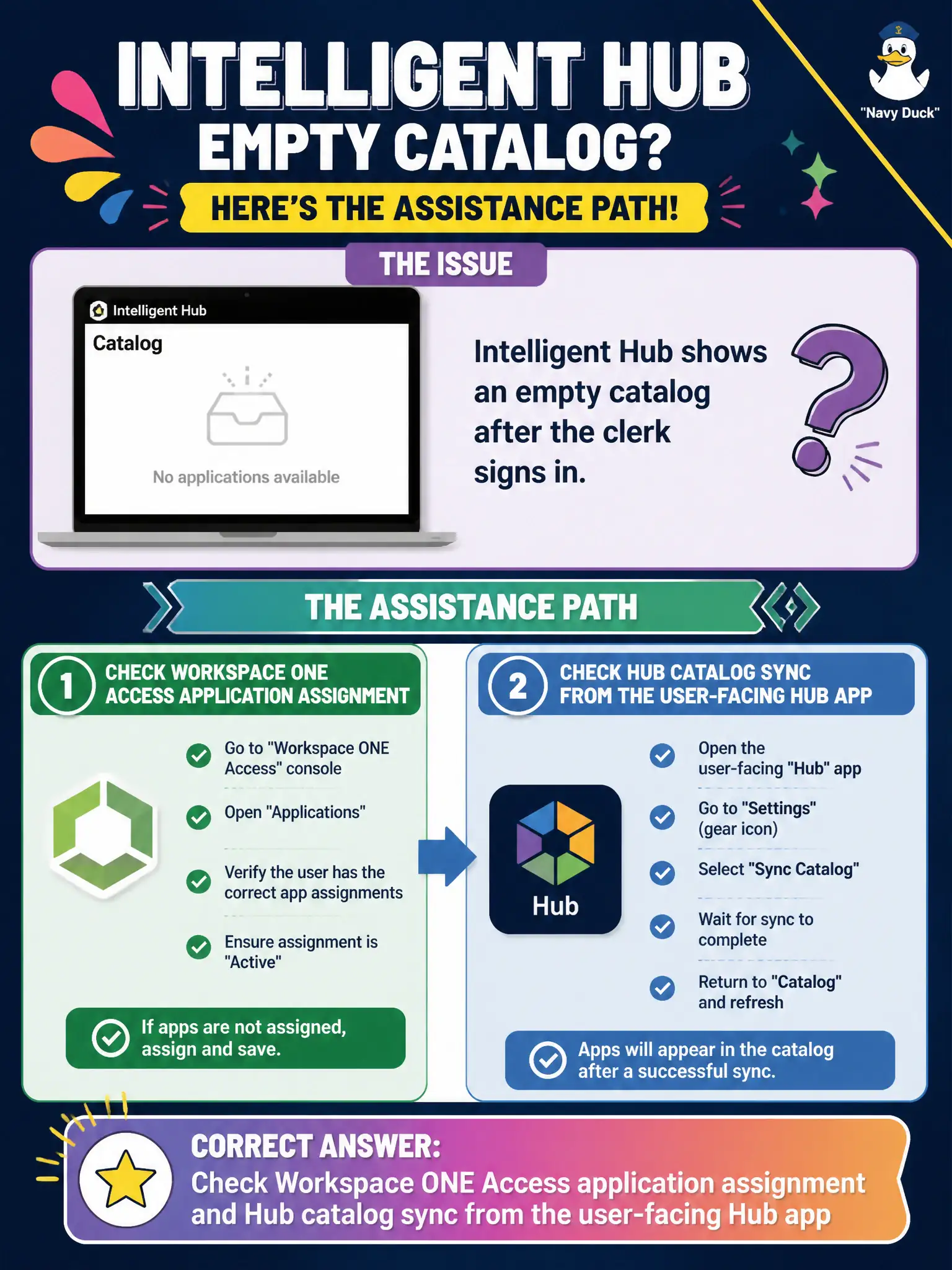
Intelligent Hub shows an empty catalog after the clerk signs in. What assistance path matches the associate task?
Select an answer to reveal the explanation.
Short Explanation
An empty Hub shelf usually means Access never granted the apps, or Hub has not synced. Stay with the user-facing Hub app and verify Access assignment. Do not wipe the phone or wrap the catalog in App Volumes.
Full Explanation
If Intelligent Hub shows an empty catalog after sign-in, the assistance path that matches the associate task is to check Workspace ONE Access application assignment and Hub catalog sync from the user-facing Hub app. Hub displays apps assigned in Access (and related UEM app entitlements depending on design); an empty catalog often means missing Access assignment or sync delay. Rebuilding vSphere DRS rules for Hub virtual machines invents an infrastructure problem that is not the first-line catalog fix. Wiping the device from Content Dashboard is destructive and unrelated to catalog entitlement. Publishing the catalog as an App Volumes package misapplies Windows packaging to Hub. Exam caveat: confirm the user can authenticate to Access before redesigning connectors. Operational check: verify the clerk's Access entitlements for expected apps, refresh Hub, confirm catalog tiles appear, and document whether the issue was assignment or Hub cache. In municipal EUC operations, record the console path and the rejected alternatives in the change ticket so the next on-call technician repeats the same evidence-first workflow for city staff. Re-validate after the next maintenance window that the same control still holds for the civic tenant.