
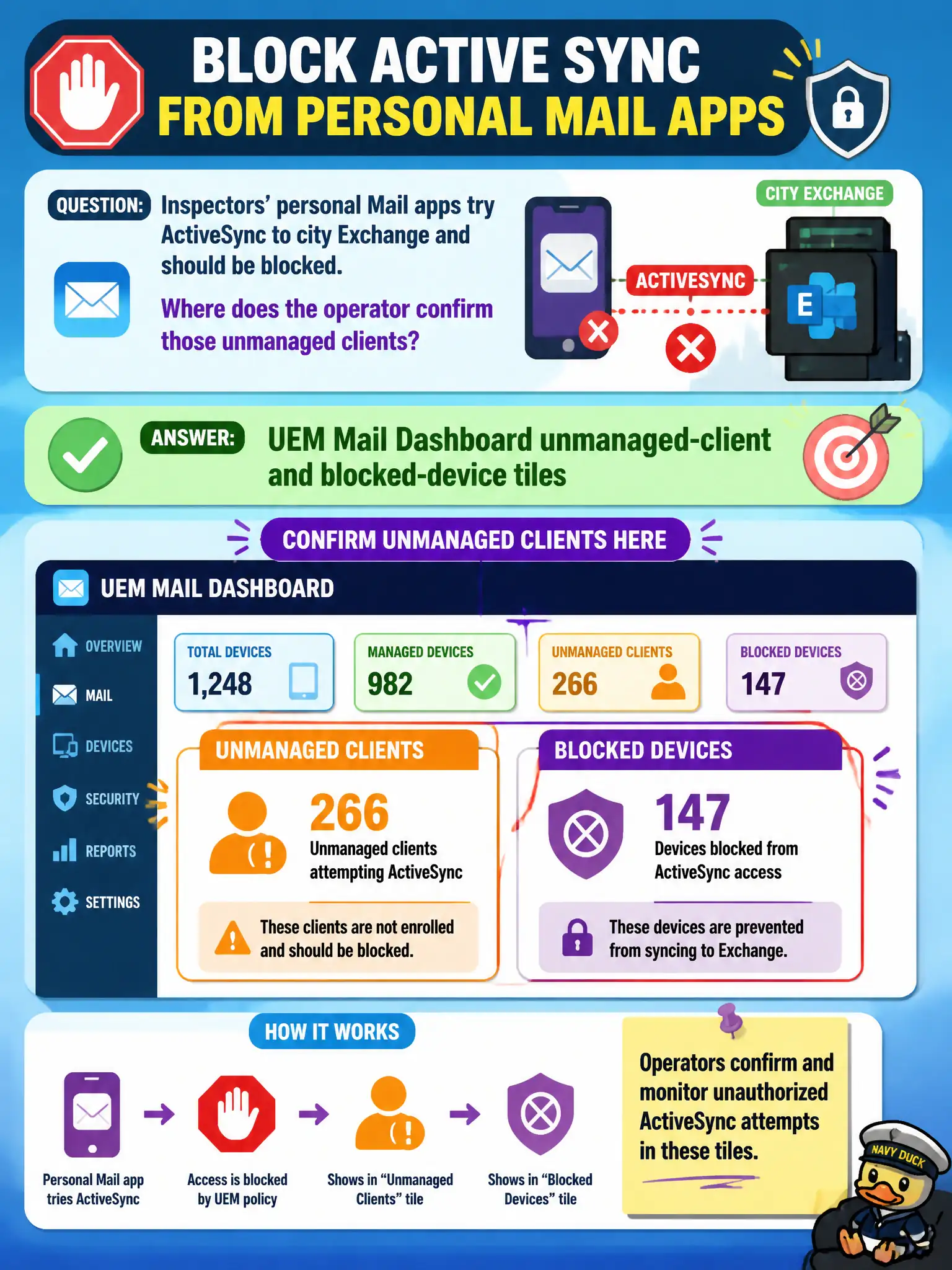
Inspectors' personal Mail apps try ActiveSync to city Exchange and should be blocked. Where does the operator confirm those unmanaged clients?
Select an answer to reveal the explanation.
Short Explanation
A consumer Mail app knocking on Exchange is an email-door problem. Mail Dashboard shows unmanaged clients and blocks. Content install counts and Horizon sessions do not.
Full Explanation
Inspectors' personal Mail apps attempting ActiveSync to city Exchange should be visible as unmanaged clients and, when policy requires, blocked devices on the UEM Mail Dashboard. That is where operators confirm MEM controls are rejecting unmanaged mail access. Content Dashboard install counts for Workspace ONE Content measure document delivery, not unmanaged ActiveSync clients. Horizon Cloud Control Plane session counts measure cloud desktop sessions. Dynamic Environment Manager helpdesk printer maps show Windows printer application, not mobile mail client compliance. Exam caveat: unmanaged does not always mean malicious—BYOD users may need Boxer assignment and education after the block is confirmed. Operational check: open Mail Dashboard unmanaged-client and blocked-device tiles, filter to inspectors, confirm personal Mail attempts are blocked, assign Boxer to the Inspectors group if required, and verify a sample inspector syncs successfully with Boxer. In municipal EUC operations, record the console path and the rejected alternatives in the change ticket so the next on-call technician repeats the same evidence-first workflow for city staff. Re-validate after the next maintenance window that the same control still holds for the civic tenant.