
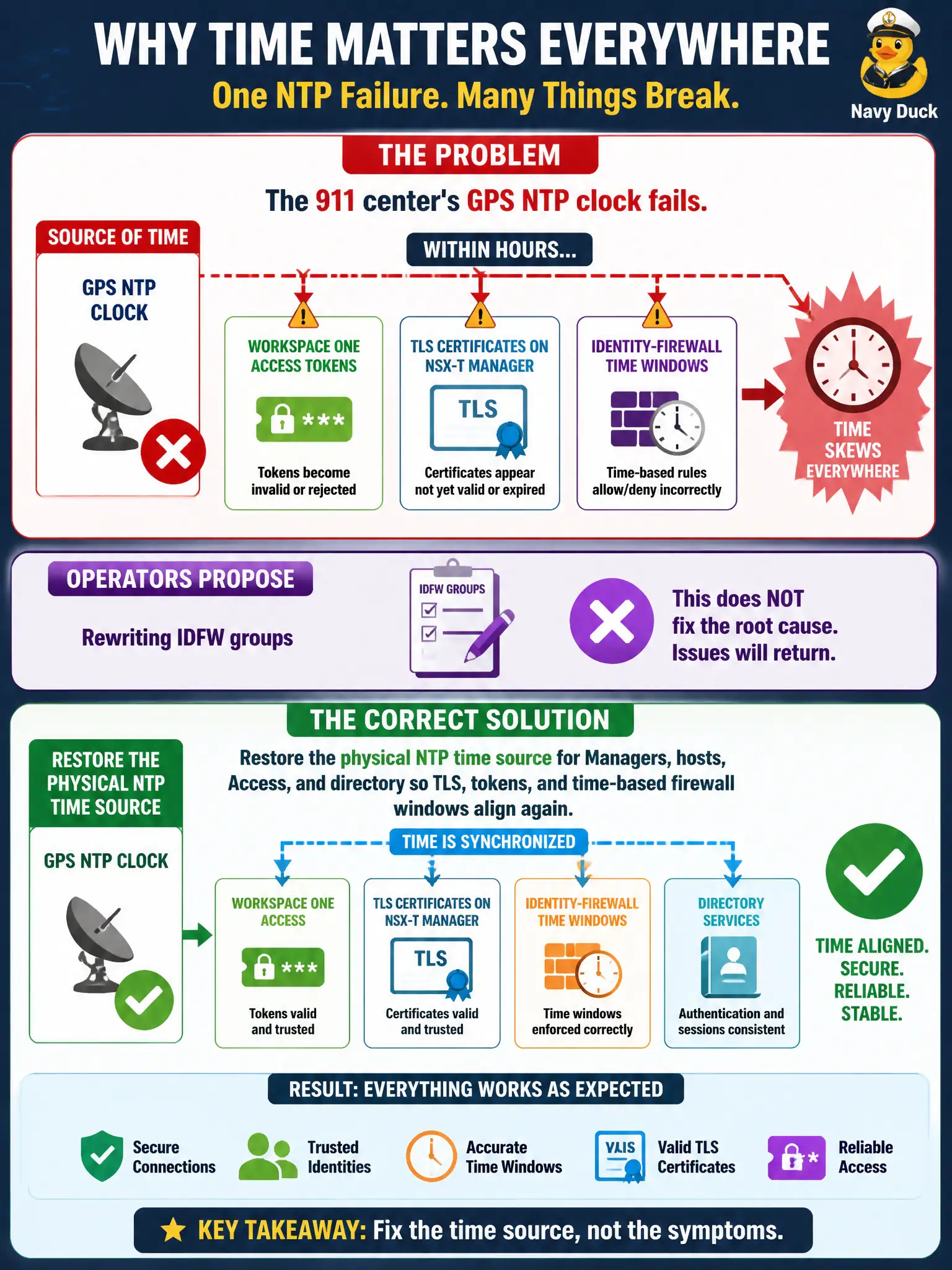
The 911 center's GPS NTP clock fails. Within hours, Workspace ONE Access tokens, TLS certificates on NSX-T Manager, and identity-firewall time windows all skew. Operators propose rewriting IDFW groups. What should the administrator restore?
Select an answer to reveal the explanation.
Short Explanation
Certificates and time-based firewall windows are clocks wearing a badge. When the GPS NTP box dies, every TLS handshake and IDFW schedule starts arguing about what time it is. Restore the physical time source; rewriting groups will not unscrew the clocks.
Full Explanation
When the 911 center's GPS NTP clock fails and within hours Workspace ONE Access tokens, TLS certificates on NSX-T Manager, and identity-firewall time windows all skew while operators propose rewriting IDFW groups, restore the physical NTP time source for Managers, hosts, Access, and directory so TLS, tokens, and time-based firewall windows align again. Time skew cascades across identity and security controls; rewriting IDFW groups does not correct clocks. Restoring civic NTP heals the shared time base. Carbon Black Cloud prevent-only policy, which independently sets civic clocks, fails by concept because CBC prevent-only does not set infrastructure NTP clocks. Geneve overlay MTU, because time skew is a symptom of underlay fragmentation, fails by concept because time skew is an NTP failure, not an MTU symptom. Guest Introspection USVM log scraping only, without correcting host or Manager clocks, fails by concept because scraping GI logs does not realign TLS, tokens, or time-based IDFW windows. Exam caveat: multi-product time skew after NTP failure means restore NTP first—do not rewrite IDFW groups, blame MTU, or scrape GI logs as the clock fix. Operational check: restore the GPS NTP source, verify time on Managers, hosts, Access, and directory, confirm tokens and time-based windows work, and add NTP redundancy monitoring to the 911 timing architecture for municipal public-safety resilience.