
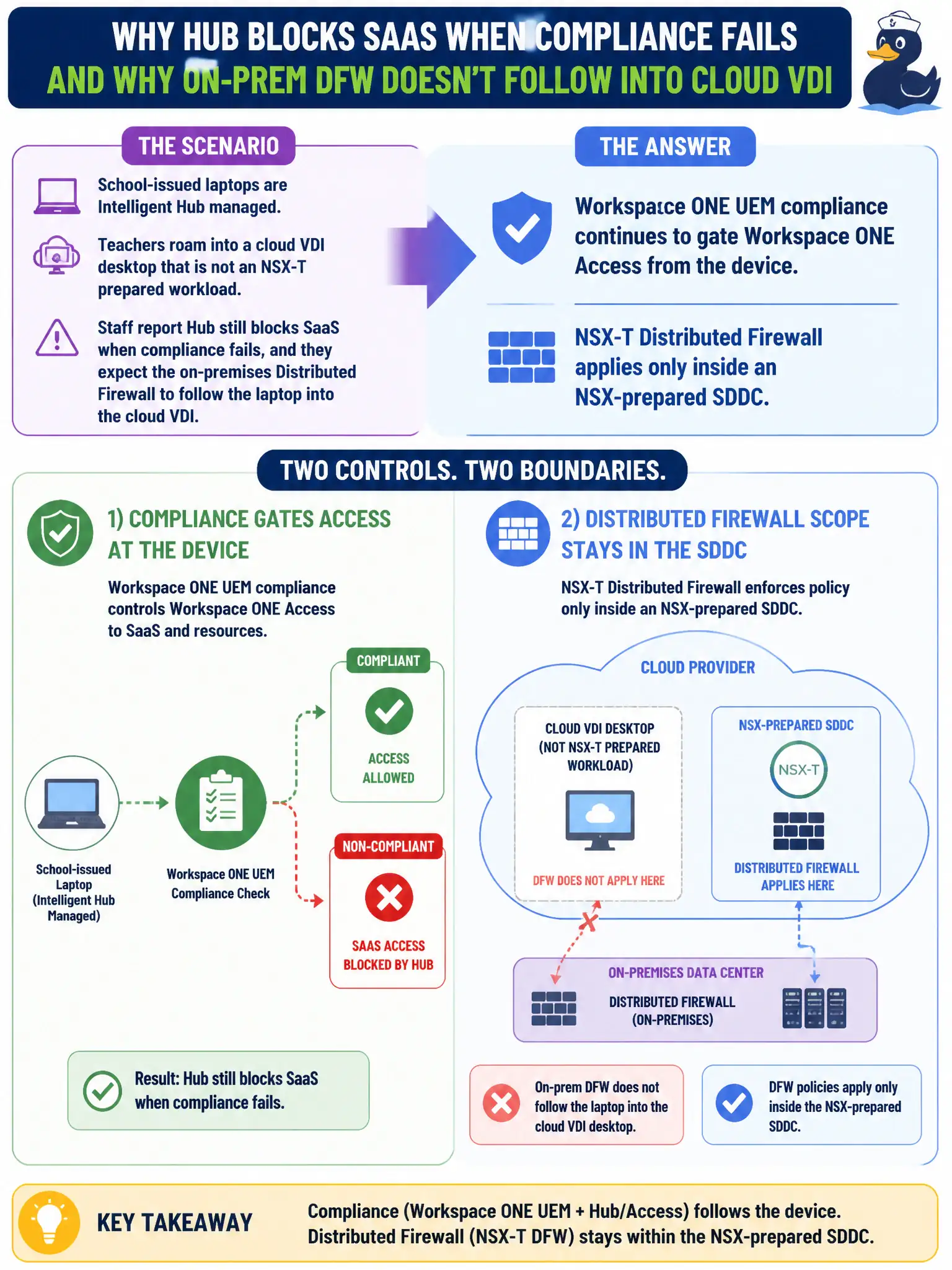
School-issued laptops are Intelligent Hub managed. Teachers roam into a cloud VDI desktop that is not an NSX-T prepared workload. Staff report Hub still blocks SaaS when compliance fails, and they expect the on-premises Distributed Firewall to follow the laptop into the cloud VDI. What should the administrator explain?
Select an answer to reveal the explanation.
Short Explanation
Hub's compliance leash travels with the enrolled device; NSX DFW stays in the prepared datacenter. Cloud VDI that is not on that fabric will not inherit county DFW, but Access can still refuse SaaS if UEM says the laptop is non-compliant. Use the right control for where the session actually lives.
Full Explanation
When school-issued laptops are Intelligent Hub managed and teachers roam into a cloud VDI desktop that is not an NSX-T prepared workload, explain that Workspace ONE UEM compliance continues to gate Workspace ONE Access from the device, while NSX-T Distributed Firewall applies only inside an NSX-prepared SDDC. Hub/UEM posture can still block SaaS via Access based on the laptop, but on-premises DFW does not follow the user into an unprepared cloud VDI. Setting that expectation prevents false reliance on Geneve stretch for civic education VDI. NSX-T Distributed Firewall follows the Hub-managed laptop into any cloud VDI because Geneve stretches with the user fails by concept because DFW enforcement requires NSX-prepared workloads in that SDDC; Geneve does not trail the laptop into arbitrary cloud VDI. Carbon Black Cloud isolation in the on-premises org is the only control that still applies in cloud VDI fails by concept because on-prem CBC isolation does not automatically become the sole control inside a separate cloud VDI session. Guest Introspection on the school cluster will insert partner EPP into the cloud VDI session fails by concept because GI on the on-premises cluster does not insert into unrelated cloud VDI desktops. Exam caveat: UEM/Access posture can follow the managed device; NSX DFW does not follow users into non-NSX cloud VDI—know the boundary. Operational check: verify Hub compliance still gates Access for teachers, confirm cloud VDI has its own security controls, educate staff that on-prem DFW will not follow them, and document hybrid control boundaries in the school EUC architecture for civic education security.