
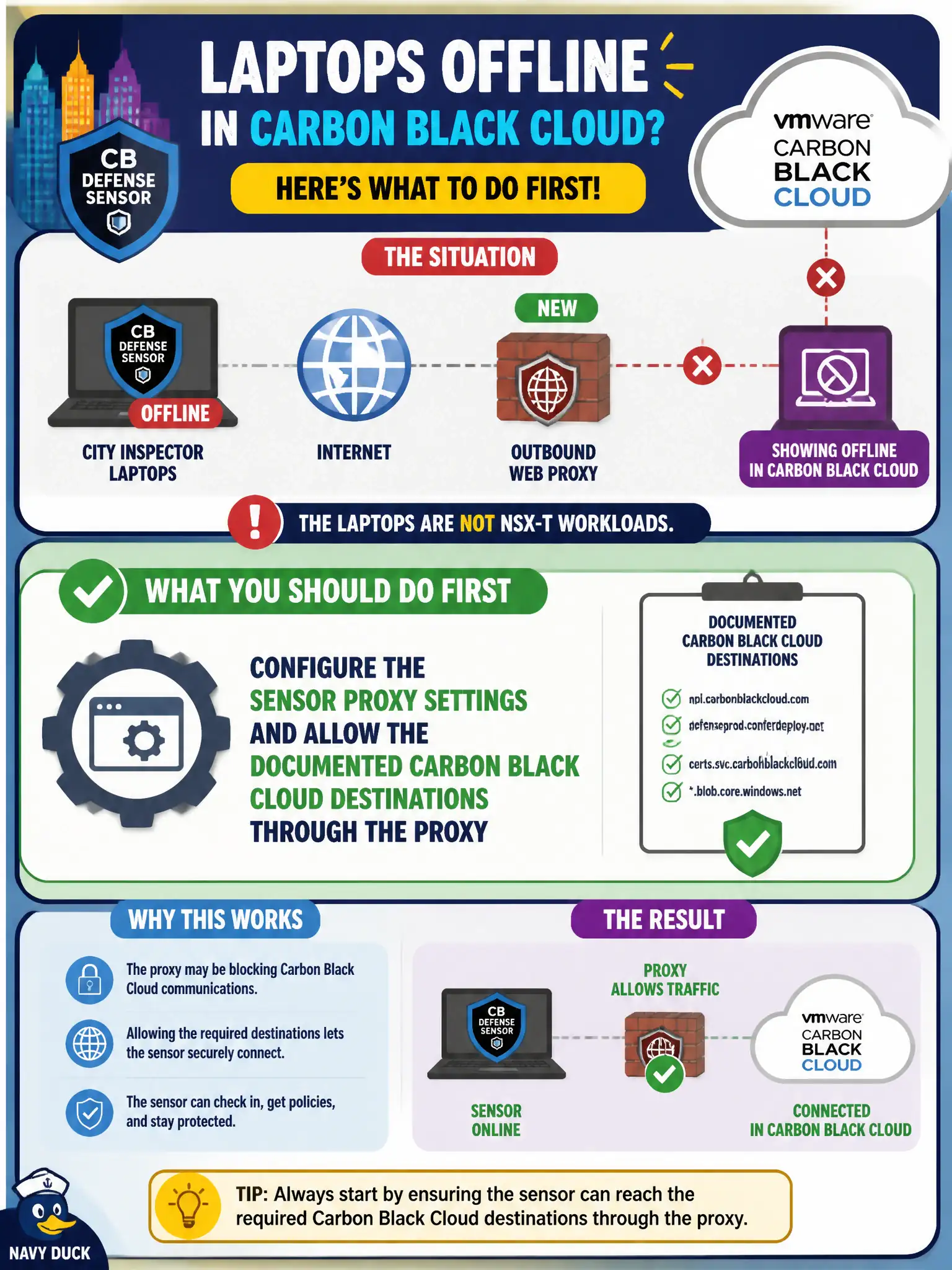
City inspector laptops with CB Defense sensors sit behind a new outbound web proxy and now show Offline in Carbon Black Cloud. The laptops are not NSX-T workloads. What should the security administrator do first?
Select an answer to reveal the explanation.
Short Explanation
Those sensors phone home through the city's new gatekeeper, not through an NSX overlay. Point the sensor at the proxy and open the documented Carbon Black Cloud destinations, and the Offline flags usually clear.
Full Explanation
When city inspector laptops with CB Defense sensors sit behind a new outbound web proxy and show offline in Carbon Black Cloud, and the laptops are not NSX-T workloads, configure the sensor proxy settings and allow the documented Carbon Black Cloud destinations through the proxy first. Sensors must reach CBC SaaS; a new proxy that intercepts or blocks those destinations marks devices Offline even when the civic laptops themselves are healthy. Proxy configuration and allow-listing restore check-in. Attaching the laptops to an NSX-T DFW policy that allows any-any on the overlay fails by concept because these laptops are not NSX-T workloads and overlay any-any does not fix proxy reachability to CBC SaaS. Moving the laptops into a Workspace ONE Access IdP so SSO replaces sensor check-in fails by concept because Access SSO does not replace Carbon Black Cloud sensor telemetry check-in. Reinstalling VMware Tools Guest Introspection to restore cloud telemetry fails by concept because Guest Introspection is NSX partner introspection on VMs, not the CBC cloud check-in path for physical laptops. Exam caveat: offline CBC sensors behind a new proxy mean sensor proxy settings and documented SaaS destinations—not NSX any-any, Access, or Guest Introspection. Operational check: set sensor proxy configuration, allow CBC FQDNs through the proxy, confirm inspectors return Online, and document proxy exceptions in the city endpoint security standard for municipal field operations.