
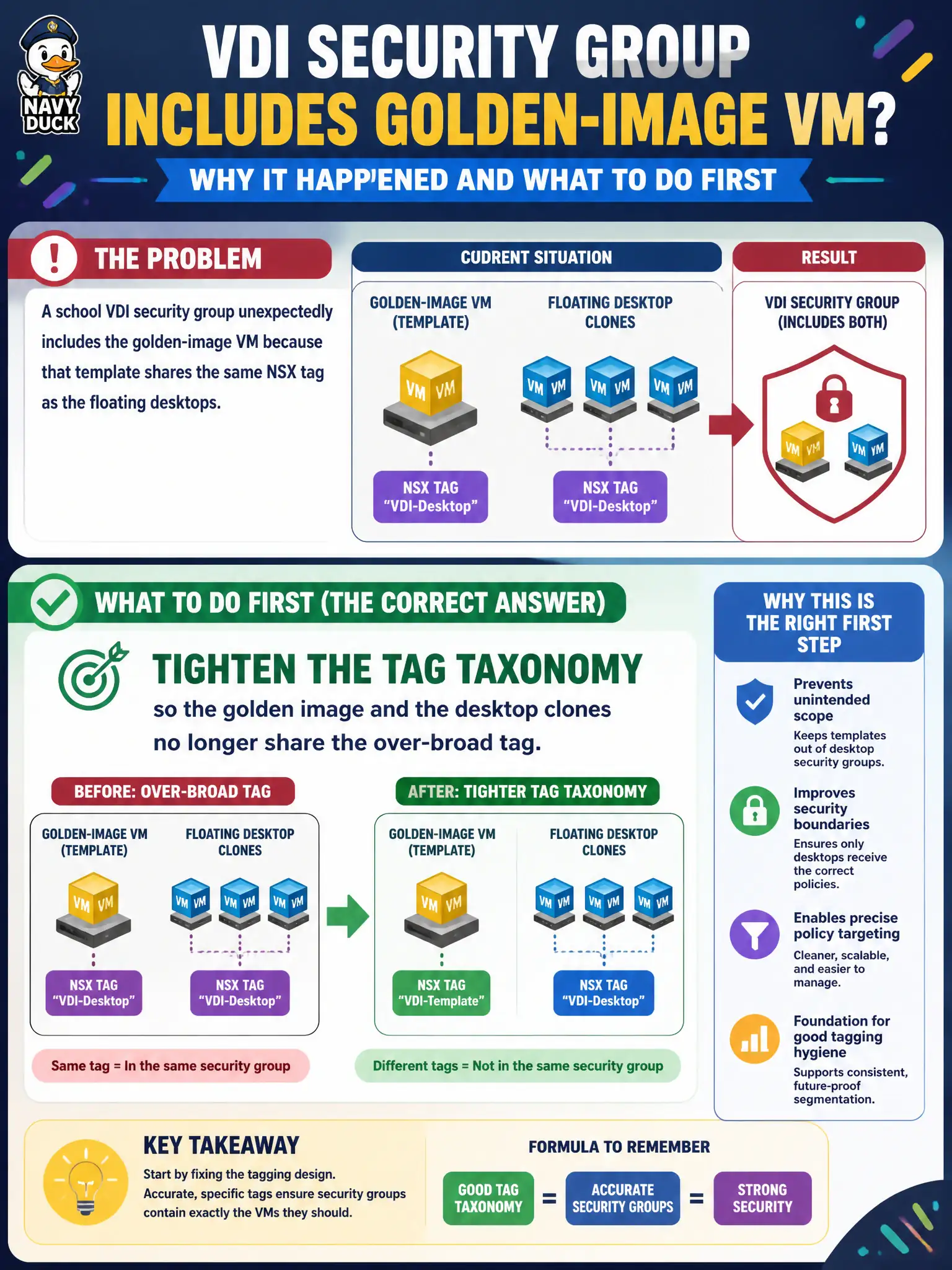
A school VDI security group unexpectedly includes the golden-image VM because that template shares the same NSX tag as the floating desktops. What should the administrator do first?
Select an answer to reveal the explanation.
Short Explanation
One sloppy sticker on the golden image and the template walks into the desktop club. Fix the tag names—do not pile gateway rules on top of a messy membership list.
Full Explanation
When a school VDI security group unexpectedly includes the golden-image VM because it shares an over-broad NSX tag with floating desktops, tighten the tag taxonomy first so the template and clones no longer share that tag. Membership problems rooted in tag design are not fixed by stacking unrelated gateway rules.
Adding more gateway firewall rules in front of the VDI VLAN leaves the bad tag membership in place. Moving Identity Firewall to standalone hosts so tags stop driving DFW groups avoids the real taxonomy issue. Converting the group to a Carbon Black device group to avoid NSX tag evaluation abandons NSX grouping for an endpoint inventory model.
Exam caveat: over-broad tags create over-broad groups—fix taxonomy before writing compensating firewall noise.
Operational check: retag golden image versus desktops distinctly, refresh group membership, confirm the template is out, validate DFW still covers floating desktops, and publish a tag standard for VDI imaging.
Tag taxonomy cleanup stops golden images from joining school desktop policy. Separate image versus pool tags in the naming standard, scan groups for template members weekly, and block clones that still carry the broad tag from entering production pools.