
County court case files require Workspace ONE Access to admit only UEM-compliant devices. How should the administrator monitor that access path continuously?
Select an answer to reveal the explanation.
Short Explanation
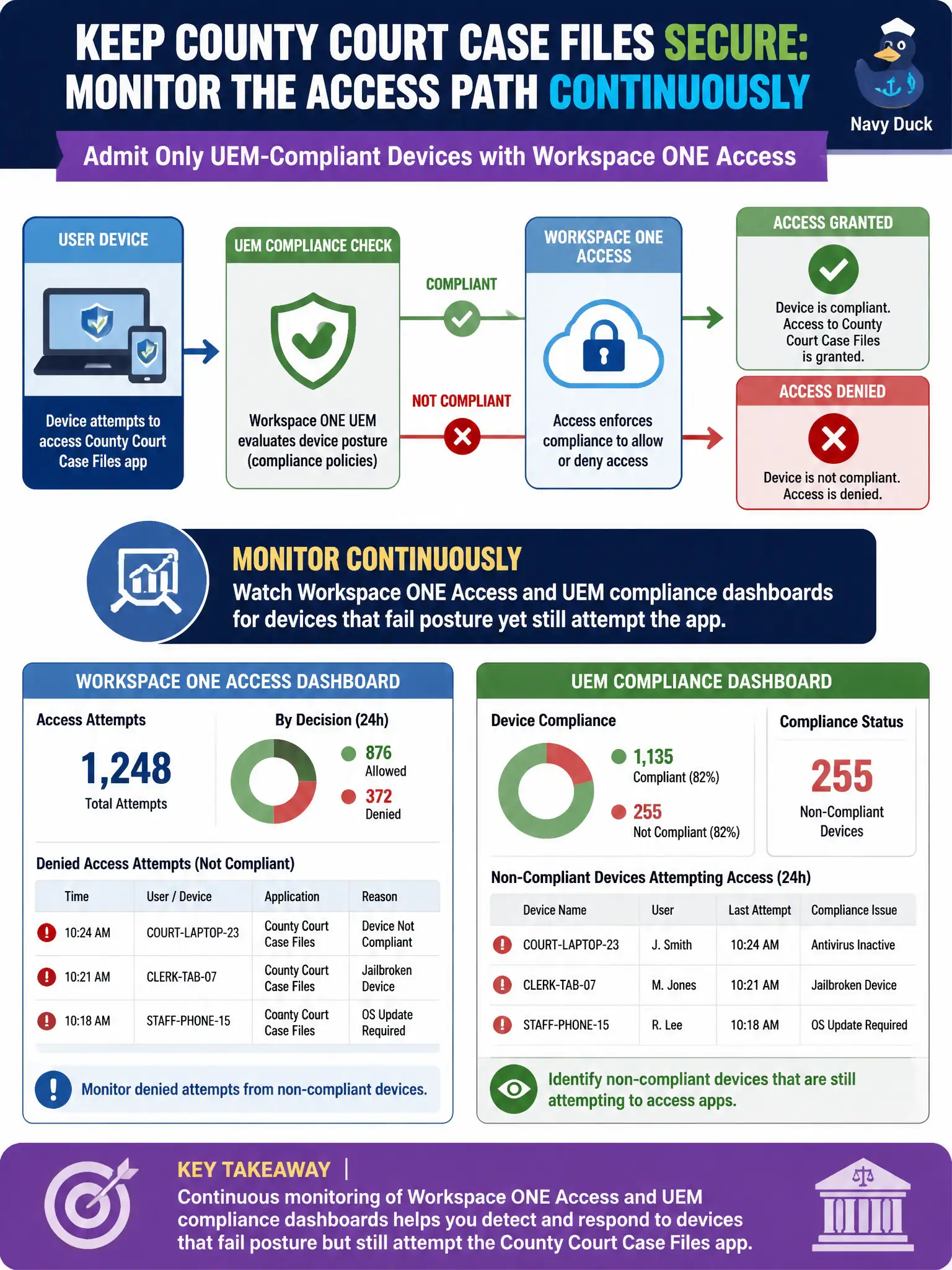
CJIS-style court data is a velvet rope on the clerk's door, not a poster in the lobby. Watch Access and UEM dashboards for devices that fail posture and still try to walk in.
Full Explanation
When county court case files require Workspace ONE Access to admit only UEM-compliant devices, continuous monitoring means watching Workspace ONE Access and UEM compliance dashboards for devices that fail posture yet still attempt the app. Treat the dashboards as the courthouse security desk watching who presents a badge that no longer scans. Reviewing only the vSphere HA admission-control setting as the device-compliance monitor fails by concept because HA admission is cluster capacity, not device posture for Access. Disabling Access policies during court hours so compliance dashboards stay green fails because turning off the control falsifies assurance and admits non-compliant devices. Using a vendor-neutral ISO statement as the only ongoing monitor of the access path fails because a static statement does not show live failed posture or blocked attempts. Exam caveat: Access policies that require UEM compliance assure only when operators monitor Access and UEM dashboards for failed posture and attempted access. Operational check: review Access sign-in failures tied to compliance, cross-check UEM non-compliant device lists, remediate or re-enroll drifted devices, and document the monitoring cadence in the courts identity operations guide.