
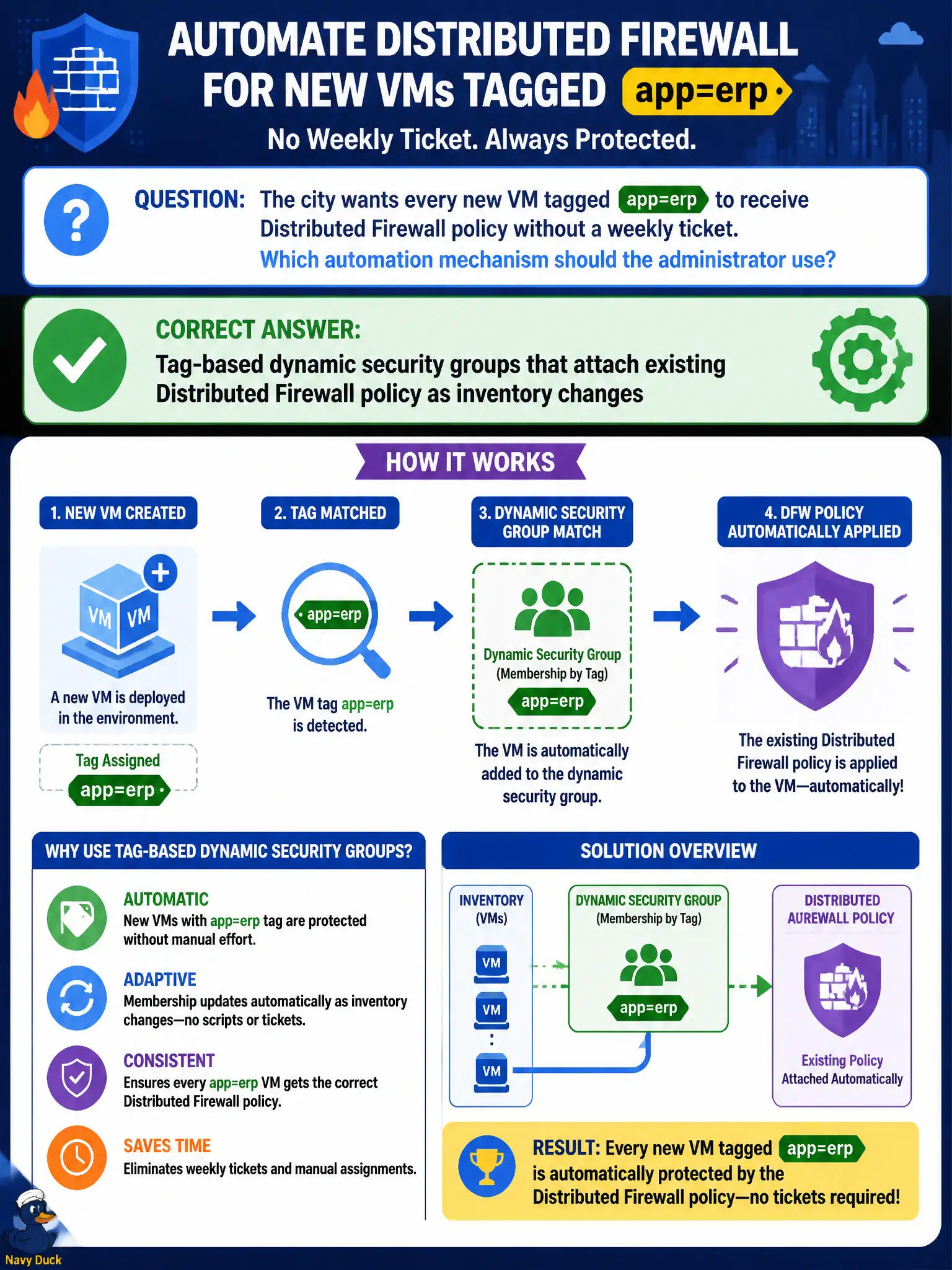
The city wants every new VM tagged app=erp to receive Distributed Firewall policy without a weekly ticket. Which automation mechanism should the administrator use?
Select an answer to reveal the explanation.
Short Explanation
Tags are the automatic name badges on new city VMs. Stick app=erp on the VM, let a dynamic group catch it, and Distributed Firewall follows—no Friday CSV ritual.
Full Explanation
When the city wants every new VM tagged app=erp to receive Distributed Firewall policy without a weekly ticket, the administrator should use tag-based dynamic security groups that attach existing Distributed Firewall policy as inventory changes. Tags are automatic name badges: stamp app=erp at provision time and dynamic groups pull the VM into policy without a Friday CSV ritual. Importing a CSV of IP addresses into static groups every Friday fails by concept because static IP membership lags clones, renumbers, and automation, and recreates ticket-driven drift the city is trying to eliminate. Disabling Distributed Firewall until the CMDB spreadsheet is emailed fails because turning off enforcement for process convenience is an outage of control, not automation. Rewriting T0 BGP each time an ERP VM is cloned fails because BGP routing is not application micro-segmentation membership and cannot assign Distributed Firewall policy to tagged workloads. Exam caveat: tag-driven dynamic groups are the NSX-T automation pattern for inventory-driven Distributed Firewall; CSV static churn, firewall disable, and BGP edits are the wrong mechanisms. Operational check: tag a newly cloned ERP VM with app=erp, confirm it appears in the dynamic group without manual IP edits, verify Distributed Firewall rules hit, attempt the same with an untagged VM and confirm exclusion, and document the tag taxonomy in the city provisioning standard.