
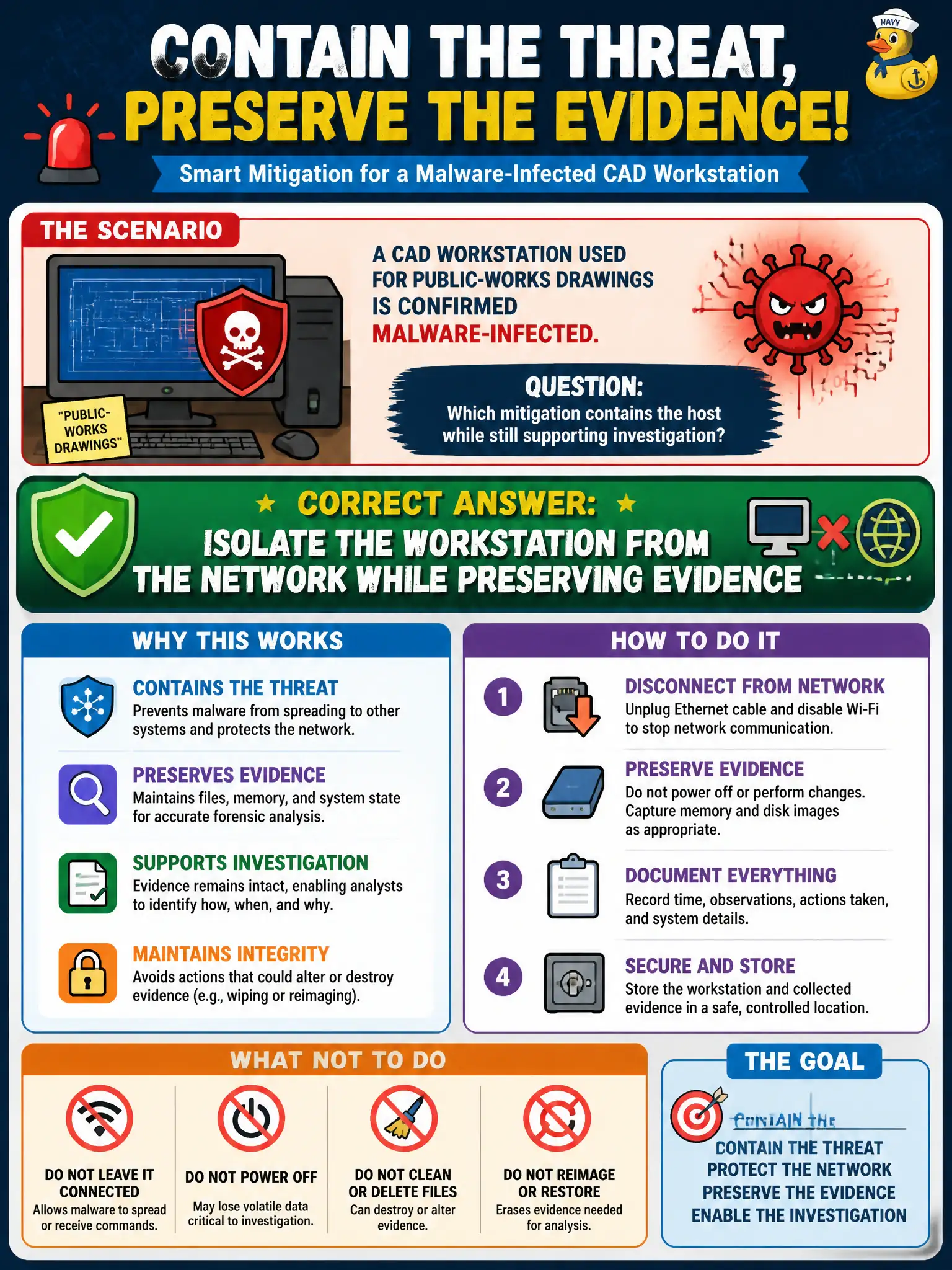
A CAD workstation used for public-works drawings is confirmed malware-infected. Which mitigation contains the host while still supporting investigation?
Select an answer to reveal the explanation.
Short Explanation
Pull the network cable (logically or physically) but do not smash the drive yet. Isolation stops the spread while you still have evidence to examine—contain first, then investigate cleanly.
Full Explanation
Isolation removes a compromised host from productive networks to limit lateral movement while preserving volatile and disk evidence for investigation. When a CAD workstation used for public-works drawings is confirmed malware-infected, containing it on the network without immediately destroying the disk supports both stop-the-bleed and forensic objectives. Municipal engineering drawings and connected file shares make rapid isolation especially important.
Immediately destroying the disk without imaging or documentation may stop reuse of that media but destroys evidence and hampers root-cause and scope analysis; it is not the balanced containment step asked for. Reconnecting the host to the SCADA VLAN so engineers can keep working risks introducing malware into higher-impact OT zones—the opposite of containment. Sharing the malware sample to a public forum before containment spreads indicators irresponsibly and delays controlled internal handling.
Exam caveat: isolate-and-preserve is the standard first containment teaching point; “wipe immediately” distractors ignore evidence and scoping. Never move an infected enterprise host into SCADA “so work continues.”
Operational check: disconnect or ACL-isolate the CAD PC, collect memory/disk per IR playbooks, reset credentials used on that host, scan peer engineering shares for staging, rebuild from golden images after evidence collection, and notify public-works supervisors about temporary drawing-access workarounds.