
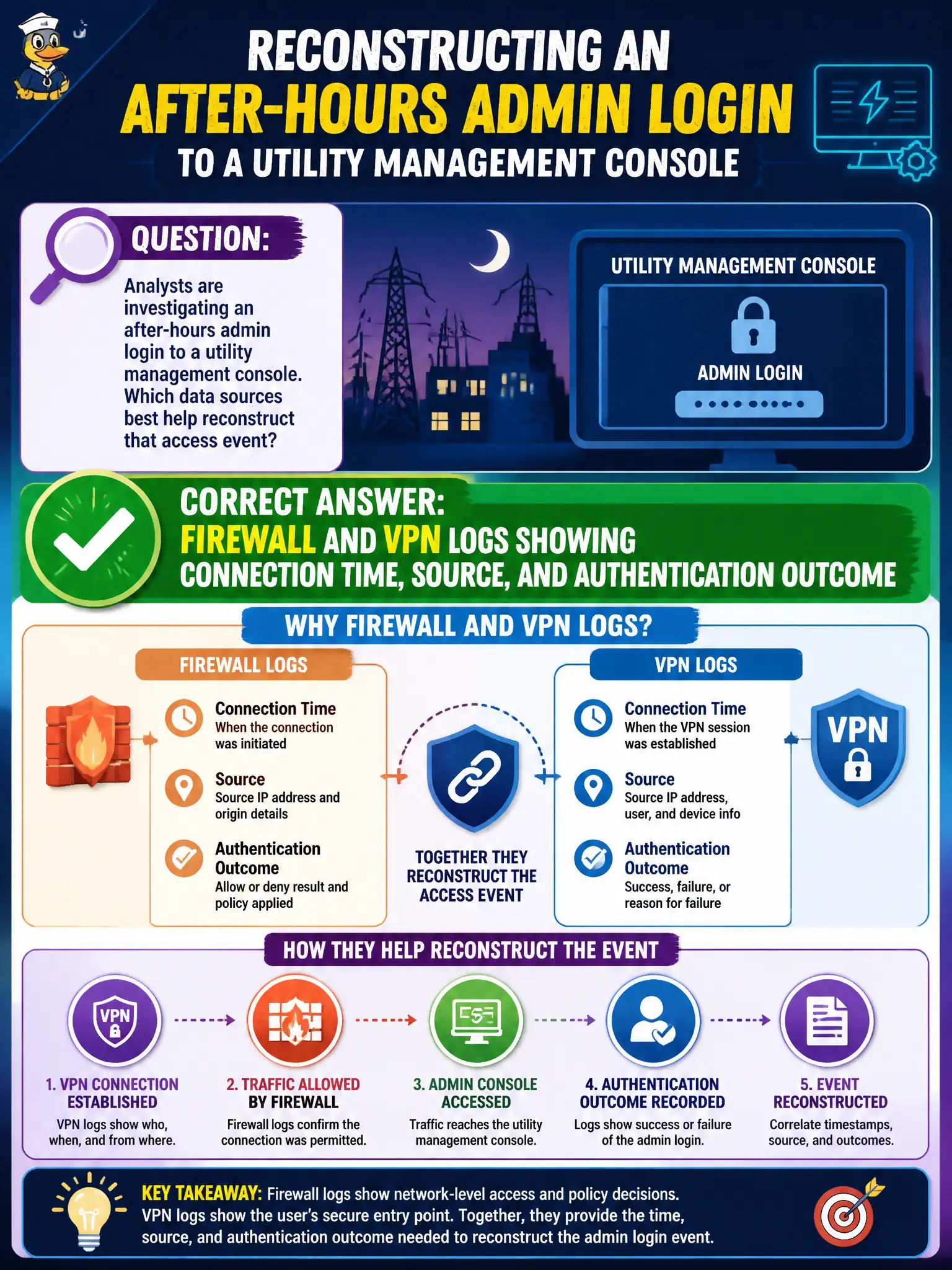
Analysts are investigating an after-hours admin login to a utility management console. Which data sources best help reconstruct that access event?
Select an answer to reveal the explanation.
Short Explanation
To reconstruct an after-hours admin hop into the utility console, follow the digital breadcrumbs: VPN and firewall logs. They show when someone connected, from where, and whether auth succeeded. Handbooks and cafeteria receipts will not narrate that login.
Full Explanation
Reconstructing an after-hours administrative login to a utility management console depends on authentication and network telemetry that record who connected, from where, when, and whether access succeeded. Firewall logs show permitted or denied flows to the console’s address and ports; VPN logs typically capture user identity, source IP, session start/stop, and authentication outcome for remote access. Correlating those sources builds a timeline: VPN success or failure, subsequent firewall allow to the management interface, and any concurrent directory or application authentication events. That reconstruction supports determining whether the login was legitimate on-call work, stolen credentials, or unauthorized remote access into critical utility systems.
Printed employee handbook revision history documents policy text, not interactive access events. Marketing email open rates measure campaign engagement unrelated to console authentication. Facility cafeteria POS receipts from lunch hours describe food purchases, not after-hours remote admin sessions. Exam caveats: pick data sources that map to the investigative question—time, source, identity, and success/failure—rather than any municipal record that merely exists. Operationally, ensure VPN and firewall logs for utility management paths are centralized, time-synchronized, and retained long enough to cover after-hours investigations; verify analysts can pivot from a console login alert to the matching VPN session and source IP within the SIEM before the next real incident.