
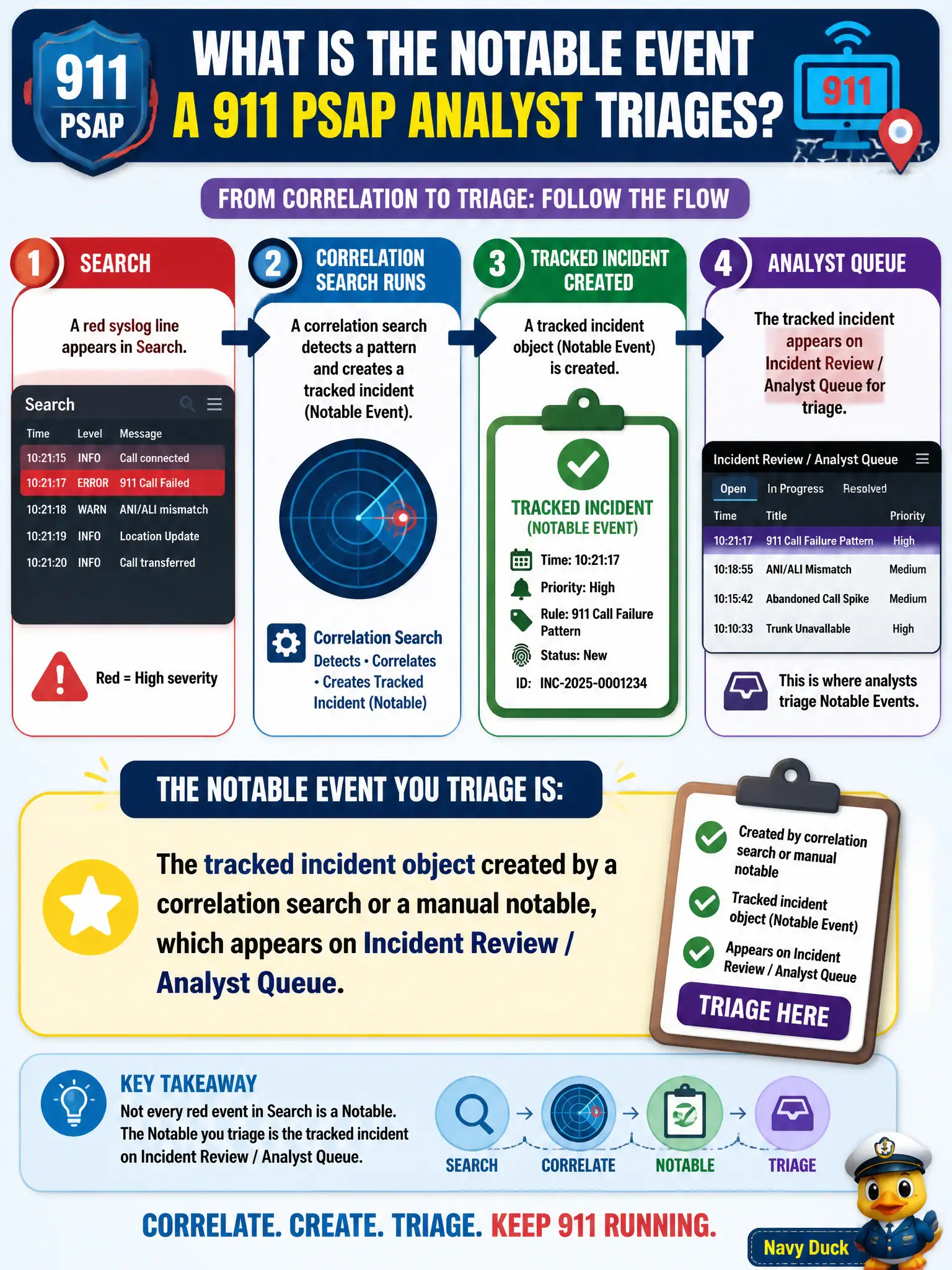
A 911 PSAP analyst has a red syslog line in Search and a tracked item on Analyst Queue after a correlation search ran. Which object is the Notable Event they triage?
Select an answer to reveal the explanation.
Short Explanation
A notable is the case on the queue, not every scary line in the log. Correlation searches (or a manual action) create that tracked object so 911 analysts can own it. Raw syslog is evidence; the notable is the work item.
Full Explanation
In Splunk Enterprise Security, a Notable Event (ES 7) or finding (ES 8) is the tracked incident object created when a correlation search's notable Adaptive Response fires, or when an analyst creates one manually. That object is what Incident Review / Analyst Queue displays with owner, status, urgency, and disposition for a 911 PSAP case. Treating the raw red syslog line in Search as the notable fails by concept because interesting raw events are evidence until the notable framework creates a tracked object analysts can own and disposition. Treating the correlation-search name in Content Management as the notable fails by concept because the search definition is detection content, not the triage case instance sitting on the queue. Treating the CIM data-model acceleration job that summarized the syslog as the notable fails by concept because acceleration is a performance summary process for tstats and data models, not an incident ticket. Exam caveat: SPLK-5001 distinguishes raw interesting events from notables on the Analyst Queue and expects triage against the tracked object. Operational check: open Analyst Queue for the PSAP item, confirm it was created by a notable AR or manual action, assign an owner and work status, and use the syslog line as contributing evidence rather than as the case itself.