
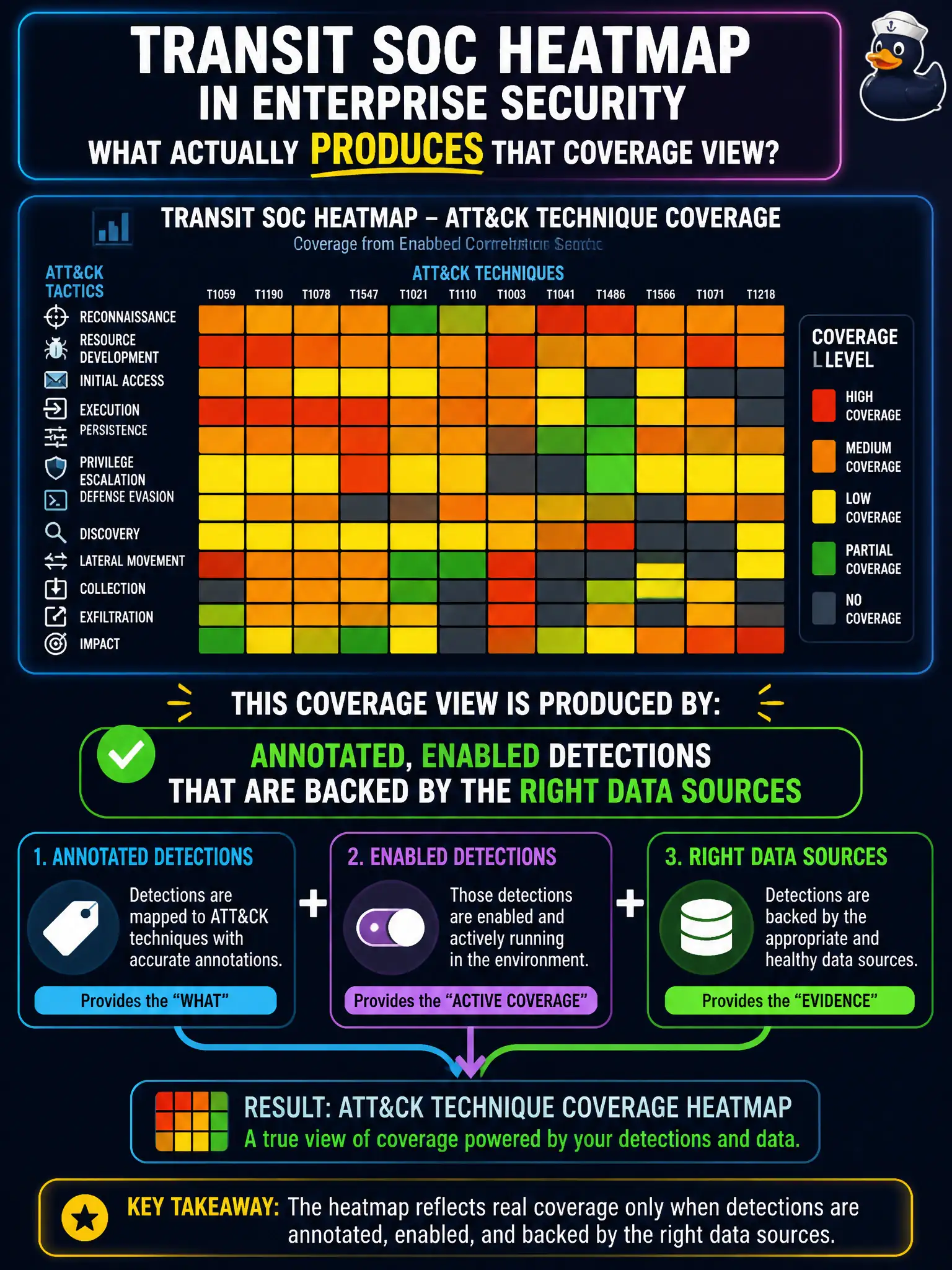
A transit SOC heatmap in Enterprise Security shows ATT&CK technique coverage from enabled correlation searches. What actually produces that coverage view?
Select an answer to reveal the explanation.
Short Explanation
A heatmap is not a sticker you buy. Coverage lights up when annotated detections are on and the sourcetypes they need are actually flowing. An add-on with no content, a renamed dashboard, or a CIM job named ATT&CK will not paint the map.
Full Explanation
A transit SOC heatmap in Enterprise Security that shows ATT&CK technique coverage is produced by annotated, enabled detections that are backed by the right data sources. Coverage lights up when content is real: annotations exist, searches are on, and the sourcetypes those searches need are flowing. Civic transit programs should treat the heatmap as a living measure of detection health, not as a sticker purchased with an add-on.
Claiming an ATT&CK add-on with no detections and no data produces the coverage view fails by concept: empty installs do not create technique coverage. Claiming a CIM acceleration job named ATT&CK produces it fails by concept: renaming or accelerating unrelated jobs does not annotate detections. Claiming that renaming the Security Posture dashboard to ATT&CK Heatmap produces coverage fails by concept: cosmetic UI renames do not invent annotated enabled content.
Exam caveat: Heatmap coverage = annotated + enabled + data-backed detections; installation theater and renames do not count.
Operational check: For each dark technique on the transit heatmap, verify whether a detection exists, is annotated, is enabled, and has required sourcetypes present; fix the first broken link in that chain before claiming coverage.