
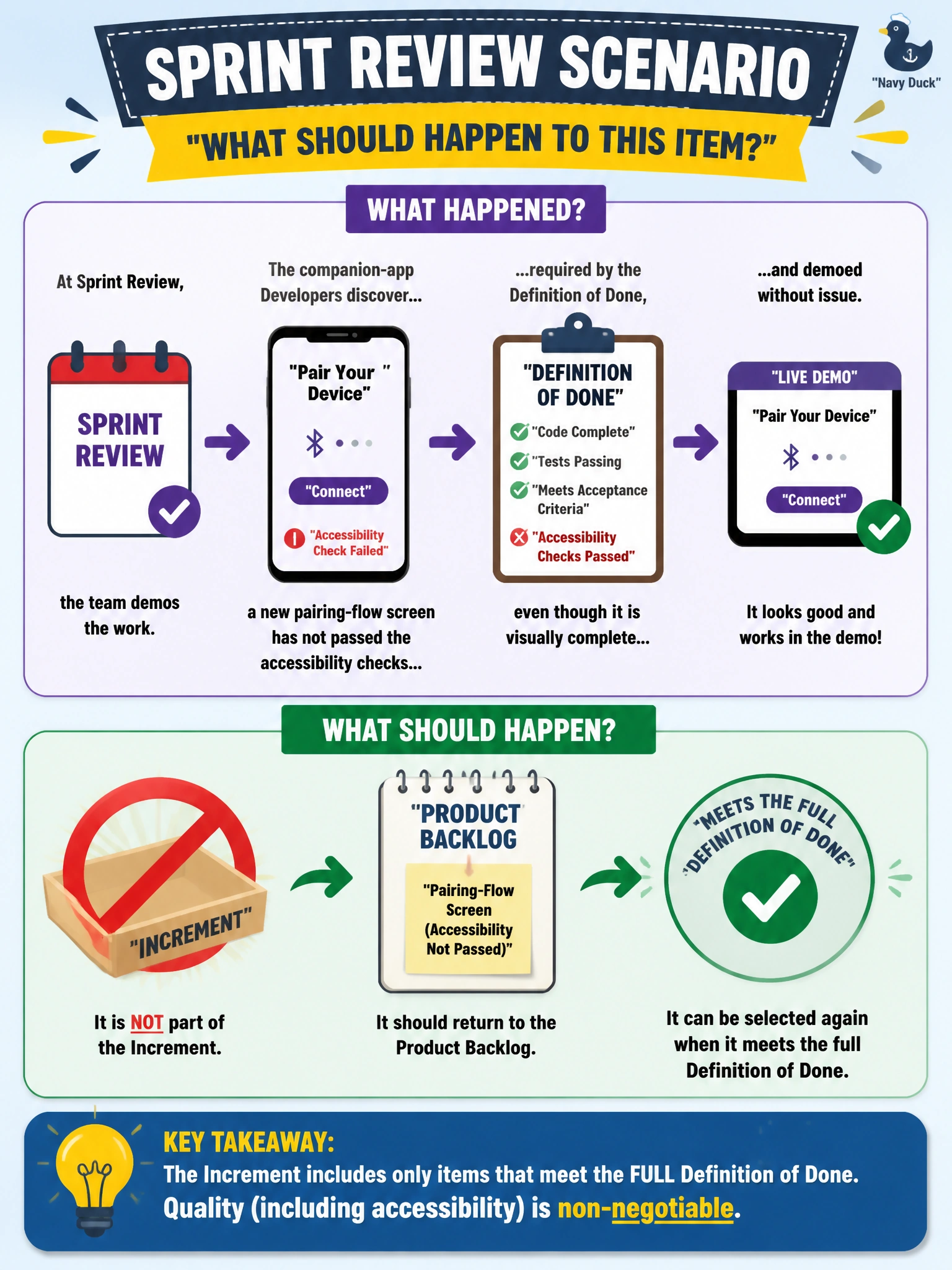
At Sprint Review, the companion-app Developers discover that a new pairing-flow screen has not passed the accessibility checks required by the Definition of Done, even though it is visually complete and demoed without issue, so what should happen to this item?
Select an answer to reveal the explanation.
Short Explanation
Looking finished in a demo and actually meeting the team's quality bar are two different things — a screen can look great and still fail the checks that make it usable for everyone. If the Definition of Done isn't fully met, the honest call is that the item isn't Done, and it goes back to the Product Backlog rather than being waved through because it demoed well.
Full Explanation
A visually polished demo can create a strong impression of completeness, but the Definition of Done is what actually determines whether a Product Backlog item is part of the Increment, and a positive stakeholder reaction does not substitute for meeting it. Since the accessibility checks are part of the agreed Definition of Done, failing them means the item has not met the team's quality standard, regardless of how well the rest of the screen performs in a walkthrough. The item therefore returns to the Product Backlog, where the Product Owner can decide how to re-order it relative to other work, rather than being carried forward as a hidden gap. Waiving the requirement for one item because of schedule pressure undermines the whole point of having a Definition of Done, since a standard that bends under pressure stops being a reliable signal to anyone relying on it. Logging the gap as a known issue while still calling the item Done is functionally the same problem in a different disguise — it lets unfinished work be presented as finished. A concrete check going forward is to run the full Definition of Done against every item before Sprint Review, not just before the demo, so gaps like this surface with enough time left in the Sprint to actually fix them.