
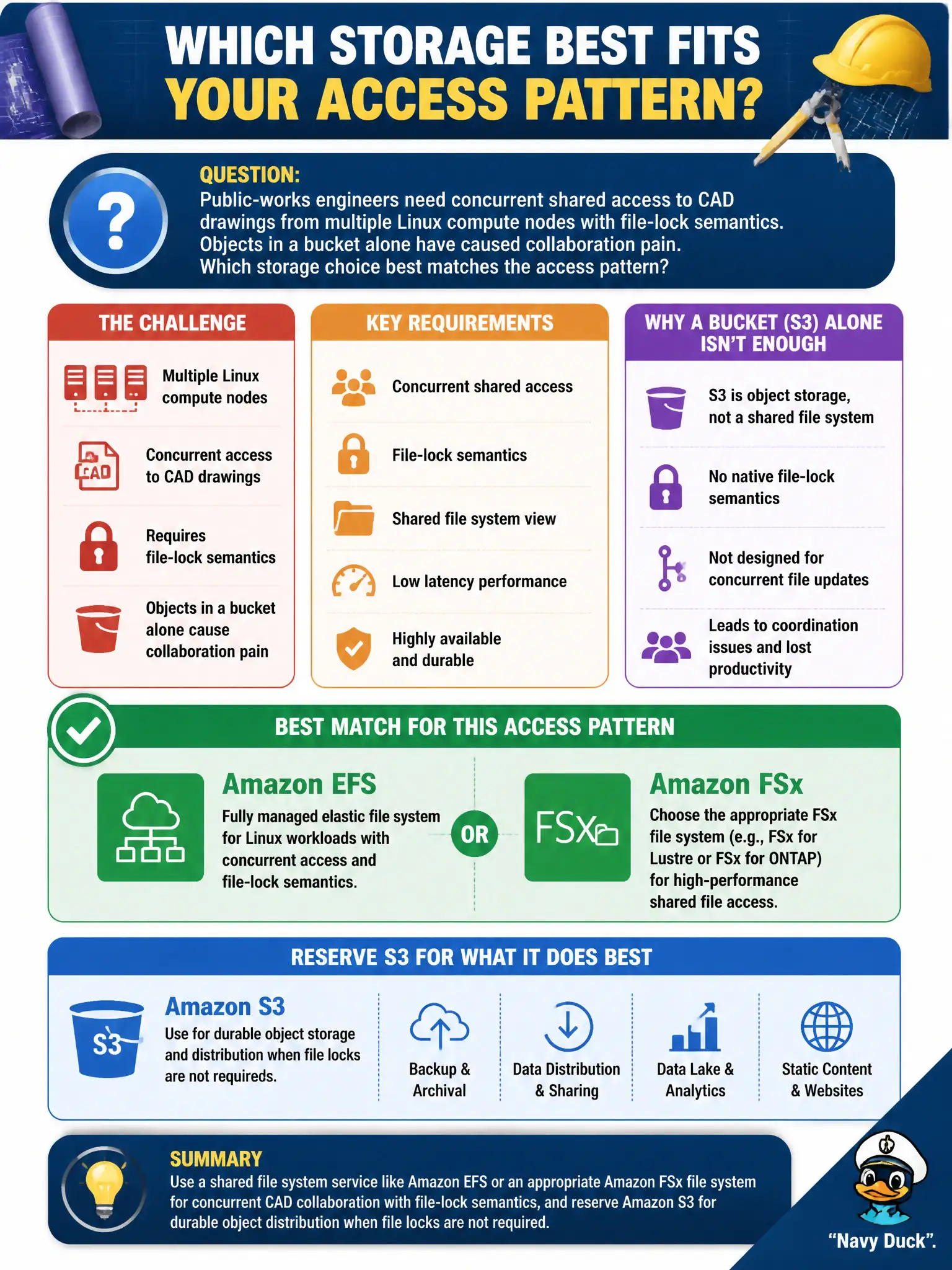
Public-works engineers need concurrent shared access to CAD drawings from multiple Linux compute nodes with file-lock semantics. Objects in a bucket alone have caused collaboration pain. Which storage choice best matches the access pattern?
Select an answer to reveal the explanation.
Short Explanation
CAD with real file locks wants a shared file system—EFS or the right FSx—not a bucket pretending to be a network drive. Keep S3 for object-style distribution when locks aren’t the point.
Full Explanation
Public-works engineers needing concurrent shared access to CAD drawings from multiple Linux compute nodes with file-lock semantics need a shared file system, not object storage alone. Amazon EFS or an appropriate Amazon FSx file system provides concurrent shared file access; reserve S3 for durable object distribution when file locks are not required. S3 alone with unsigned public URLs lacks shared file-lock semantics and caused the collaboration pain described. Instance store volumes copied with manual rsync are fragile and inconsistent. A single local SSD on one bastion via remote desktop serializes all engineers through one host. Exam caveat: choose EFS versus FSx based on protocol, performance mode, and Windows/Linux needs for the CAD toolchain. Operational check: mount the shared file system from two nodes, open the same drawing with locking, confirm lock behavior, and measure throughput against CAD vendor guidance. In municipal cloud governance, record the owners, success metrics, and rollback or restore contacts beside this technical choice so the next incident, budget review, or audit does not rediscover the decision from scratch under time pressure. In municipal cloud governance, record the owners, success metrics, and rollback or restore contacts beside this technical choice so the next incident, budget review, or audit does not rediscover the decision from scratch under time pressure.