
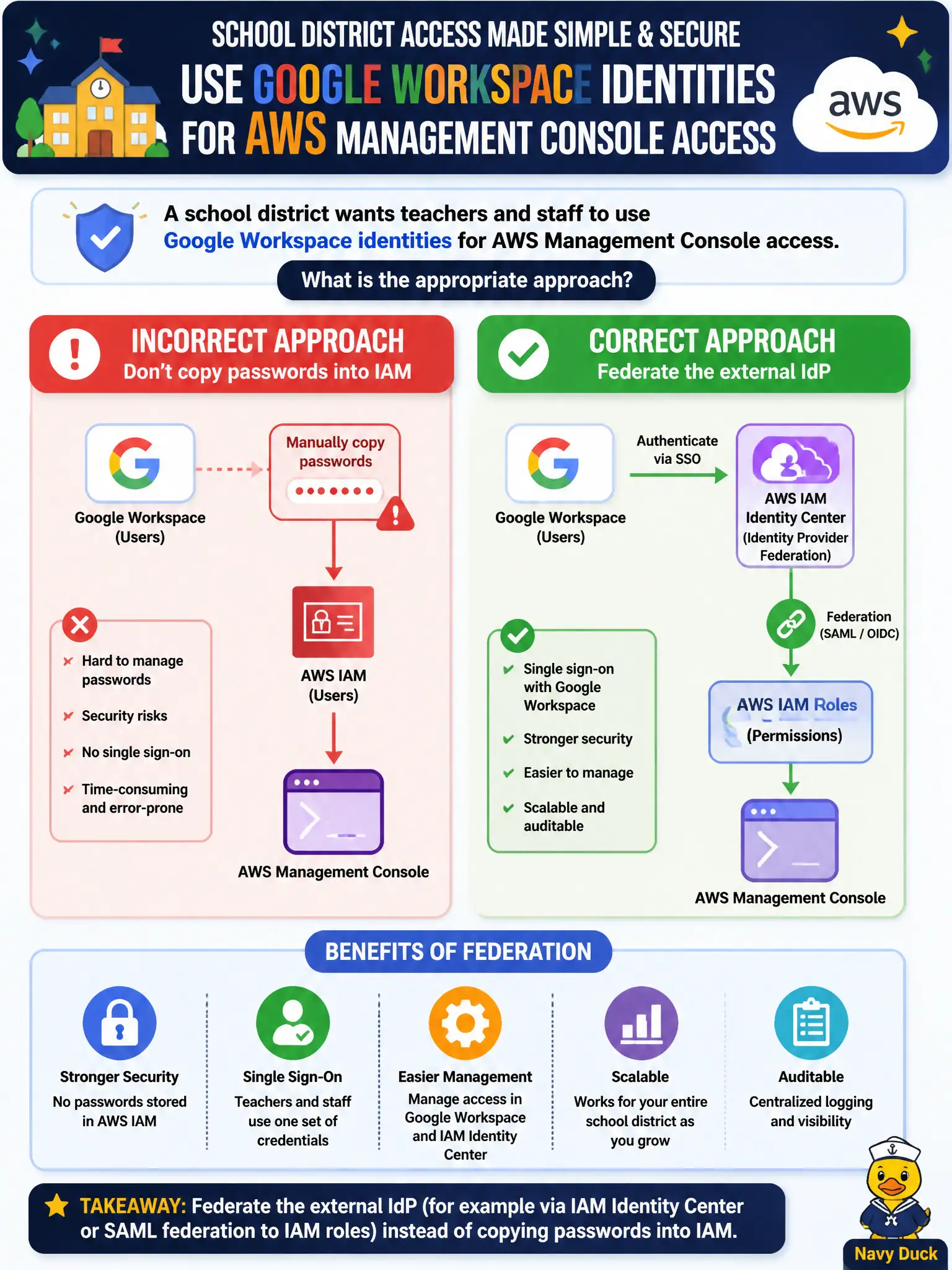
A school district wants teachers and staff to use Google Workspace identities for AWS Management Console access. Which approach is appropriate?
Select an answer to reveal the explanation.
Short Explanation
Teachers already have Google Workspace logins—federate those into AWS instead of cloning passwords into IAM. Identity Center or SAML roles keep the district directory as the source of truth. Syncing passwords or sharing one IAM user undoes that benefit.
Full Explanation
A school district that wants teachers and staff to use Google Workspace identities for the AWS Management Console should federate the external IdP rather than copy passwords into IAM. AWS IAM Identity Center can use an external identity provider, or you can configure SAML 2.0 federation from Google to IAM roles. Users authenticate to Google, receive assertions, and obtain temporary AWS credentials mapped to permission sets or roles. The district directory remains the source of truth for who is employed and which groups they belong to—the same model used for classroom SaaS apps.
Exporting Google passwords into IAM user password fields nightly is unsupported, insecure, and creates dual password stores that drift. Creating one shared IAM user called GoogleUsers for the entire district destroys accountability and least privilege. Disabling SSO and printing unique root passwords for each school building multiplies the most privileged credential and abandons centralized identity.
Exam caveat: federation requires careful attribute mapping (groups to roles), MFA at the IdP, and SCPs that still constrain federated sessions. Root remains a separate break-glass identity with MFA—never the teacher login path. Operational check: federate a pilot Google group to a read-only permission set; sign in via the Identity Center or SAML URL; confirm teachers lack IAM user passwords in AWS; disable the Google account or remove group membership and confirm AWS access ends on session expiry.