
During a city payroll outage, operators argue about whether the fault is the application or an AWS Regional service event. What should HA runbooks emphasize?
Select an answer to reveal the explanation.
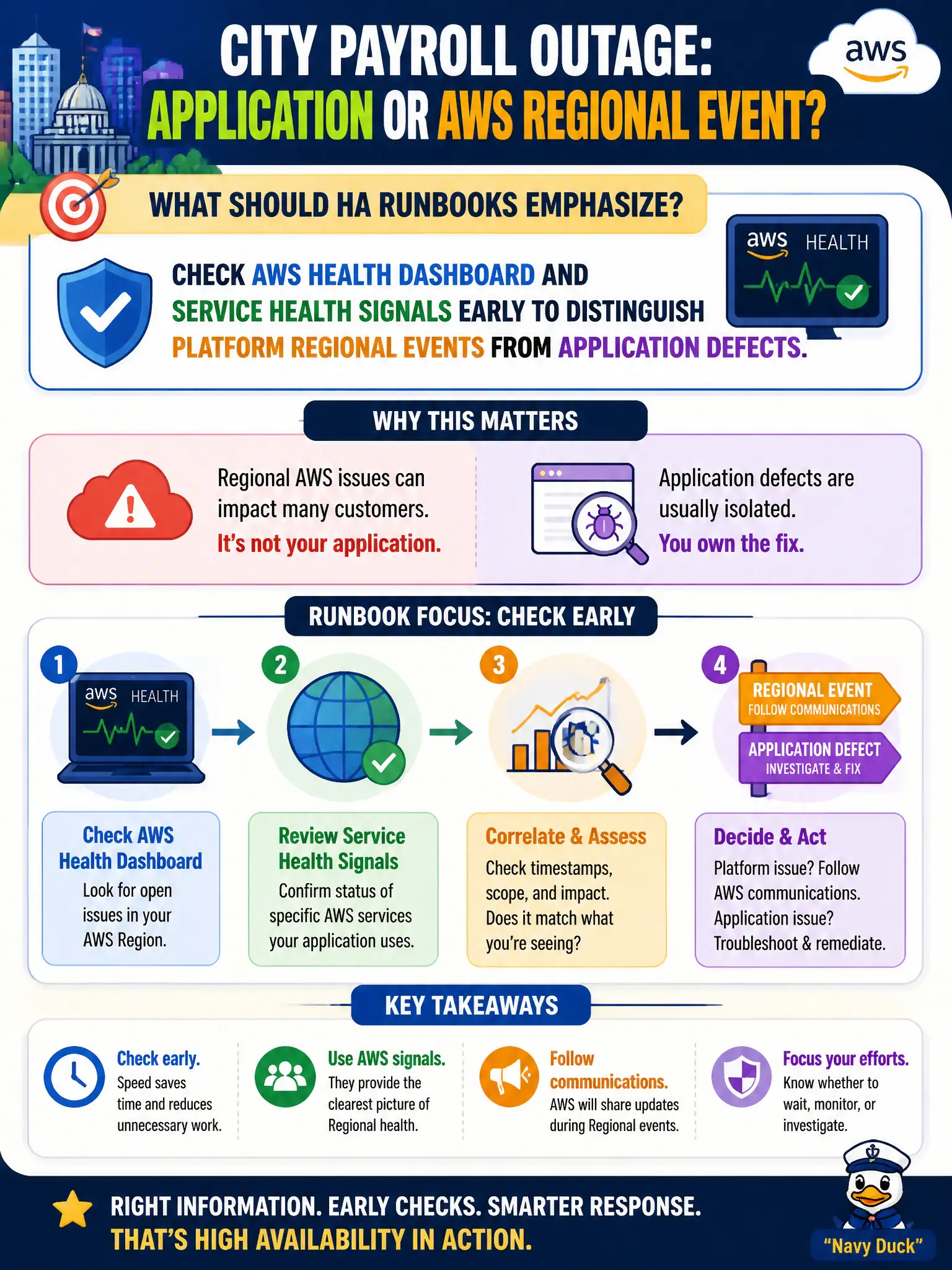
Short Explanation
Before rewriting the payroll app, peek at the weather map—AWS Health tells you if the platform itself is storming. Separating Regional events from app bugs saves hours of wrong fixes. Turning alarms off just flies blind.
Full Explanation
During a city payroll outage, operators often waste critical minutes debating whether the application is broken or whether an AWS Regional service event is underway. High-availability runbooks should emphasize checking the AWS Health Dashboard and related service health signals early so teams can distinguish platform Regional events from application defects. That triage step prevents municipal IT from rewriting payroll code, flipping unrelated ASGs, or rebuilding tiers while the real issue is a Regional impairment outside the application’s control.
Assuming every outage is an application bug and never consulting AWS health status fails because it systematically misroutes incident response and can delay Regional failover or AWS-guided mitigations. Ignoring CloudWatch and Health data until after a full Region rebuild completes fails by burning RTO on a nuclear option before confirming the blast radius. Disabling all alarms so on-call staff are not distracted by health notifications fails conceptually: alarms and health signals are how civic operations learn which layer failed.
Exam caveat: AWS Health clarity does not replace application observability—both are required; a green Health Dashboard can still accompany a bad deploy. Operational check: put Health Dashboard and service event checks in the first ten minutes of the payroll runbook, correlate with CloudWatch alarms, and document the decision tree for app fix versus Regional DR activation.