
A food processor keeps sensitive files on an on-premises file server and has no cloud account for that data. How should the data source be connected?
Select an answer to reveal the explanation.
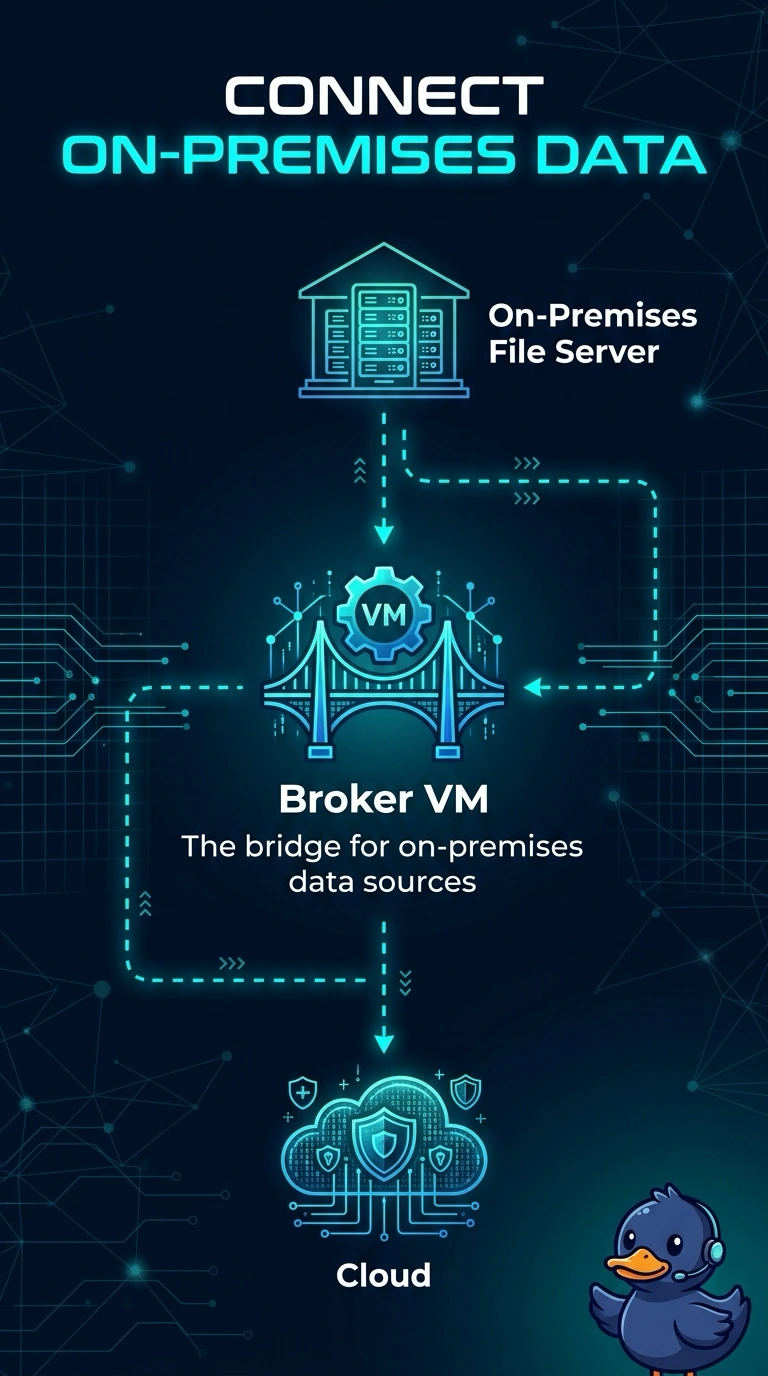
Short Explanation
Think of the file server as a cabinet in your plant, not a mailbox in a cloud account you don’t have. You connect this on-premises data source through a Broker VM, which bridges your network to Cortex. Don’t invent an AWS account, an Office 365 tenant, or a GitHub organization to make the cabinet look like a cloud integration.
Full Explanation
On-premises data sources use a Broker VM, while SaaS and database-as-a-service sources use their APIs. Because the food processor’s sensitive files are on a local file server and have no cloud account for that data, the Broker VM is the right connection: it bridges the customer network to Cortex. Connecting the source as an AWS cloud account with serverless function scanning would look for functions in AWS; it cannot see a file server that is not in that account. An Office 365 SaaS source is appropriate for data in Microsoft 365, but these files remain on the local server; claiming every file share uses that API merely mislabels the server. A GitHub organization connected with OAuth and repository webhooks is for a development system and application pipelines, not a file server. The broker updates from Cortex and remains a closed appliance, so the share is reached through it rather than by adding software to the broker. Exam caveat: the Broker VM is not an outpost or a replacement for cloud scanning; it will not scan AWS accounts the company adds later. Practical check: confirm the file server is reached through the broker and that no cloud-account stack was created as a stand-in for the share.