
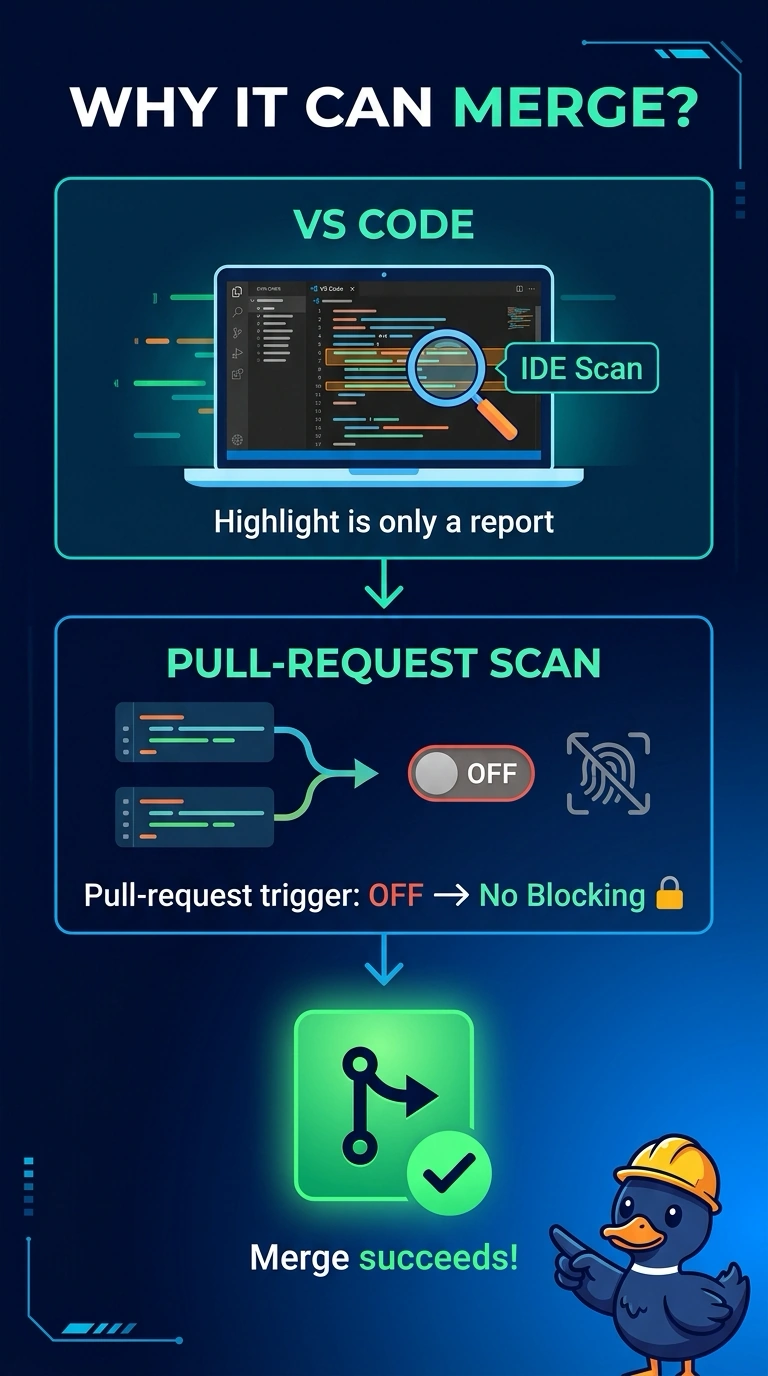
VS Code highlights a critical secret on a branch, and the pull request for that branch stays green. The policy's IDE Scan trigger is on, and the pull-request trigger is off. Why can the pull request still merge?
Select an answer to reveal the explanation.
Short Explanation
You’re seeing an IDE report, not a merge-blocking result: the platform pull-request scan is what blocks the merge, and its trigger is off. Gitignore, Node.js, and the operating system don’t change that, so the branch can still merge.
Full Explanation
The IDE Scan trigger reports findings in the IDE, while pull-request blocking happens in the platform pull-request scan. Because the pull-request trigger is off, a highlighted secret does not fail the pull request, so the branch can still merge. Gitignore paths are skipped by default; a skipped file would not be highlighted. The editor highlight shows that the file was scanned there, not that it belongs to a different repository from the pull request. Node.js 22 or newer is the runtime for software composition analysis. It does not turn a secret finding into a passing result or control the merge gate. Windows terminal actions use Command Prompt, but that host is not the merge gate; the operating system where the highlight appeared does not determine whether the pull-request trigger is on. Exam caveat: a CLI can enforce a gate only when the pipeline treats its exit status as a failure. For platform PR blocking, configure the required repository status checks/merge protection to honor the platform scan result. Separately, a CLI-based CI gate must honor the CLI exit status. Practical check: enable the pull-request trigger on this policy, open a test pull request containing the secret, and confirm that the merge is blocked while the editor highlight remains only a local report.