
After monitor-mode work on a civic assessment laptop, the technician must restore normal Wi-Fi to upload the report. What teardown step is most appropriate?
Select an answer to reveal the explanation.
Short Explanation
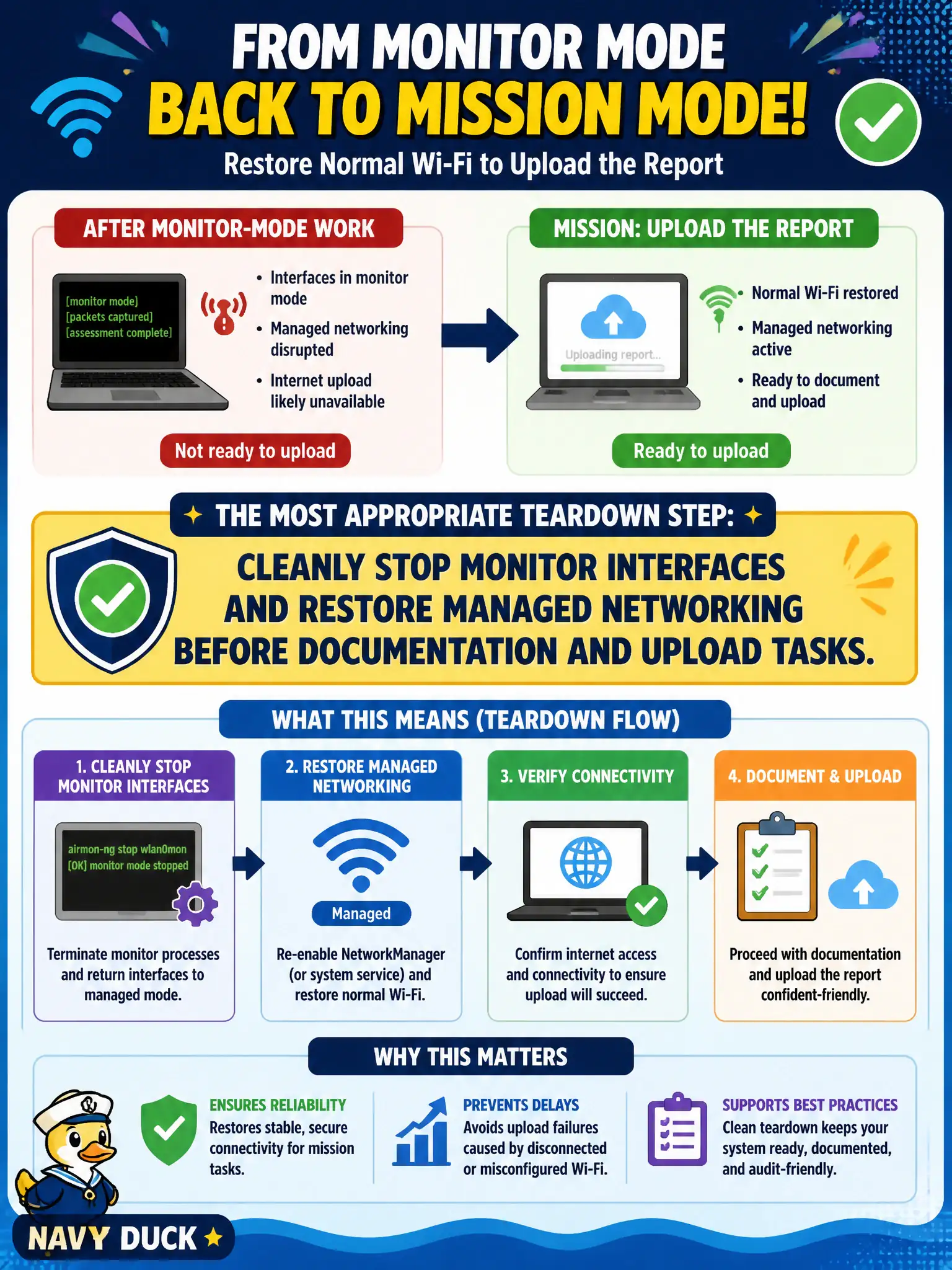
Monitor mode is great for listening and terrible for “just email the PDF.” Stop the mon interfaces, put the card back in managed mode, then upload like a grown-up network client.
Full Explanation
After monitor-mode work on a civic assessment laptop, the technician should cleanly stop monitor interfaces and restore managed networking before documentation upload and normal Wi-Fi use. Leaving the radio in monitor mode typically prevents ordinary association needed to reach report repositories, while a clean teardown returns the laptop to a predictable client state. Good teardown is part of professional municipal fieldwork, not an optional courtesy. Leaving all monitor interfaces running so NetworkManager can upload over raw 802.11 frames fails by concept: NetworkManager expects managed interfaces, not raw monitor pipes for standard uploads. Unplugging Ethernet forever and relying only on Bluetooth tethering fails by concept: that is an unnecessary constraint and not the appropriate primary teardown step. Deleting wireless drivers so the OS falls back to a modem fails by concept: destroying drivers is destructive and unrelated to proper mode restoration. Exam caveat: restore networking carefully if a VPN backhaul was in use—bring interfaces back in an order that re-establishes the approved management path without leaking assessment traffic onto guest networks. Operational check: stop airodump-ng/aireplay-ng, remove or reset monitor interfaces (airmon-ng stop or iw), restart NetworkManager if it was paused, verify managed association or Ethernet path, then upload the report through the approved channel.