
A lab instruction for city assessors mentions rfkill blocking. What should they understand?
Select an answer to reveal the explanation.
Short Explanation
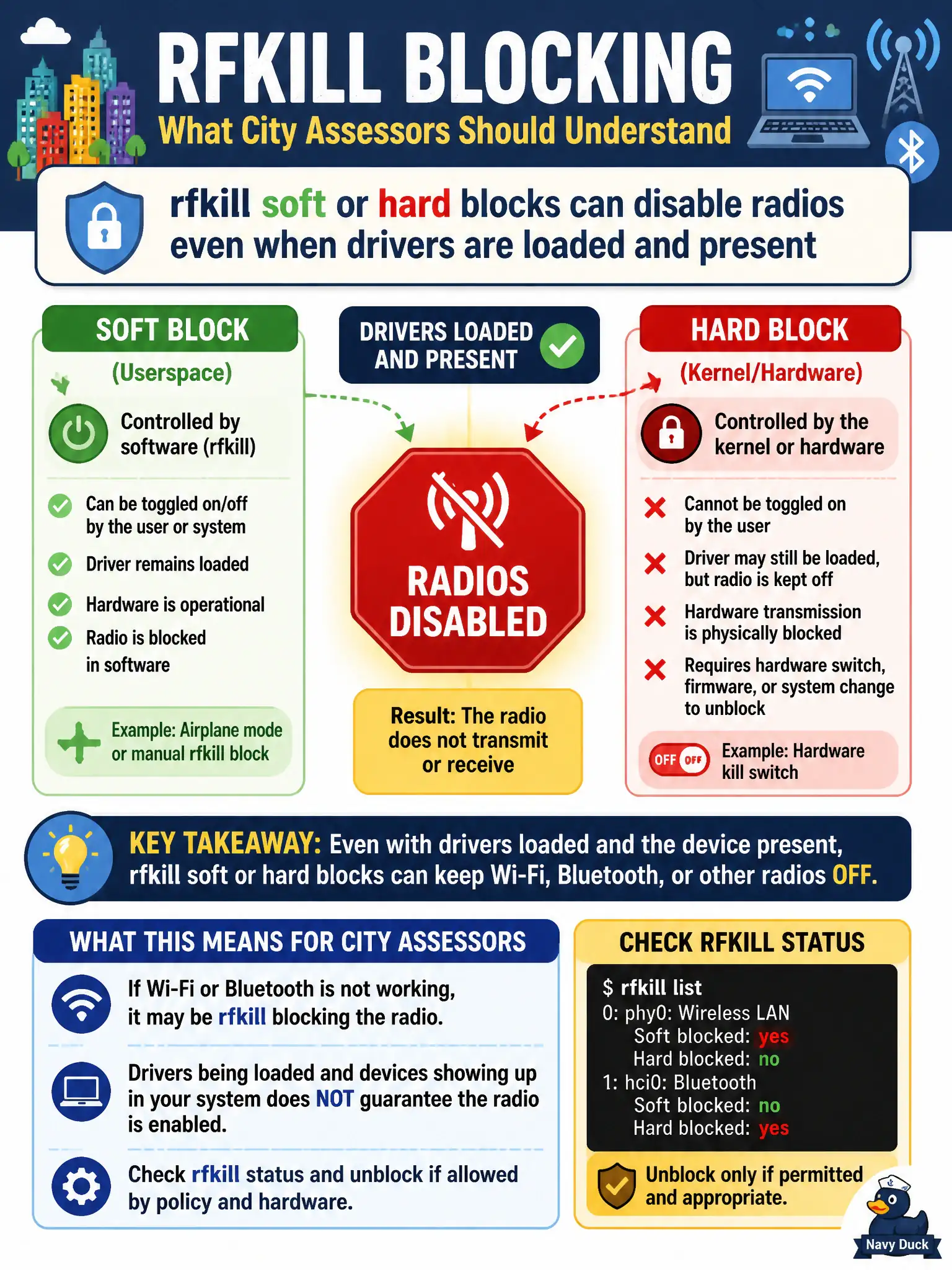
rfkill is the city’s big red “radio silence” switch—software or hardware can flip it. Drivers can be fine while the radio still stays dark. Check soft and hard blocks before assuming the dongle is dead.
Full Explanation
rfkill soft and hard blocks can disable Wi-Fi (and other) radios even when the driver module is loaded and the USB adapter enumerates correctly. City assessors who see a present interface that will not transmit or enter usable RF states should check rfkill before blaming aircrack-ng. Soft blocks are usually software toggles; hard blocks often reflect a hardware kill switch or firmware-enforced disable. Understanding rfkill prevents wasted time during municipal lab setup when the radio is simply blocked. Saying rfkill only mutes speakers and has no effect on Wi-Fi fails by concept: rfkill is specifically about radio kill switches, not audio mute. Claiming rfkill settings are ignored once airodump-ng starts fails by concept: a blocked radio will not deliver a healthy capture path regardless of which suite binary you launch. Asserting hard rfkill blocks clear automatically by opening a web browser fails by concept: browsing does not clear hardware radio kills; explicit unblock or physical switch action is required. Exam caveat: unblocking radios must still respect host policy—some civic laptops intentionally hard-kill Wi-Fi in secure facilities; do not override physical policy controls outside RoE. Operational check: run rfkill list before monitor setup, clear authorized soft blocks, verify any hard-block switch position, confirm the municipal adapter leaves the blocked state, then proceed to create the monitor interface.