
After moving a plaza package, benches disappear from the city twin. What asset-management issue should leads resolve first?
Select an answer to reveal the explanation.
Short Explanation
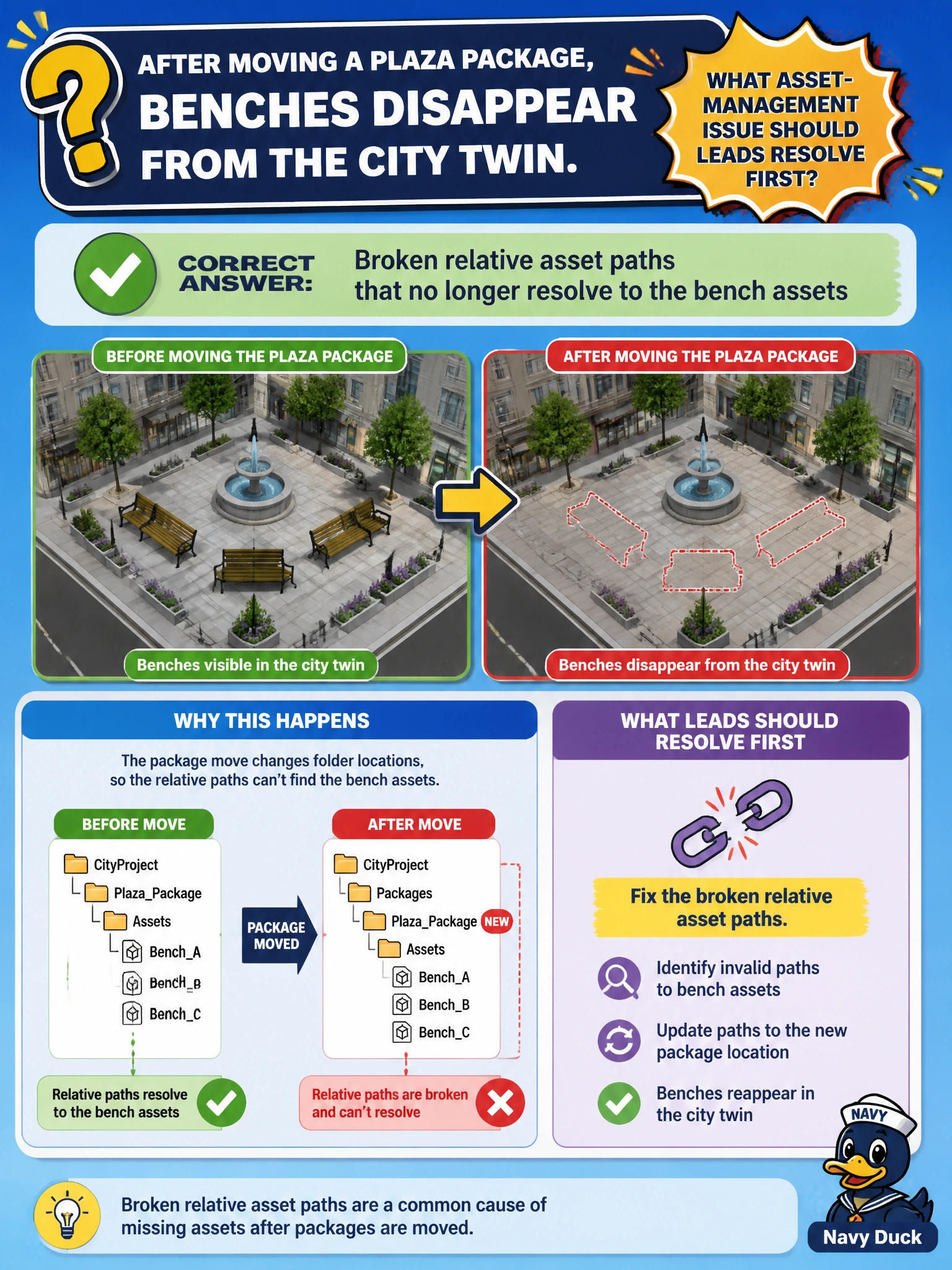
Moved the plaza package and lost benches? Relative paths probably broke—repair them so benches resolve again. Cranking subdivision or deleting debug symbols will not find missing assets. Fix the path hygiene.
Full Explanation
After moving a plaza package, benches that disappear from the city twin usually indicate broken relative asset paths that no longer resolve to the bench assets. Relative references that were valid in the old directory layout point at empty locations after the move, so benches drop out of composition even though files still exist elsewhere on disk. Repairing relative paths—or updating identifier/resolver mappings—is the first asset-management fix leads should pursue.
Increasing plaza mesh subdivision only changes geometric detail; it does not repair unresolved bench references. Replacing all benches with stage upAxis metadata destroys seating content and misuses stage orientation fields. Deleting TfDebug symbols from the USD build is unrelated binary hygiene and cannot locate missing assets.
Exam caveat: Absolute paths may survive moves within a machine but still break across environments; prefer stable identifiers and resolver-aware paths for municipal libraries. Also distinguish missing geometry from visibility/purpose hides after paths resolve.
Operational check: After any plaza package relocation, run asset-resolve validation, rewrite relative references to the new layout (or update search paths), confirm benches load in the city twin, and add a post-move checklist to parks content operations.