
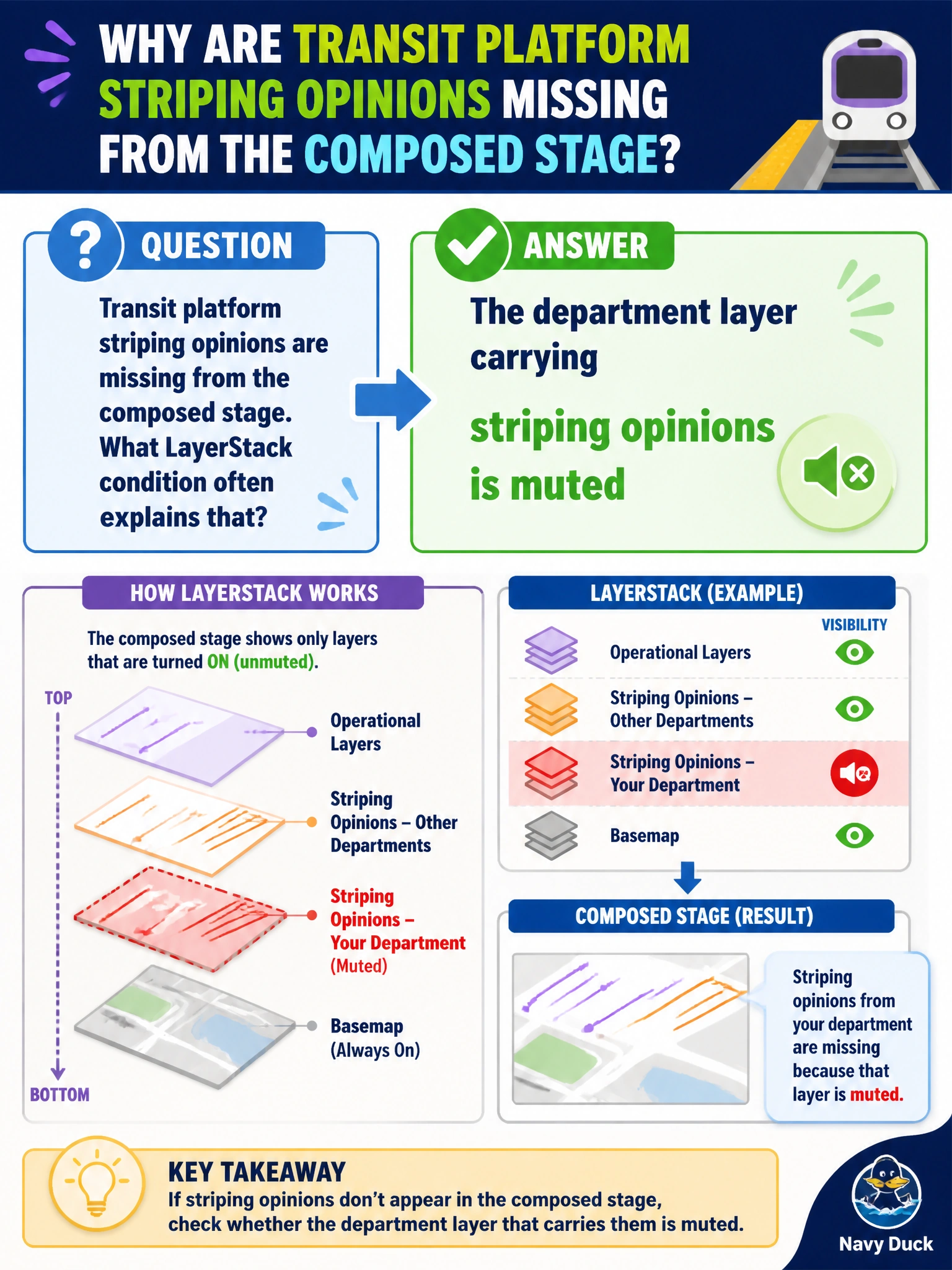
Transit platform striping opinions are missing from the composed stage. What LayerStack condition often explains that?
Select an answer to reveal the explanation.
Short Explanation
You can start by checking whether the department layer carrying the striping opinions is muted; a muted layer contributes no opinions to the composition. Unmute it, then recompose—the texture format and memory-diagnostic setting do not restore a muted layer’s contribution.
Full Explanation
Missing transit platform striping opinions on the composed stage often mean the department layer carrying those opinions is muted. A muted layer contributes no opinions to composition, though its files remain; striping attributes, materials, or overlays can therefore be absent while the platform mesh from another layer still appears. Unmuting the department layer restores its contribution, so recompose the stage to check the result. PNG versus JPEG is a texture-format choice: it may affect the texture’s appearance once resolved, but it does not determine whether the layer contributes opinions. Digits in the platform defaultPrim name concern naming, not LayerStack mute state. TfMallocTag affects memory diagnostics only, not striping composition. Exam caveat: An invisible striping result alone does not prove the layer is muted; check the LayerStack mute state before concluding that this is the cause. Practical check: Inspect the LayerStack and mute flag for the striping department layer, unmute it if needed, recompose, and verify that the platform’s striping opinions and textures appear. Add a CI check that critical transit overlay layers are not muted in published city roots.