
Housing adjusted kitchenette counter points and bounds visualization broke. How should authors correct the model?
Select an answer to reveal the explanation.
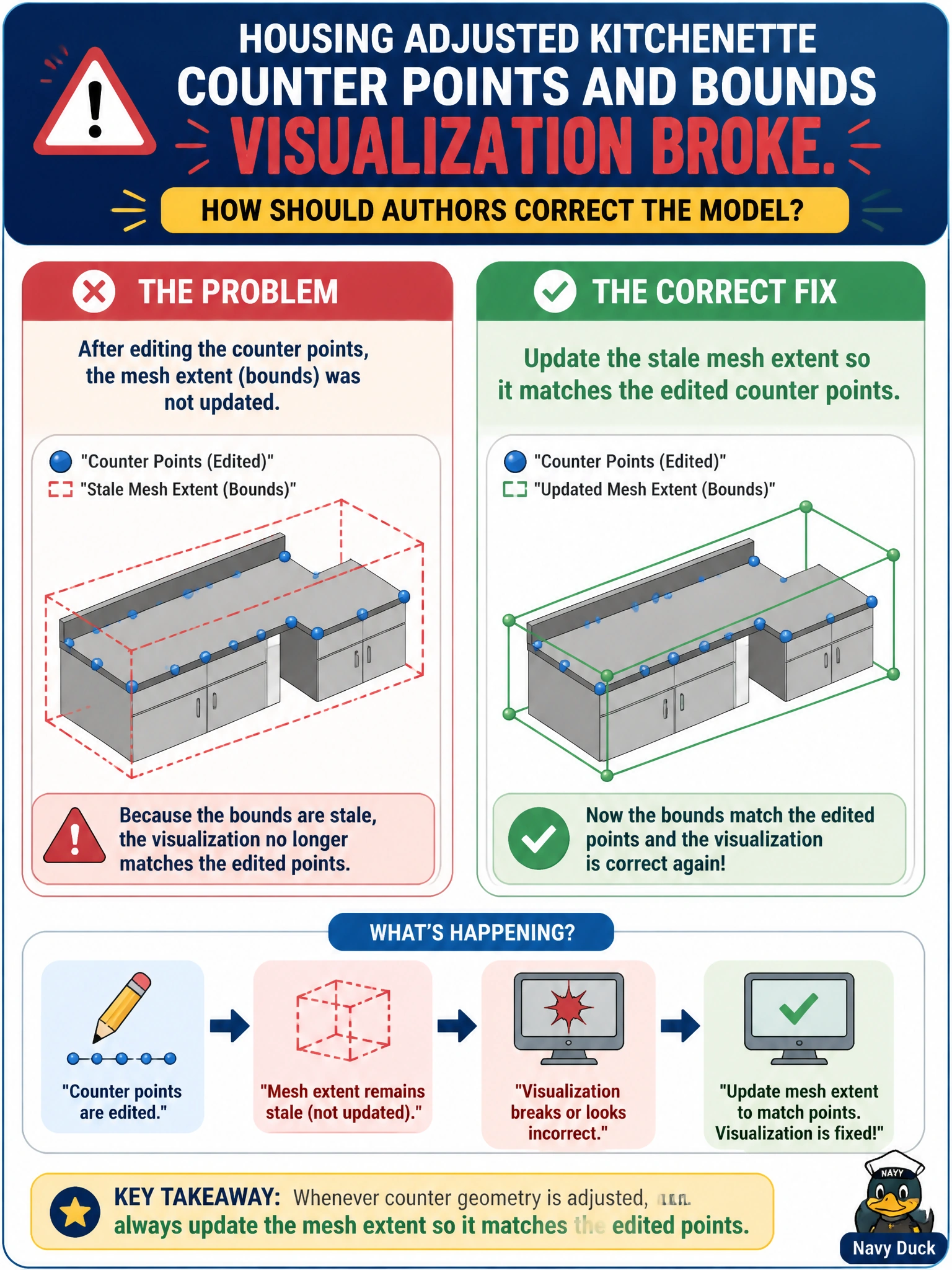
Short Explanation
When counter edits break the bounds visualization, update the stale mesh extent to match the new points. You’ll restore a trustworthy view without turning geometry into token strings or relying on layer mute state, which can’t represent the counter’s shape. That’s the fix to make.
Full Explanation
When housing authors edit kitchenette counter points and the bounds visualization breaks, they should update the stale mesh extent so it matches the edited points. After point edits, the authored extent may no longer enclose the geometry, causing housing-twin overlays, pick helpers, and clearance checks to misrepresent the counter’s footprint. Correcting the extent restores trustworthy visualization without discarding the remodel. Leaving the mesh extent unchanged on the assumption that housing twins do not use bounds is poor operational guidance: bounds can support selection, QA, and spatial queries. Replacing all counter points with token strings removes the counter geometry rather than correcting its bounds. Storing the counter exclusively as layer mute state cannot represent the kitchenette shape or its extents. Exam caveat: bounds visualization can also fail if the viewer draws world bounds from a different prim or if instance proxies differ; after explicit point edits, however, a stale extent is the first authoring fix. Do not confuse extent with extentHints-only workflows unless your pipeline documents that contract. Practical check: author an updated extent for the counter mesh, reload the housing unit assembly, confirm the bounds visualization fits the counters, and run the unit’s spatial QA script before merging into the building twin.