
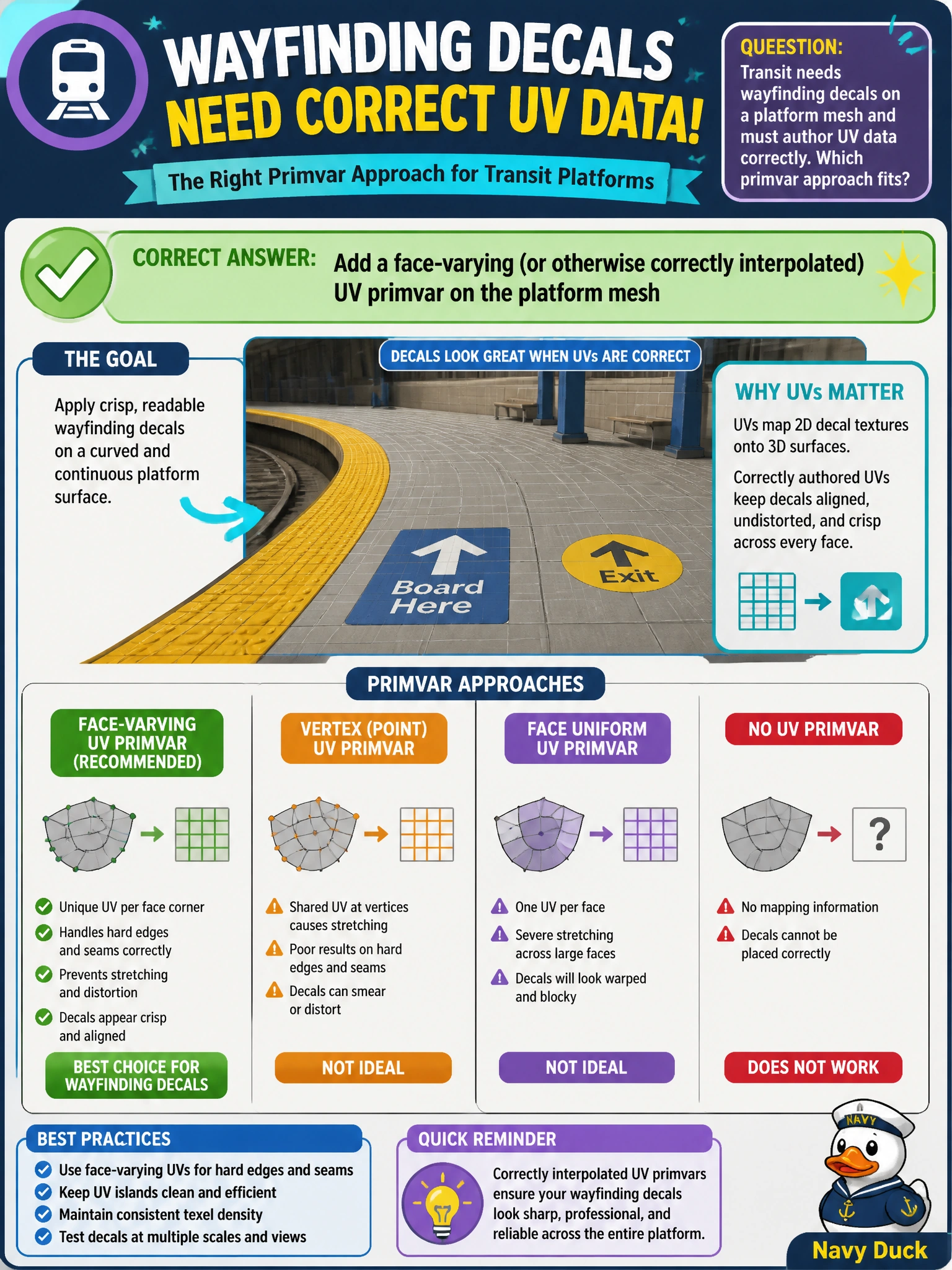
Transit needs wayfinding decals on a platform mesh and must author UV data correctly. Which primvar approach fits?
Select an answer to reveal the explanation.
Short Explanation
Decals need real UVs on the platform mesh with the right interpolation—often face-varying—not a random float called purpose. Author the UV primvar on the mesh itself. CustomData is not a texture coordinate.
Full Explanation
Wayfinding decals on a transit platform mesh require UV coordinates authored as a primvar on that mesh with interpolation appropriate to discontinuous islands—commonly face-varying. Correct UV primvars let UsdShade texture readers and decal workflows map signage onto platform surfaces predictably across LODs and material bindings. Authoring UVs on the geometry is foundational OpenUSD data modeling for any textured civic mesh.
Storing UVs as a single float attribute named purpose overloads an unrelated token/role concept and cannot express 2D parametric coordinates. Authoring UVs only on the parent Xform with no mesh primvar places data where mesh shading will not sample it; transforms are not UV arrays. Putting UV islands into customData dictionaries only hides parametric data from standard material/texture pipelines that look for mesh primvars such as primvars:st.
Exam caveat: naming conventions (st versus uv) and exact type (float2[] / texCoord2f[]) can vary by pipeline, but the concept—mesh primvar with correct interpolation—does not. Face-varying is the usual answer when UV seams exist; do not assume vertex interpolation for hard-edged decals.
Operational check: inspect the platform mesh for a UV primvar with expected interpolation, apply a known decal material, verify alignment at seams in the viewer, and run a quick integrity check that the primvar element count matches topology for the chosen interpolation.