
Water SCADA analytics nodes report GPUDirect Storage errors under load. What should ops validate?
Select an answer to reveal the explanation.
Short Explanation
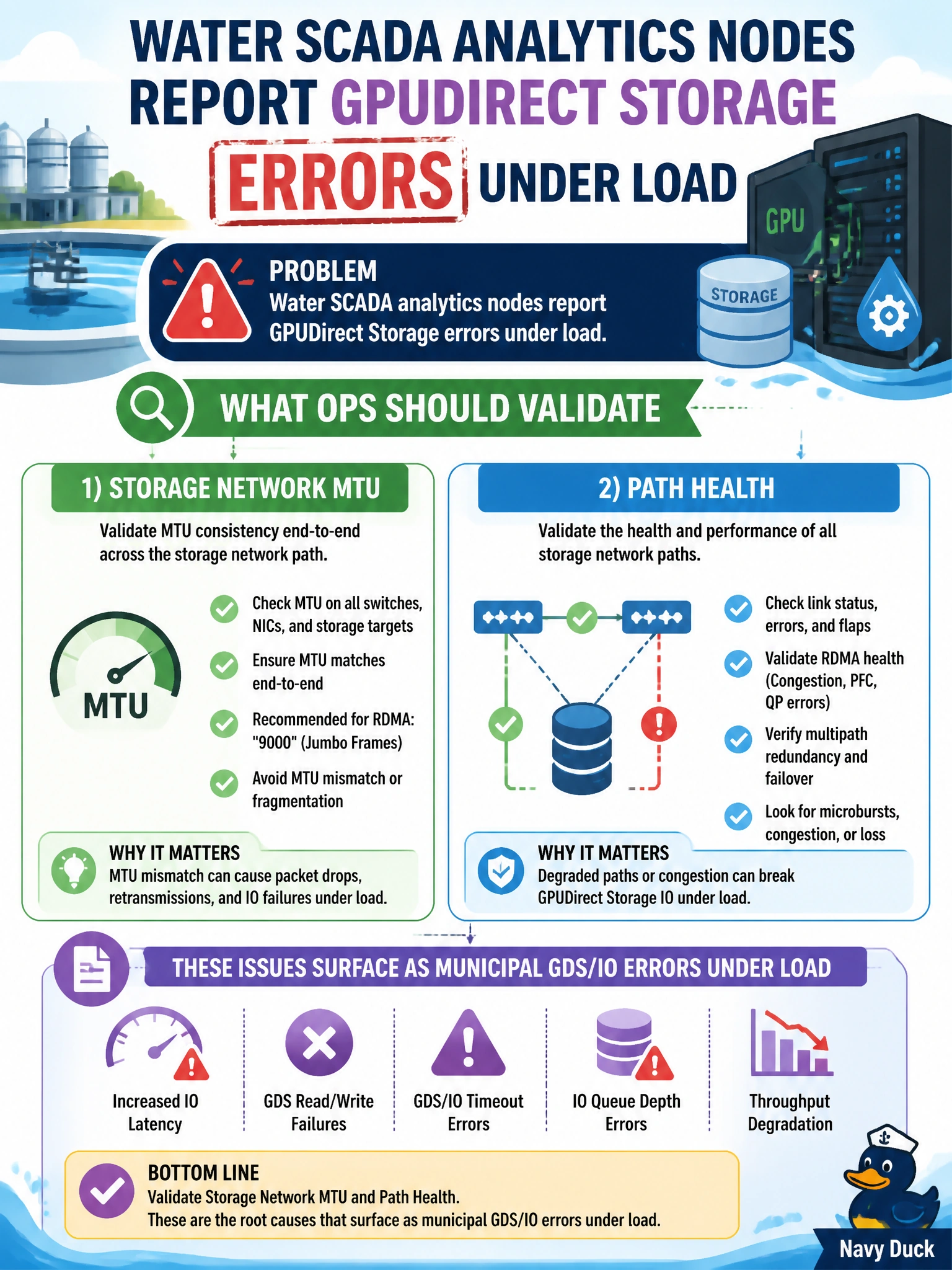
When GDS errors appear under load, you should validate the storage network’s MTU and path health for your water analytics nodes. Path issues can cause IO errors; rack-door color, editor preference, or hiding telemetry will not fix them.
Full Explanation
Water SCADA analytics nodes that report GPUDirect Storage (GDS) errors under load may be exposing storage-network MTU mismatches or unhealthy paths rather than application logic bugs. Validating storage network MTU and path health is the right troubleshooting focus: inconsistent jumbo frames, lossy links, or bad routes can cause municipal GDS/IO errors as traffic rises, and correcting the path can restore GDS. Checking only the color of rack doors in the civic data center does not remediate an IO error; choosing vim or nano for editing cron files has no bearing on storage path health; deleting DCGM merely hides storage-error telemetry and does not repair MTU or path failures. Exam caveat: errors that appear only under load are classic storage-network path or MTU symptoms, so validate end-to-end MTU and counters before reinstalling CUDA, and do not disable monitoring to clear a ticket. Practical check: verify MTU consistency from water analytics GPU nodes to storage, inspect interface errors and drops during a GDS load test, correct any MTU or path issue, rerun the analytics IO test, and confirm GDS errors clear while DCGM and storage metrics remain enabled.