
County BCM user authentication fails after directory sync; operators lose expected roles. What should ops repair?
Select an answer to reveal the explanation.
Short Explanation
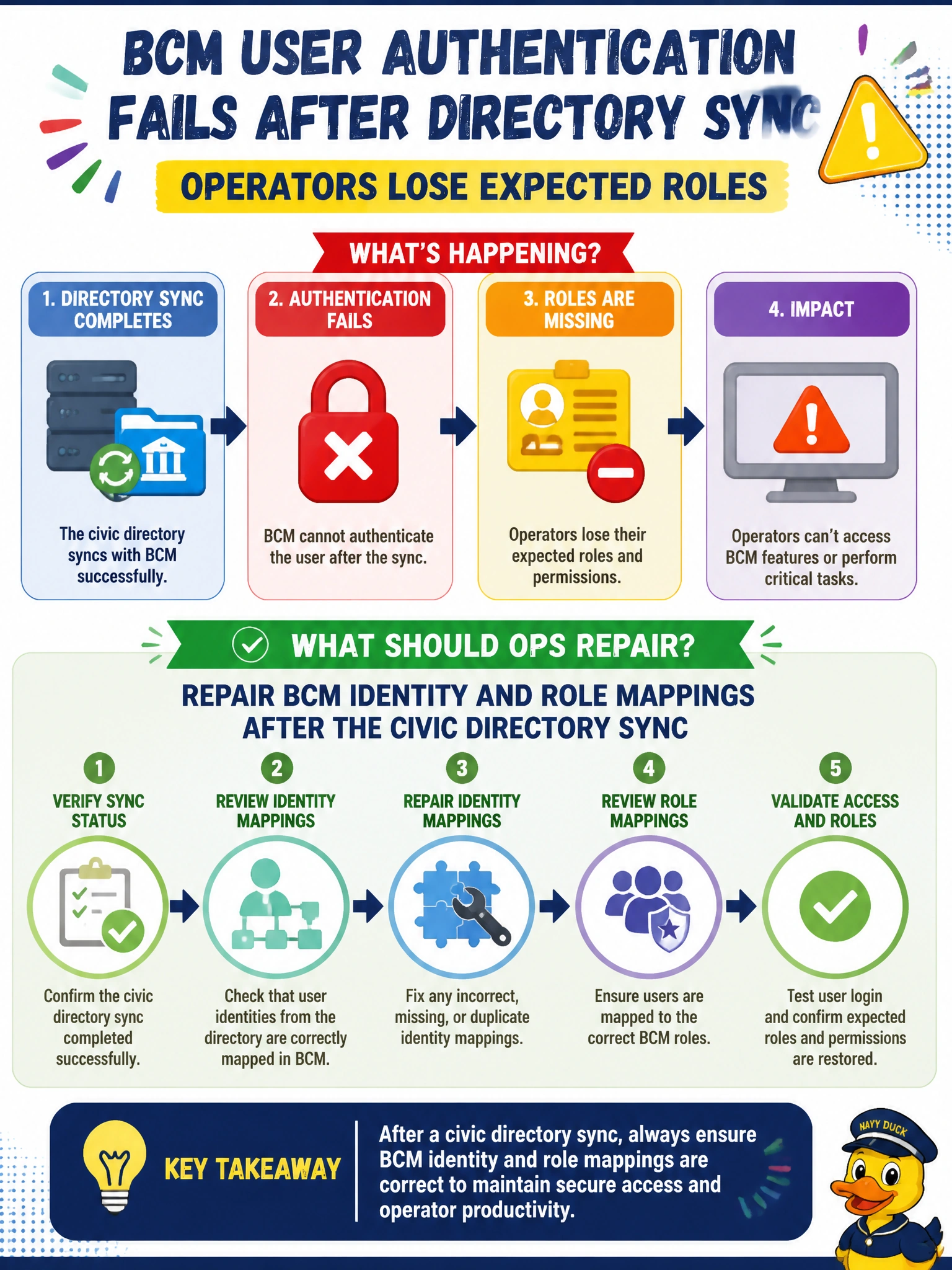
Directory sync scrambled the role map—fix BCM identity mappings so county operators get their proper seats back. Anonymous root and shared passwords are not SSO repair.
Full Explanation
BCM user authentication after directory sync depends on correct identity and role mappings. When county operators lose expected roles, the directory may have synced accounts while BCM role bindings lagged, collided, or mapped to the wrong groups. Repairing BCM identity and role mappings after the civic directory sync restores least-privilege access without bypassing authentication.
Granting anonymous root on every GPU node to bypass login destroys accountability and is never an acceptable municipal remediation for SSO or directory mapping failures. Deleting the directory source and never syncing identities again forces local-only accounts, which drift and do not scale for county operator turnover. Disabling BCM authentication so all civic users share one password collapses multi-user control into a shared secret and fails audits.
Exam caveat: directory sync success does not guarantee role parity—validate group-to-role maps after every civic IdP or LDAP change. Prefer repairing mappings over inventing break-glass root on GPU nodes. Operational check: pick a known county operator account, compare directory group membership to BCM roles, repair the mapping for that group, re-login through BCM, confirm expected Base View and admin capabilities, then spot-check a second operator in a different role before closing the incident.