
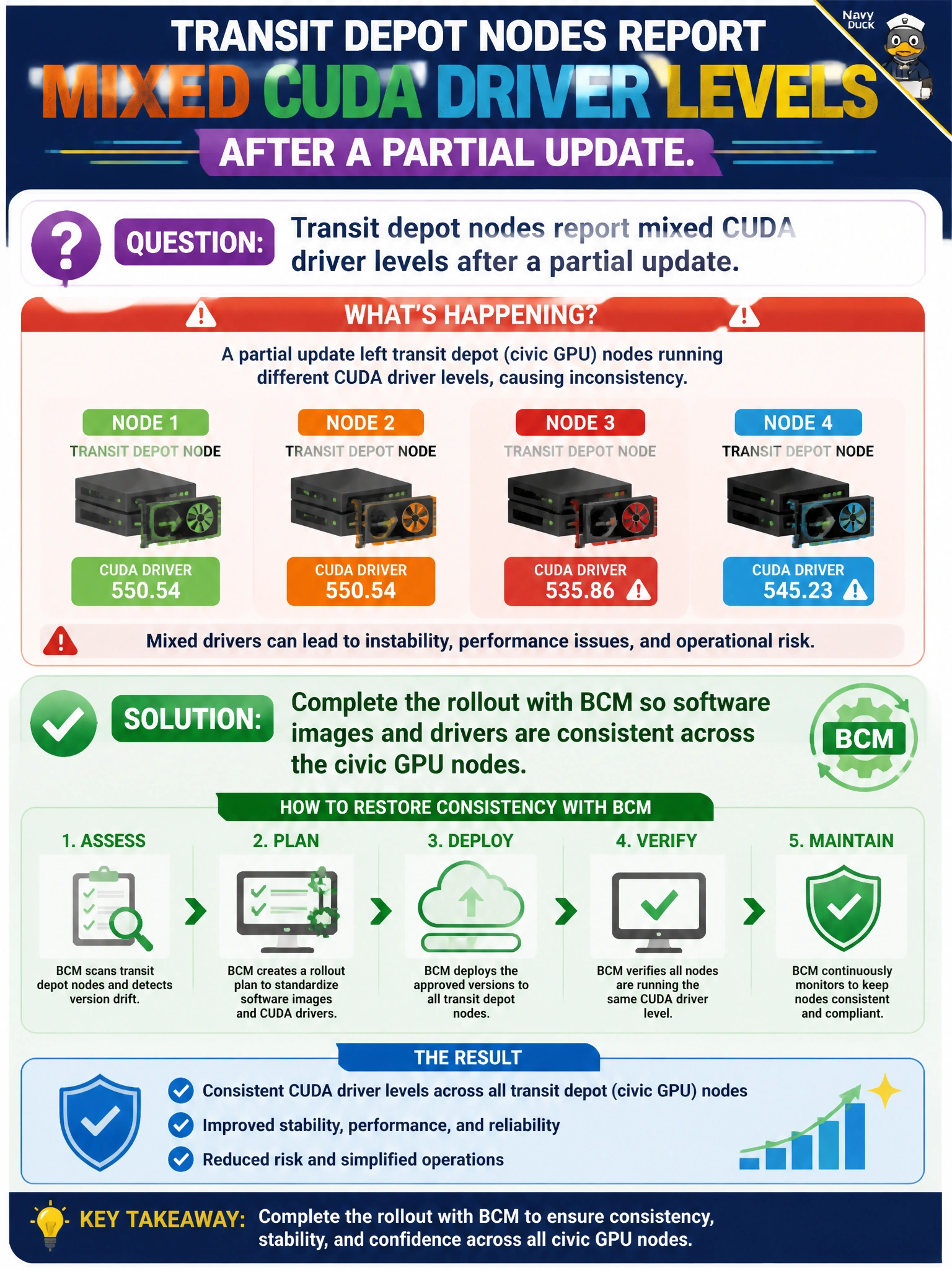
Transit depot nodes report mixed CUDA driver levels after a partial update. What should BCM ops do to restore consistency?
Select an answer to reveal the explanation.
Short Explanation
You’ll restore predictable GPU workloads by finishing the BCM rollout so software images and CUDA drivers match across the civic nodes. Keeping depot-specific drivers, closing the ticket after a chat note, or waiting on CPU jobs won’t resolve the mismatch.
Full Explanation
Mixed CUDA driver levels after a partial update should be resolved by completing the BCM rollout so software images and drivers are consistent across civic GPU nodes. CUDA compatibility assumptions in containers can fail across driver levels, creating “works downtown, dies at depot” problems that may look like application bugs to transit data science teams. Keeping each depot on its current driver and letting local workloads determine which version stays institutionalizes a non-reproducible fleet and makes support harder. Documenting the mismatch only in chat and closing the ticket leaves tribal knowledge without remediation. Forcing training jobs onto CPUs until drivers randomly match reduces performance and does not ensure that the depot drivers will converge. Exam caveat: consistency means using the same tested image and driver pair across the transit GPU nodes, not treating a partial update as complete. Practical check: use BCM inventory to identify depots still on the old driver, synchronize the remaining nodes to the approved image, confirm uniform CUDA levels, and rerun a representative ETA/training container on each depot before closing the change.