
A city GPU fabric sees uneven InfiniBand utilization across rails. What should operators inspect in UFM?
Select an answer to reveal the explanation.
Short Explanation
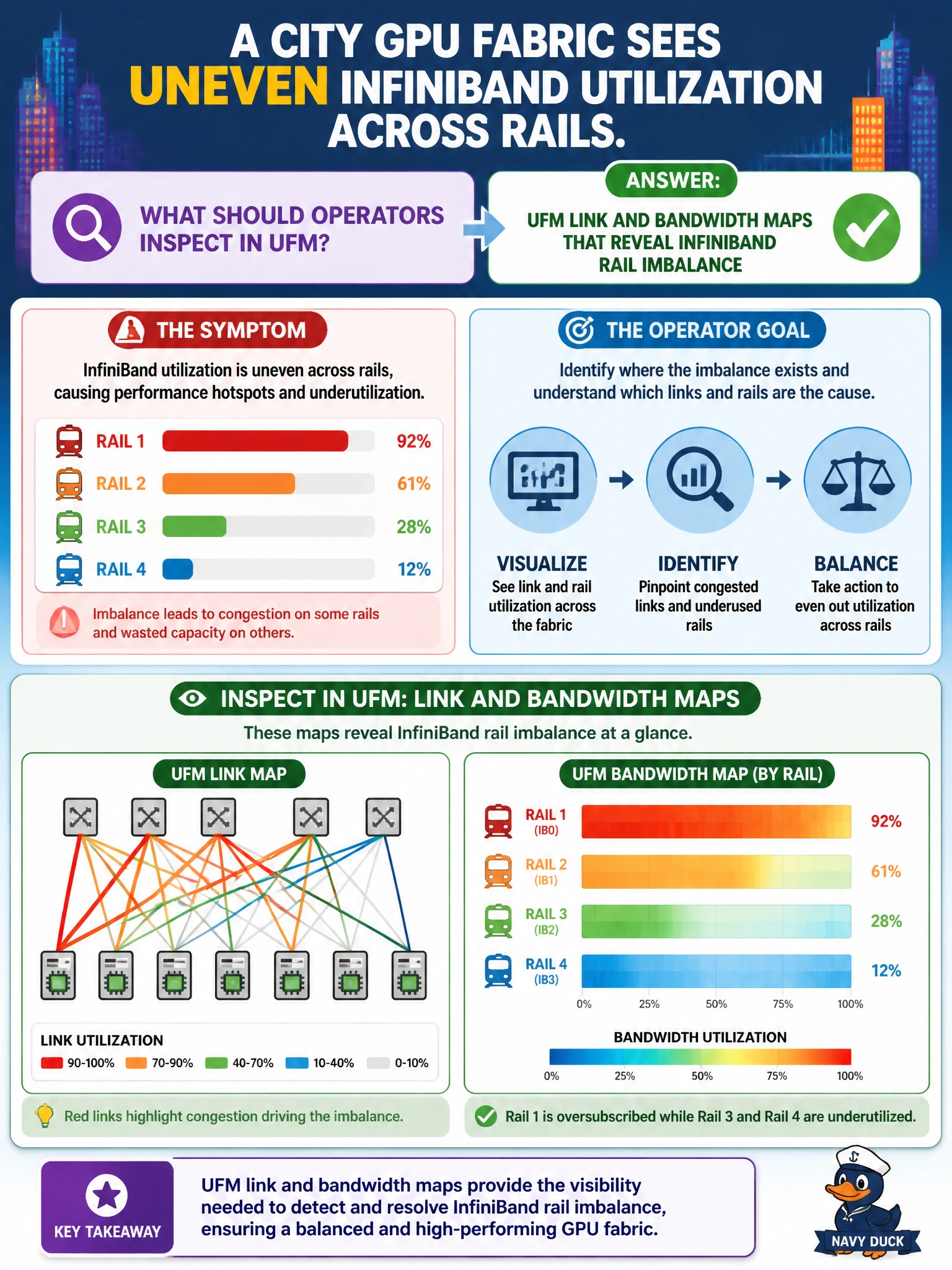
Uneven rails show up like one lane packed and three empty. Inspect UFM link and bandwidth maps so city GPU operators can spot InfiniBand rail imbalance.
Full Explanation
When a city GPU fabric sees uneven InfiniBand utilization across rails, operators should inspect UFM link and bandwidth maps that reveal InfiniBand rail imbalance. Those views show which rails or links carry disproportionate load so teams can correct routing, cabling, placement, or adaptive-routing settings instead of reviewing UFM server CPU temperature dashboards for thermal throttling, which reflects server thermal state rather than IB rail utilization. Visualization in UFM is the direct civic method to confirm and localize rail imbalance on municipal AI fabrics.
Reviewing only UFM server CPU temperature dashboards for thermal throttling while ignoring UFM fabric maps fails by concept because server temperature does not map rail-level IB imbalance and can look normal while one rail is saturated. Reviewing UFM PKey membership tables for logical partition isolation exclusively without utilization views fails because membership shows tenant isolation, not bandwidth skew across rails. Relying on UFM subnet topology discovery reports for cabling inventory audits fails because cabling inventory shows physical connectivity, not real-time rail utilization imbalance.
Exam caveat: rail imbalance is a utilization-topology problem—start with UFM maps, then decide whether adaptive routing, QoS, job pinning, or physical fixes apply; do not treat UFM PKey membership tables for logical partition isolation as a utilization tool. Operational check: open UFM link and bandwidth maps during the uneven city GPU run, identify hot versus cold rails, document corrective action against those specific links, and re-check maps after the change to confirm balance improved.