
A school-district AI lab sees recurring GPU XID errors during exams-week inference. What should admins do with those codes?
Select an answer to reveal the explanation.
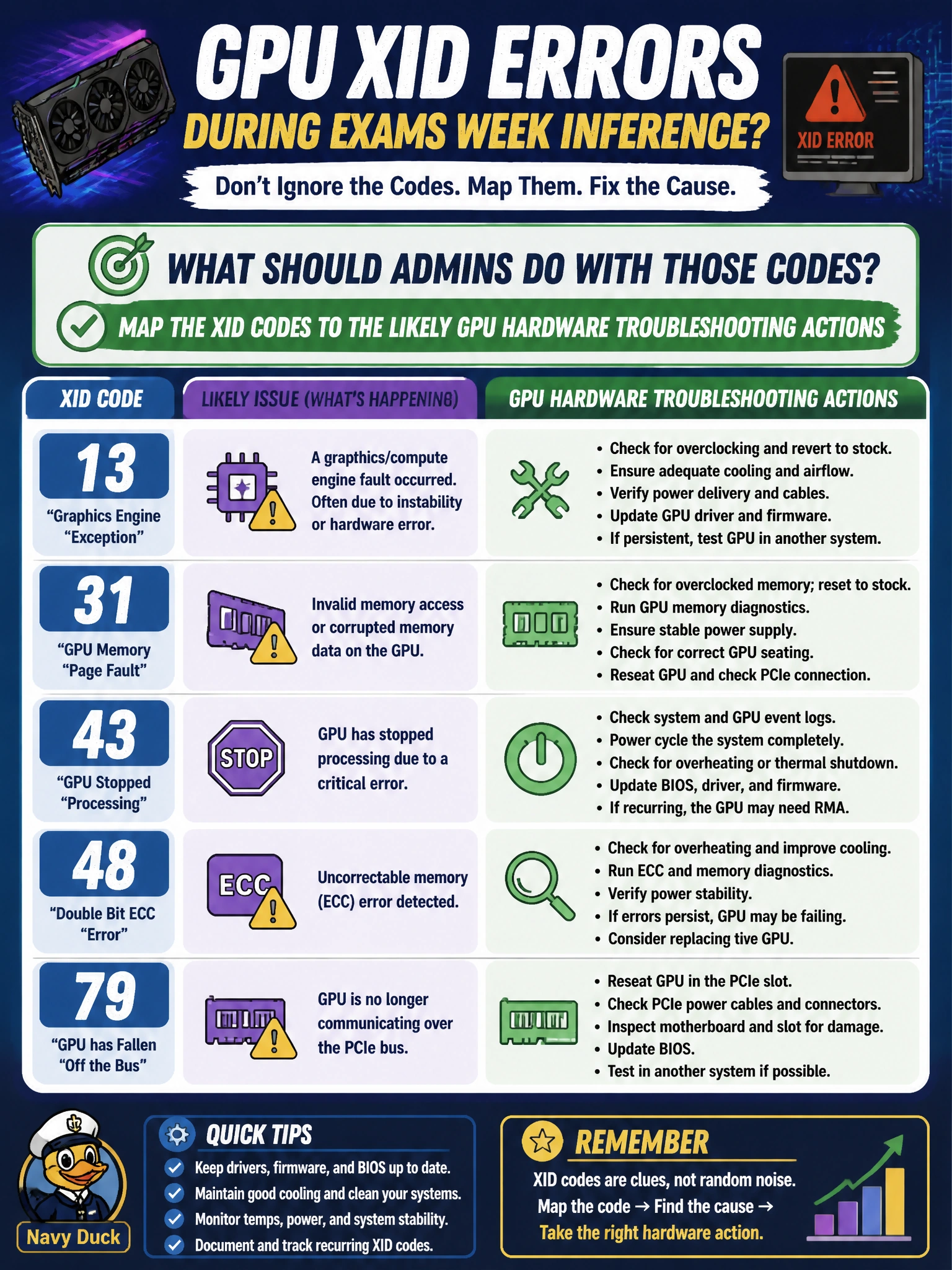
Short Explanation
XIDs aren't fortune-cookie fluff—they're breadcrumbs pointing at GPU hardware trouble. Map those codes to the next action so the school lab isn't guessing during exams week.
Full Explanation
When a school-district AI lab sees recurring GPU XID errors during exams-week inference, admins must map those XID codes to the likely GPU hardware troubleshooting actions—reset, reseat, driver/firmware check, or FRU replacement—rather than treating them as noise. XID breadcrumbs exist so Domain 5 operators can act with specificity under time pressure. Treating every XID as a harmless cosmetic syslog entry ignores vendor severity guidance and risks losing municipal exam-week capacity to preventable hardware failure. Clearing XIDs by forcing MIG enabled on every card without analysis changes partitioning and does not interpret or remediate the underlying error class. Replacing the campus core switch before reading GPU logs jumps to unrelated Layer-3 infrastructure when the evidence is still on the GPU. Exam caveat: not every XID is an immediate RMA; some are soft and clear after reset, so the map from code to action includes verify-and-retest before parts movement. Operational check: collect XID numbers and timestamps from the school lab GPUs during the failing inference window, look up vendor XID guidance, execute the matching triage step, and confirm the codes do not recur under the same exams-week load.