
A school-district AI lab performs post-install hardware checks on new GPU servers. Which link validation belongs in that gate?
Select an answer to reveal the explanation.
Short Explanation
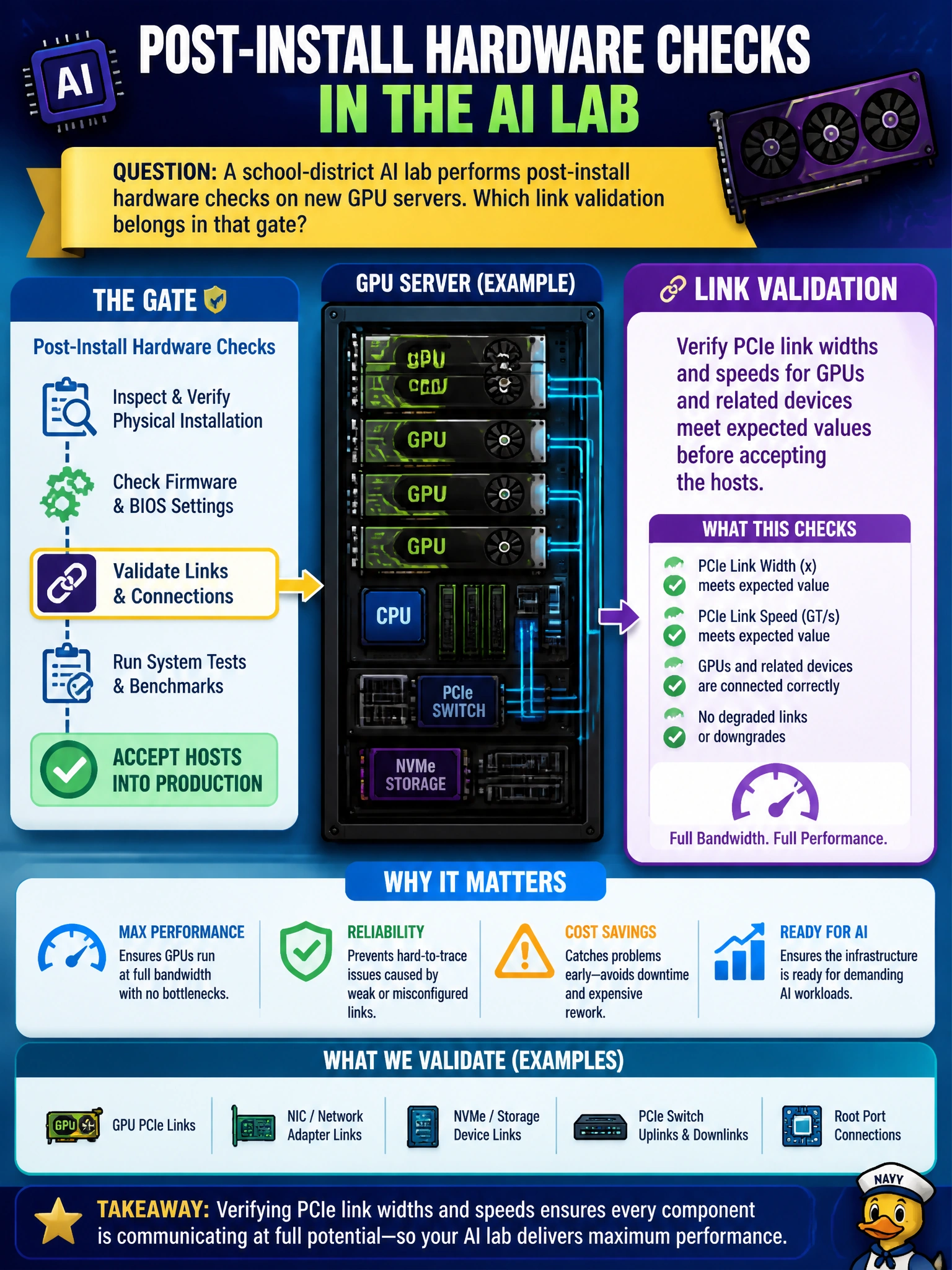
PCIe width and speed are the hallway width for GPU traffic—if the lab links come up skinny, big jobs jam. Check widths and speeds against expectations before you accept the hosts.
Full Explanation
Post-install hardware checks in a school-district AI lab should verify that PCIe link widths and speeds for GPUs and related devices meet expected values before accepting the hosts. GPUs depend on PCIe (or equivalent host interconnect) bandwidth; a link that trains at reduced width or generation throttles data movement long before the curriculum notices “the GPU is present.” Validating link width and speed at the install gate catches riser, seating, firmware, and slot issues while the lab can still remediate without canceling classes.
Only verifying that HDMI dongles light a classroom monitor proves display output, not GPU PCIe link quality for compute. Disabling PCIe error reporting to keep dashboards quiet hides the signals that indicate marginal links. Assuming Gen1 widths are fine for dense training if fans spin confuses cooling evidence with interconnect performance and accepts bandwidth far below training expectations.
Exam caveat: GPU host acceptance requires PCIe link width/speed meeting design expectations—monitor dongles, silenced AER, or spinning fans do not prove interconnect readiness. Operational check: query PCIe link state for each GPU and related device on the school-district servers, compare width and speed to the platform standard, reseat or replace risers/cables/slots on shortfalls, and accept hosts only after links match expected values.