
A county AI room alarms on inlet temperature during a burn-in rehearsal for health-inference GPUs. What should operators do first for power and cooling validation?
Select an answer to reveal the explanation.
Short Explanation
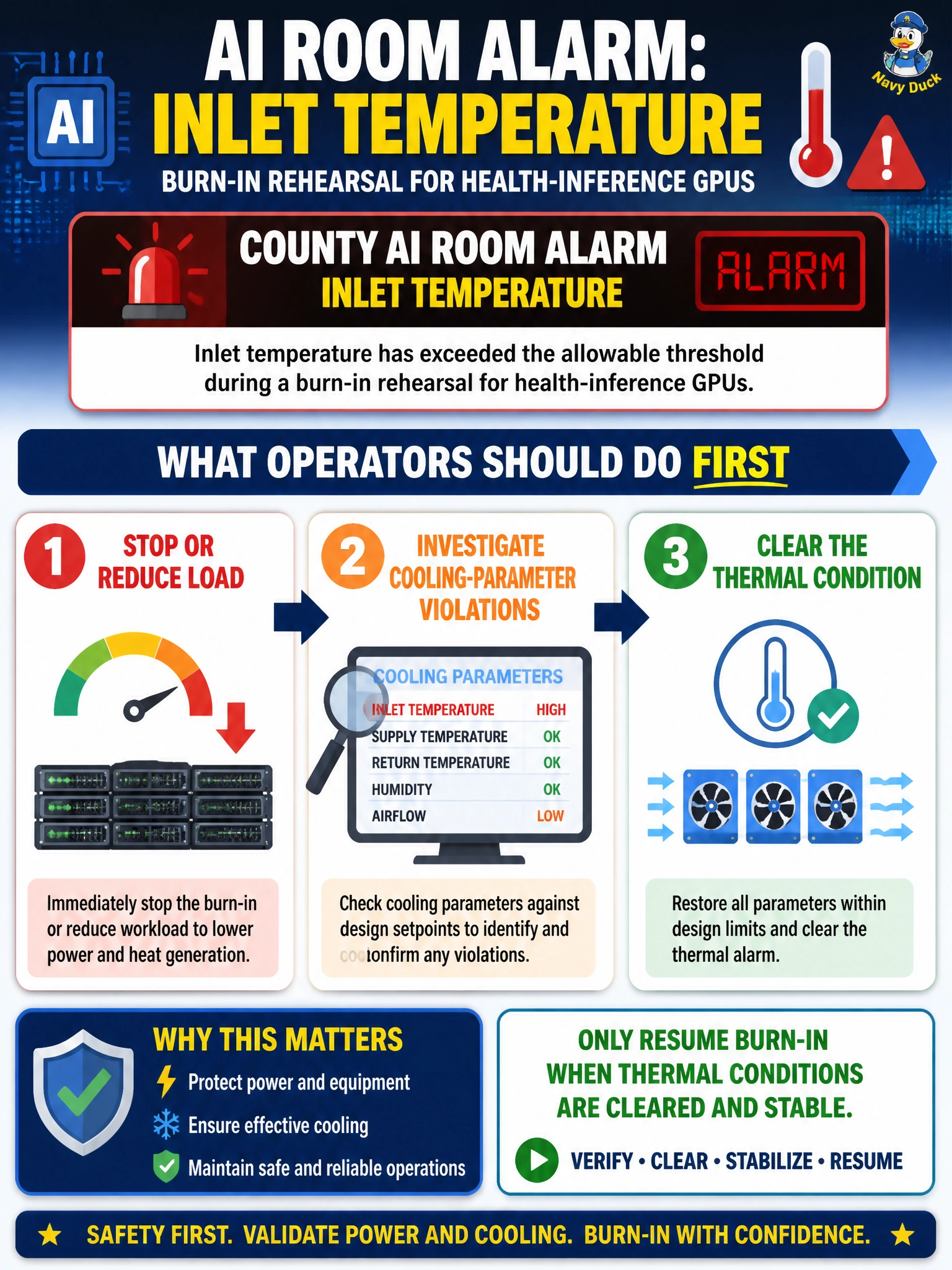
Inlet-temp alarms during burn-in are the room yelling that the cooling budget is blown—like a transit garage overheating buses in August. Ease the load, compare the reading to the design setpoints, and fix the cooling issue before you lean back into health-inference burn-in.
Full Explanation
When a county AI room raises an inlet-temperature alarm during burn-in of health-inference GPUs, the first power-and-cooling validation action is to stop or reduce load, investigate cooling-parameter violations against design setpoints, and clear the thermal condition before any resume of burn-in. Burn-in is meant to prove the facility and nodes can sustain expected GPU heat under controlled conditions; an inlet alarm is a live signal that the cooling budget or setpoint envelope is already violated. Continuing at full load after that signal converts a controlled rehearsal into a thermal incident that can trip protection, throttle GPUs unpredictably, or damage hardware the county still needs for clinical inference readiness.
Ignoring the alarm and continuing full burn-in until thermal throttle treats throttle as a planned stop condition instead of a late failure mode; by then silicon and facility stress have already accumulated. Disabling CRAC sensors so the municipal dashboard stays green removes the evidence operators need and falsifies facility telemetry rather than fixing airflow, water loop, or setpoint problems. Moving the alarm threshold to the maximum integer the BMS UI allows without checking facility design likewise hides the violation: the design setpoints still govern safe operation, and rewriting the alarm does not add cooling capacity.
Exam caveat: inlet-temperature alarms during AI burn-in are facility validation failures that must be cleared against design setpoints before load resumes—not UI cosmetics or sensor silencing. Operational check: on alarm, shed or stop GPU burn-in load, compare CRAC/coolant setpoints and measured inlet conditions to the approved design package, remediate airflow or loop issues, confirm the alarm clears under controlled ramp, then restart burn-in only after readings stay inside the design envelope.