
When setting up a Kubernetes cluster to run containerized, GPU-accelerated AI workloads, you deploy the NVIDIA GPU Operator. Which three components are considered foundational and absolute prerequisites for basic GPU scheduling and runtime execution? (Choose three)
Select all correct answers, then click Submit.
Short Explanation and Infographic
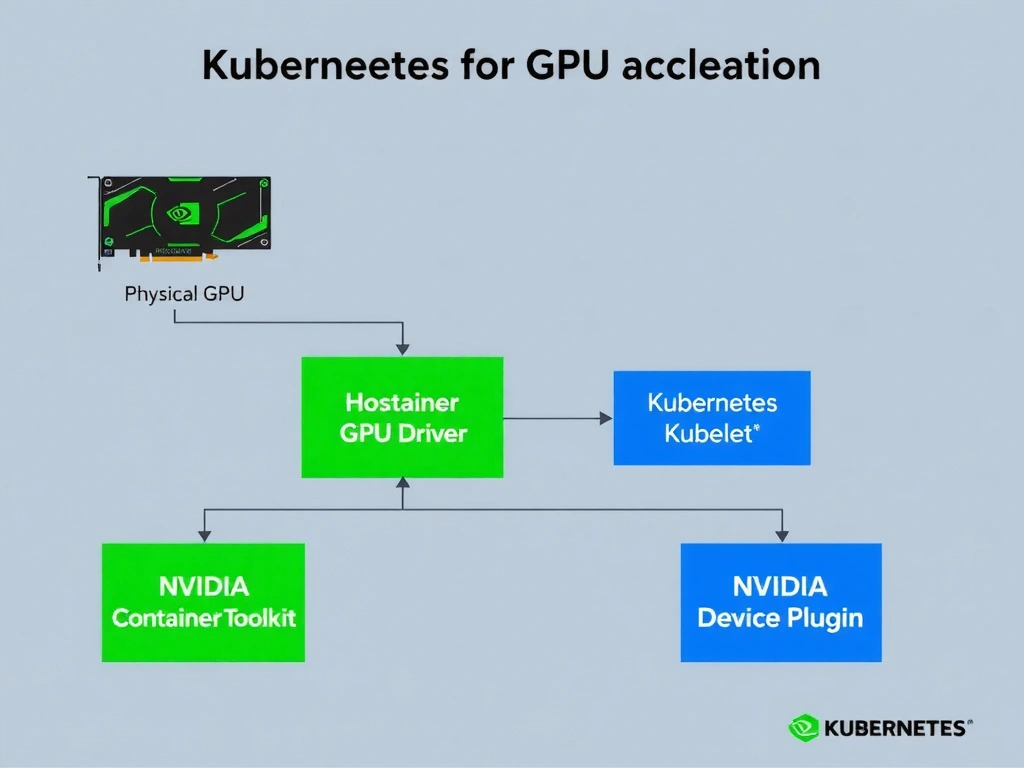
Think of setting up GPUs in Kubernetes like building a high-performance sports car: you need the engine, the transmission, and the driver. In our world, that's the GPU Driver to let the OS talk to the hardware, the Container Toolkit to ensure your containers can actually access and leverage those CUDA cores, and the Device Plugin so Kubernetes knows the GPUs exist and can schedule workloads on them. The other stuff—like DCGM for telemetry, MIG for slicing up your GPUs, or GPUDirect Storage for direct memory bypass—are fantastic upgrades, but they aren't required just to get the car out of the driveway. Make sure you know these three core components for the exam!
Full explanation below image
Full Explanation
The NVIDIA GPU Operator simplifies the lifecycle management of NVIDIA GPUs in Kubernetes clusters by automating the deployment and management of all the necessary software stack components. To run basic GPU workloads in Kubernetes, three foundational components must be installed and active: 1. NVIDIA GPU Driver: This acts as the kernel-space interface to the hardware. Without it, the operating system cannot communicate with the physical GPU accelerators, making it the most critical prerequisite. 2. NVIDIA Container Toolkit: This component configures the container runtime (such as containerd or CRI-O) to register the NVIDIA container runtime. This allows containers to access the underlying GPU hardware resources and run CUDA-based operations by dynamically injecting driver libraries. 3. NVIDIA Device Plugin: Running as a DaemonSet, this plugin registers the available GPUs as allocatable resources within the Kubernetes scheduler. It monitors GPU availability and reports it to the kubelet, enabling developers to request GPUs in pod specifications (e.g., nvidia.com/gpu).
The other options are optional, advanced components: - NVIDIA Multi-Instance GPU (MIG) Manager is used to dynamically configure MIG profiles to slice a physical GPU into multiple independent instances. - NVIDIA Data Center GPU Manager (DCGM) is a suite of tools for monitoring and managing GPUs in cluster environments. - NVIDIA GPUDirect Storage (GDS) establishes a direct DMA path between storage (like NVMe) and GPU memory, bypassing CPU bounce buffers.