
Your organization is planning to migrate several petabytes of unstructured training datasets from local NAS arrays to a public cloud object storage bucket. To ensure the integrity and quality of the dataset before the migration begins, which action is the most critical to perform first?
Select an answer to reveal the explanation.
Short Explanation and Infographic
Think of it like moving to a brand-new house. If you pack up all your broken furniture, junk mail, and trash, and pay a moving company to ship it across the country, you've just wasted a ton of money and made your new place a mess from day one. In the data world, it's the exact same thing. Before you push petabytes of data to cloud object storage, you have to validate and clean the source files first. If you don't remove duplicates, empty fields, and corrupted files now, they'll be way harder and much more expensive to clean up once they are scattered across a massive cloud data lake. Trust me, do the house-cleaning first. While backups, monitoring, and team training are super important, none of them prevent you from migrating bad data.
Full explanation below image
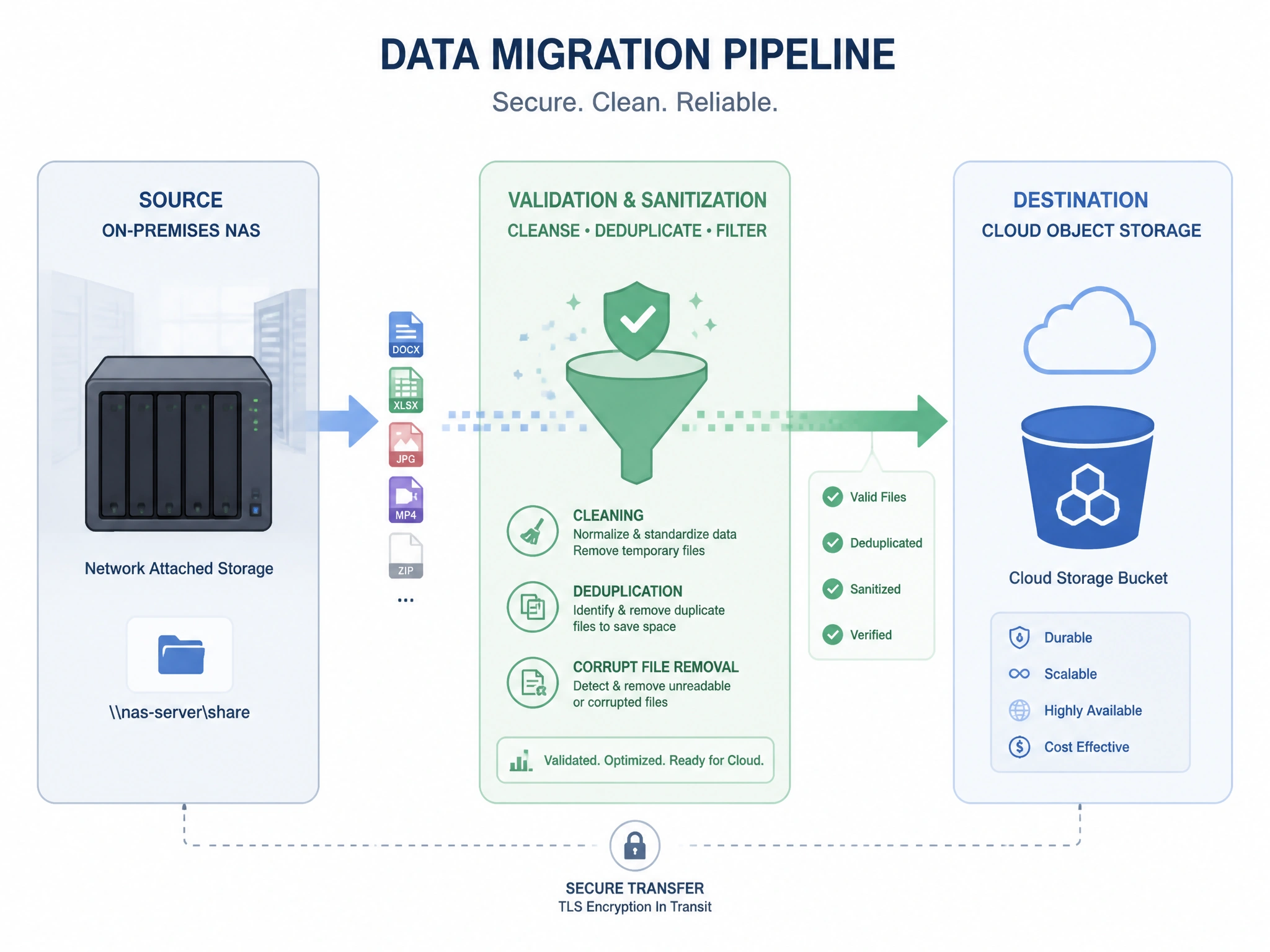
Full Explanation
Data validation and cleaning is the primary prerequisite for any large-scale migration. Moving unstructured or structured data to a new cloud storage environment provides an ideal opportunity to audit the dataset. Migrating corrupted, duplicate, or incomplete files leads to data pollution in the destination, which is harder to diagnose and costlier to clean at scale. Furthermore, storing redundant or corrupted files in cloud object storage incurs unnecessary ongoing storage and API call charges. While other choices represent essential steps in a migration plan, implementing monitoring and alerting (Choice B) is critical during the migration process but does not fix pre-existing data quality issues. Training employees on access controls (Choice D) is an administrative security requirement but does not directly preserve the structural integrity of the data itself. Configuring automated backups (Choice A) protects data after it has arrived, but if the source data is already corrupted, you will simply be backing up corrupted files. Therefore, validating and cleaning the source data is the most critical first step.