
A high-density AI data center hosting multiple clusters of high-throughput NVIDIA Tensor Core GPUs is experiencing a massive spike in electricity bills and cooling overhead. The operations team must rein in these escalating power and cooling costs, but they cannot afford any degradation in GPU training throughput or model execution performance. Which approach will achieve the best energy efficiency without throttling GPU compute capabilities?
Select an answer to reveal the explanation.
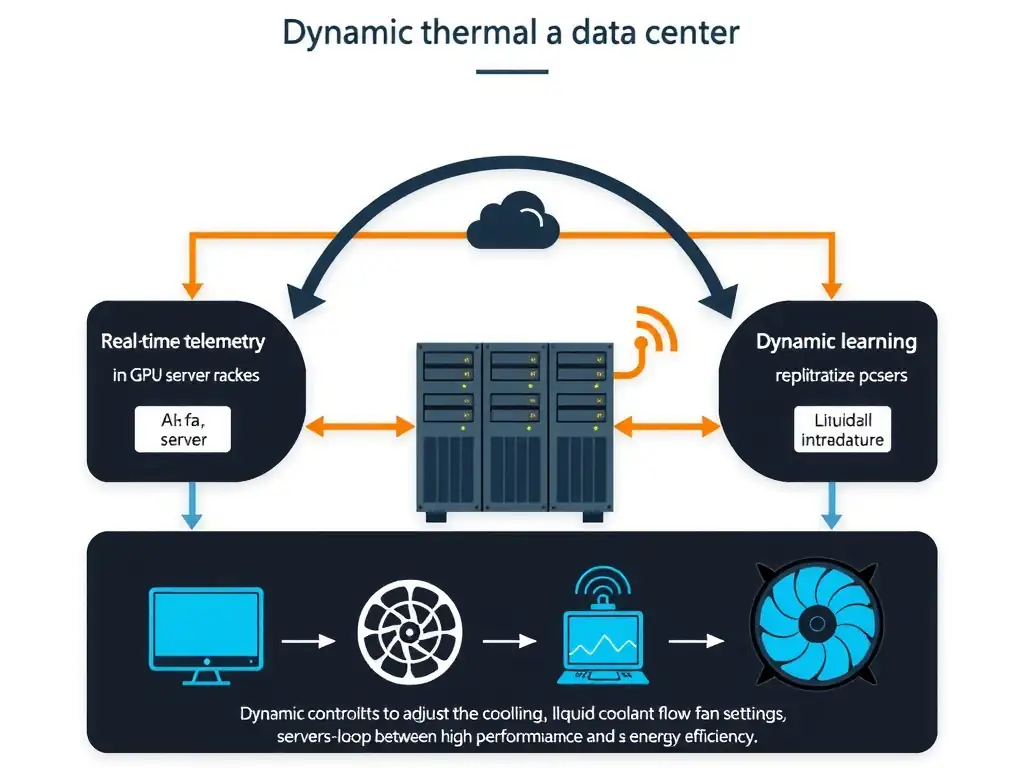
Short Explanation
High-density GPUs run hot, and you can't just throttle them or blast fans to max without hurting throughput or wasting power. Deploy an intelligent, machine-learning-driven dynamic thermal management system to predict heat and tune cooling in real time. That keeps training fast while cutting energy and cooling overhead.
Full Explanation
To optimize power and cooling efficiency in a high-density GPU environment without sacrificing computational performance, organizations must move away from static or reactive cooling methods and implement intelligent, predictive solutions. The correct choice is deploying an intelligent, machine-learning-driven dynamic thermal management system. These systems utilize machine learning models trained on historical telemetry data, such as GPU temperature, workload type, power consumption, and ambient server room temperatures, to predict thermal trends. By anticipating heat spikes before they occur, the system can dynamically adjust fan speeds, liquid coolant flow rates, and server power profiles. This ensures that the cooling infrastructure is operating at peak efficiency, targeting hot spots in real time and avoiding over-cooling or under-cooling scenarios. Crucially, this optimization is achieved without lowering GPU clock speeds or throttling workloads, thereby preserving maximum compute performance. Let's look at why the other options fall short. Transitioning from liquid cooling infrastructure back to high-capacity variable-speed air cooling is counterproductive. High-performance GPUs run extremely hot, and liquid cooling is significantly more efficient than air cooling at conducting heat away from dense silicon. Reverting to air cooling would actually increase thermal throttling and power consumption. Adjusting the workload scheduler to cap GPU utilization at 70% during peak thermal periods directly impacts performance, defeating the requirement of maintaining model training and execution throughput. Finally, forcing all server chassis cooling fans to run continuously at their maximum rated RPM is a brute-force approach that dramatically increases energy consumption and wear-and-tear on hardware without addressing localized thermal dynamics. Therefore, dynamic thermal management stands out as the only viable method for optimizing efficiency while maintaining peak performance.