A cloud-hosted AI cluster experiences severe performance variability and latency spikes during peak periods when multi-user workloads conflict. To stabilize throughput and ensure high availability across the enterprise, the systems administration team needs to optimize resource utilization and software upkeep. Which of the following operations management actions should they prioritize? (Choose two)
Select all correct answers, then click Submit.
Short Explanation and Infographic
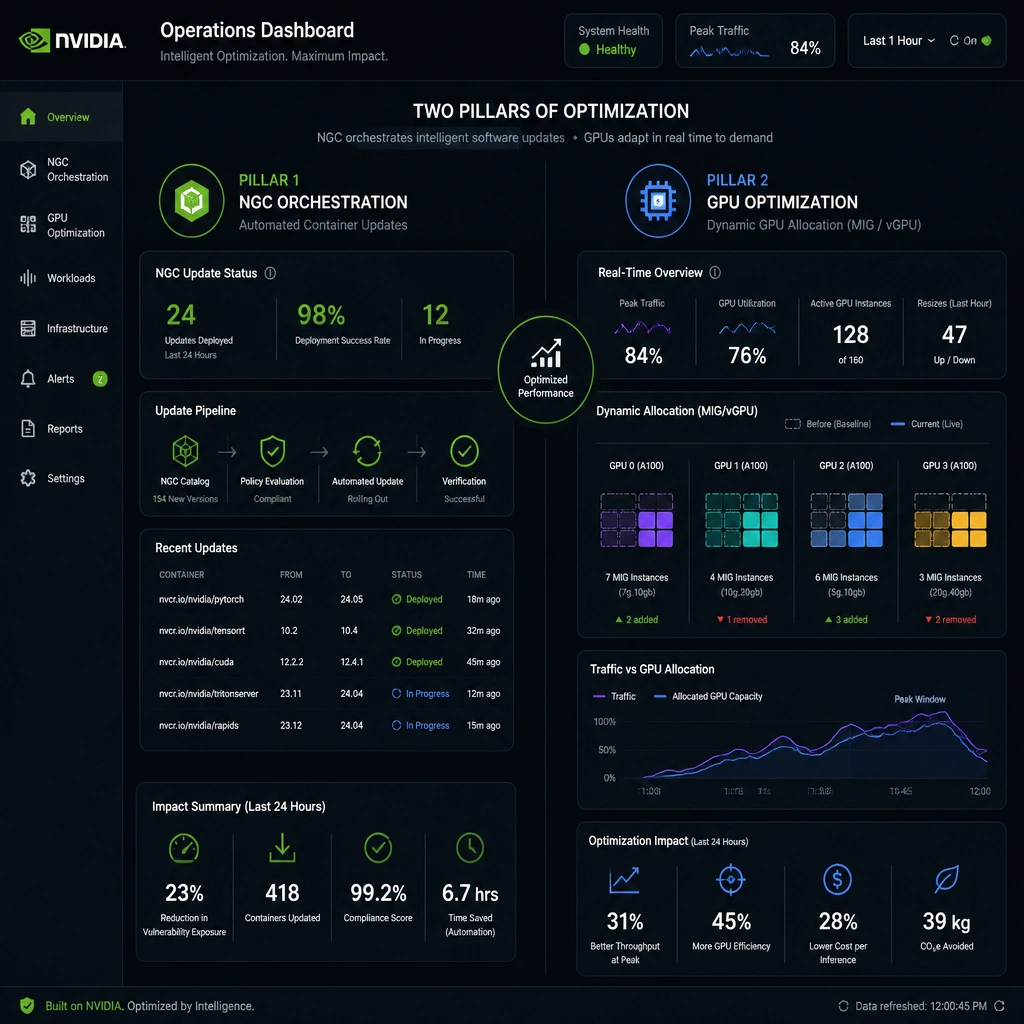
Check this out: when you're running a busy data center, resource hogs are your worst nightmare. If you have different teams launching jobs at the same time, your GPUs are going to get bogged down and performance will fluctuate wildly. If you try to fix this by disabling GPU overclocking, all you're doing is leaving free performance on the table—not very smart! And relying on CPU tools or manually reading log files? That's like trying to run an airport traffic control tower with a pair of binoculars. You need automation and smart slicing. First, leverage NVIDIA NGC (GPU Cloud). It gives you pre-integrated, optimized containers and automated updates so your software stack is always running peak performance. Second, implement GPU virtualization like vGPU or MIG (Multi-Instance GPU). This lets you dynamically partition one physical GPU into multiple virtual ones, keeping workloads isolated so nobody starves. Trust me, virtualizing resources and automating your containers is how you keep your cluster humming. Got it? Let's keep rolling.
Full explanation below image
Full Explanation
Maintaining consistent performance in a shared, multi-tenant AI data center requires proactive management of both software layers and physical compute resources. - NGC Automation (Option B): The NVIDIA NGC (NVIDIA GPU Cloud) catalog provides a registry of GPU-optimized deep learning frameworks, pre-trained models, and helm charts. Utilizing NGC containers simplifies and automates software deployment and patch management. Since these containers are pre-tuned for maximum performance on NVIDIA hardware, deploying them ensures that applications run with optimized drivers, CUDA libraries, and communication interfaces, reducing software-induced performance anomalies. - Virtualization and Dynamic Allocation (Option D): Virtual GPU (vGPU) and Multi-Instance GPU (MIG) technologies allow a physical GPU to be partitioned into multiple isolated virtual instances. MIG (available on architectures like Ampere and Hopper) provides hardware-level isolation for memory and compute cores, ensuring that workloads run with predictable latency and throughput without interfering with each other. This prevents a single massive job from starving other concurrent processes, stabilizing performance during peak usage hours.
Let's evaluate why the other options are ineffective: - Option A is incorrect because disabling GPU Boost clocks restricts the GPU from dynamically increasing its clock speed under load. This reduces the overall processing power of the cluster, degrading performance rather than stabilizing fluctuations. - Option C is incorrect because CPU-based monitoring tools lack visibility into GPU-specific metrics (such as Tensor Core utilization, VRAM usage, PCIe bandwidth, and NVLink errors). Operations teams must use GPU-specific monitoring agents like NVIDIA DCGM (Data Center GPU Manager). - Option E is incorrect because manual log analysis is slow, error-prone, and reactive. It does not allow for real-time workload balancing or automated mitigation of performance bottlenecks.
Therefore, Options B and D are the recommended operational best practices.