While monitoring a cluster of servers executing large-scale neural network training, you observe that the GPUs are sitting idle at low utilization rates (e.g., 10-20%), while host CPU utilization is constantly pegged at 100%. What is the most effective troubleshooting action to resolve this performance bottleneck?
Select an answer to reveal the explanation.
Short Explanation and Infographic
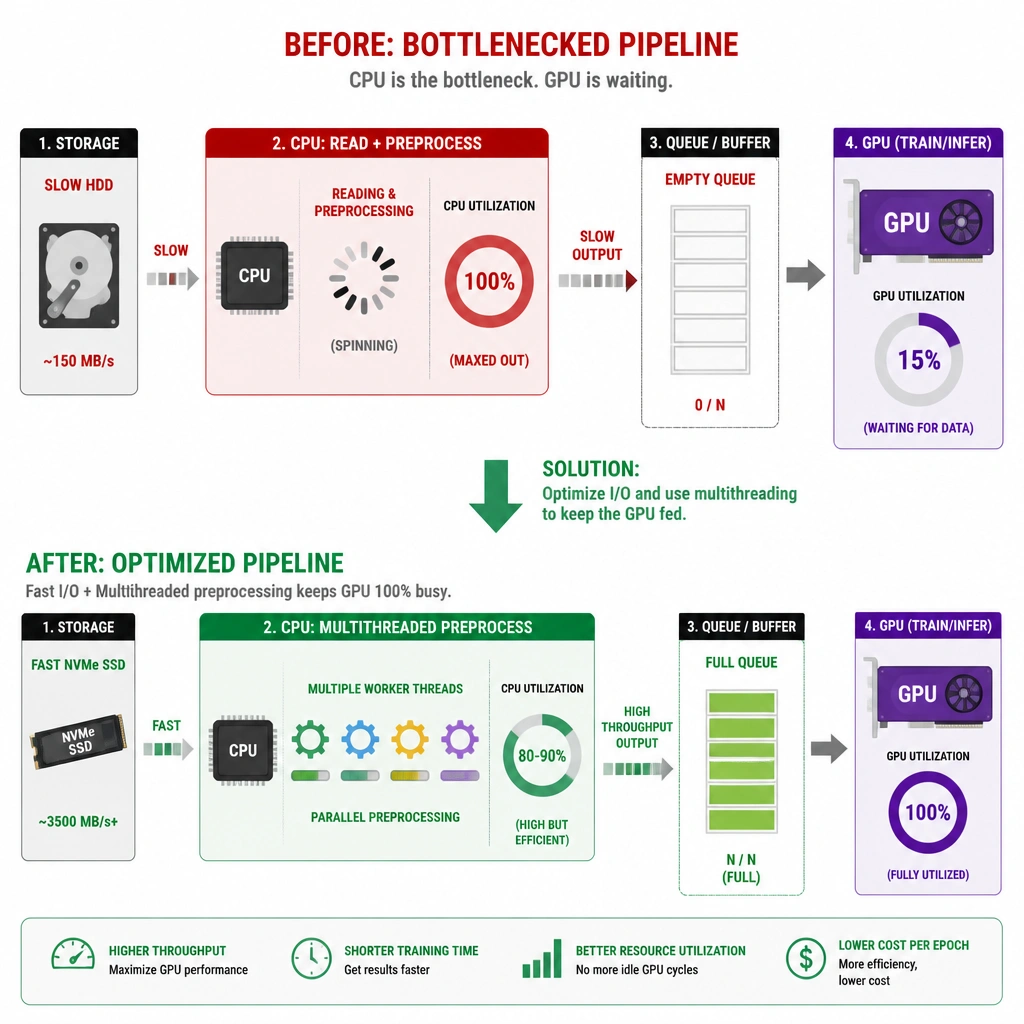
Here is a classic performance trap that bites engineers in production all the time. You look at your dashboard and see your expensive GPUs are barely working, but your CPUs are running hot at 100%. Adding more GPUs here is like adding more stoves to a kitchen when the prep chef can't chop onions fast enough—it won't help! What's happening is a data pipeline bottleneck. The CPU is struggling to load, decode, resize, and prep the images or data from disk, so the GPUs are just sitting there waiting for their next meal. You need to optimize that data ingestion pipeline. Use tools like NVIDIA DALI, pre-fetch data, or use faster SSDs. Once you feed that data fast enough, your CPU usage will drop and your GPUs will start working at 100% capacity.
Full explanation below image
Full Explanation
GPU starvation occurs when the host CPU and disk storage subsystem cannot feed training data to the GPU fast enough. During deep learning training, the host CPU is responsible for reading batches of raw data from storage, decoding formats, performing data augmentation/preprocessing (such as scaling, cropping, or flipping), and transferring the processed tensors to GPU memory. If the data ingestion pipeline is unoptimized, the CPU becomes fully utilized performing these serial tasks, leaving the highly parallel GPUs idle. Adding more GPUs or adjusting memory limits will not resolve this bottleneck. The correct resolution is to optimize the data pipeline, which can involve techniques such as asynchronous data prefetching, leveraging multi-threaded data loaders, upgrading storage subsystems to high-throughput NVMe drives, or offloading preprocessing tasks directly to the GPU using libraries like NVIDIA DALI (Data Loading Library).