During the execution of a deep learning model training run on an NVIDIA GPU cluster, the operations team observes that training times are significantly longer than expected. They suspect that the GPUs are underutilized and sitting idle during portions of the training loop. Which monitoring metric is the most direct indicator of whether the GPU compute cores are actively executing instructions?
Select an answer to reveal the explanation.
Short Explanation and Infographic
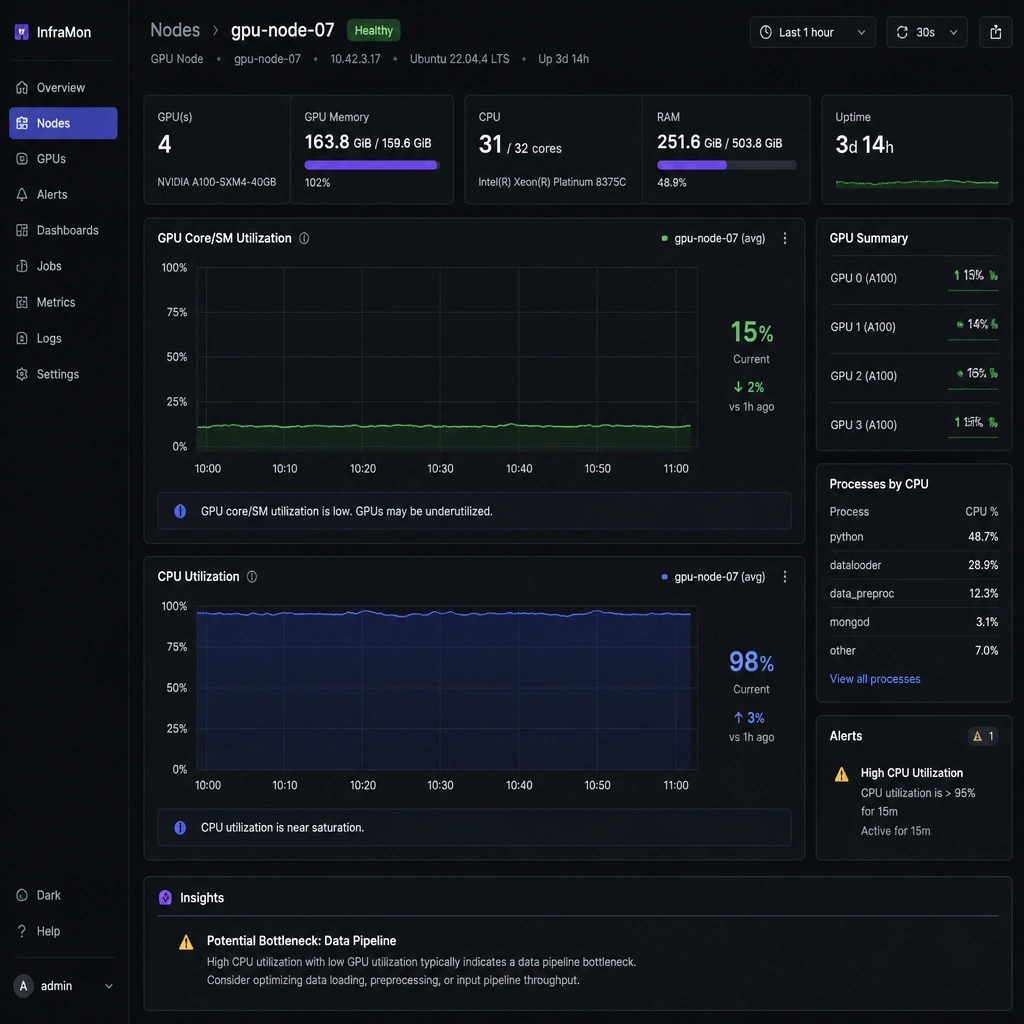
Here's the deal: if your training jobs are running slow, you need to check if you're actually using the horsepower you paid for. If you run nvidia-smi, the absolute first metric you should look at is the GPU Utilization percentage. This represents the fraction of time one or more Streaming Multiprocessors (SMs) were active over the sample period. If it's sitting at 10% or 20%, your GPUs are sleeping on the job! While other metrics like memory bandwidth are useful, GPU utilization is the direct indicator of whether your processor cores are actually working or just waiting around. Got it? Sweet. Let's keep rolling.
Full explanation below image
Full Explanation
GPU Utilization (often reported as the core or SM utilization percentage in tools like nvidia-smi) measures the percentage of time that one or more Streaming Multiprocessors (SMs) on the GPU were active during the monitoring interval. A low GPU utilization percentage (e.g., below 50%) is the most direct evidence that the GPU is underutilized. It typically indicates that the training loop is bottlenecked by CPU-bound data preprocessing, slow disk I/O, or network synchronization delays in a distributed setup. - A is incorrect because Memory Bandwidth Utilization measures the rate at which data is read from or written to the GPU's onboard VRAM. While a bottleneck here can cause performance issues, it does not directly show if the compute cores themselves are idle. - B is incorrect because CPU Core Utilization only tells you how hard the host CPU is working. High CPU utilization might suggest the CPU is bottlenecked, but it does not confirm the utilization state of the GPUs. - D is incorrect because PCIe Interface Throughput measures the volume of data moving across the PCIe bus between the system memory and the GPU. It does not measure the execution activity on the GPU's compute cores.