
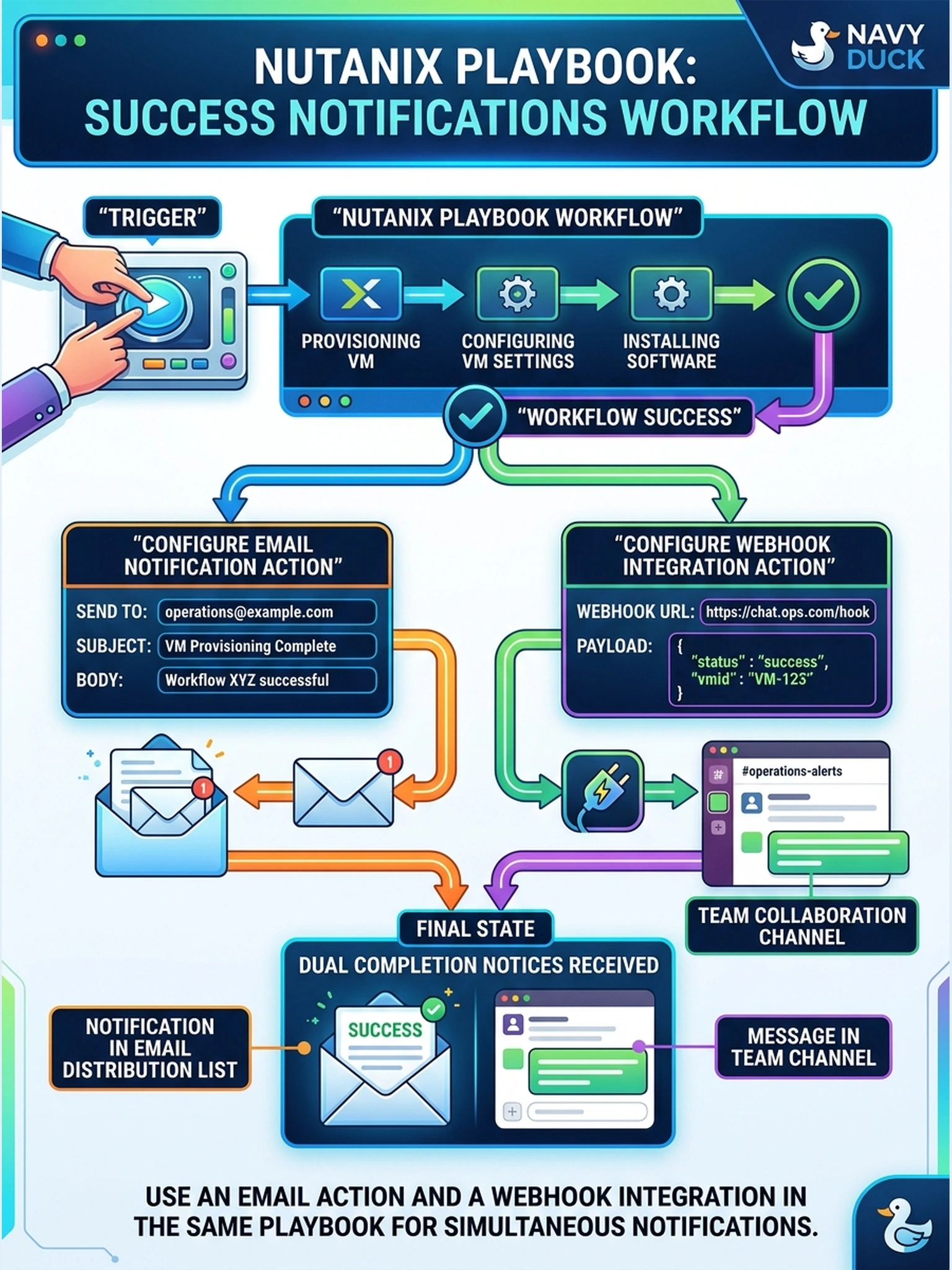
A Nutanix Playbook workflow provisions and configures a VM. Operations must receive a completion notice in both the email distribution list and the team collaboration channel as soon as the workflow succeeds. Which configuration should you use?
Select an answer to reveal the explanation.
Short Explanation
Think of a playbook like a checklist with delivery slips: if you want two mailboxes to hear about the finish line, you need two delivery slips. Add an email action and a webhook/channel action inside the same workflow. Don’t hope an alert policy will magically notice your playbook finished.
Full Explanation
Playbook completion is a workflow event, so the notification must be attached to the workflow itself. In Nutanix automation, this is done by adding distinct notification actions or integrations for each required channel: an email action for the distribution list and a webhook or collaboration-app integration for the chat channel. Each action performs its own delivery, so the playbook can fan out the completion status without depending on monitoring events. A monitoring alert policy is not the right mechanism because it is triggered by alerts or system events, not by the deterministic finish of a playbook unless the playbook explicitly raises such an event. A single webhook cannot also deliver to email; webhook integrations post a payload to one endpoint, while email requires a mail notification action. Scheduling separate playbooks for each channel introduces timing drift and manual or indirect dependencies, so it does not guarantee immediate completion notification. Exam caveat: choose the workflow-native notification action for each channel rather than repurposing alerting. Operational check: run a test playbook and confirm the email distribution list and collaboration channel each receive a message tied to the same successful run.