
A Nutanix administrator initiates a cluster upgrade via Life Cycle Manager (LCM). The pre-upgrade checks fail, citing that one Controller VM (CVM) is reporting high memory usage and is currently inaccessible for SSH. The administrator needs to proceed with the upgrade to patch a critical security vulnerability. What is the appropriate next step?
Select an answer to reveal the explanation.
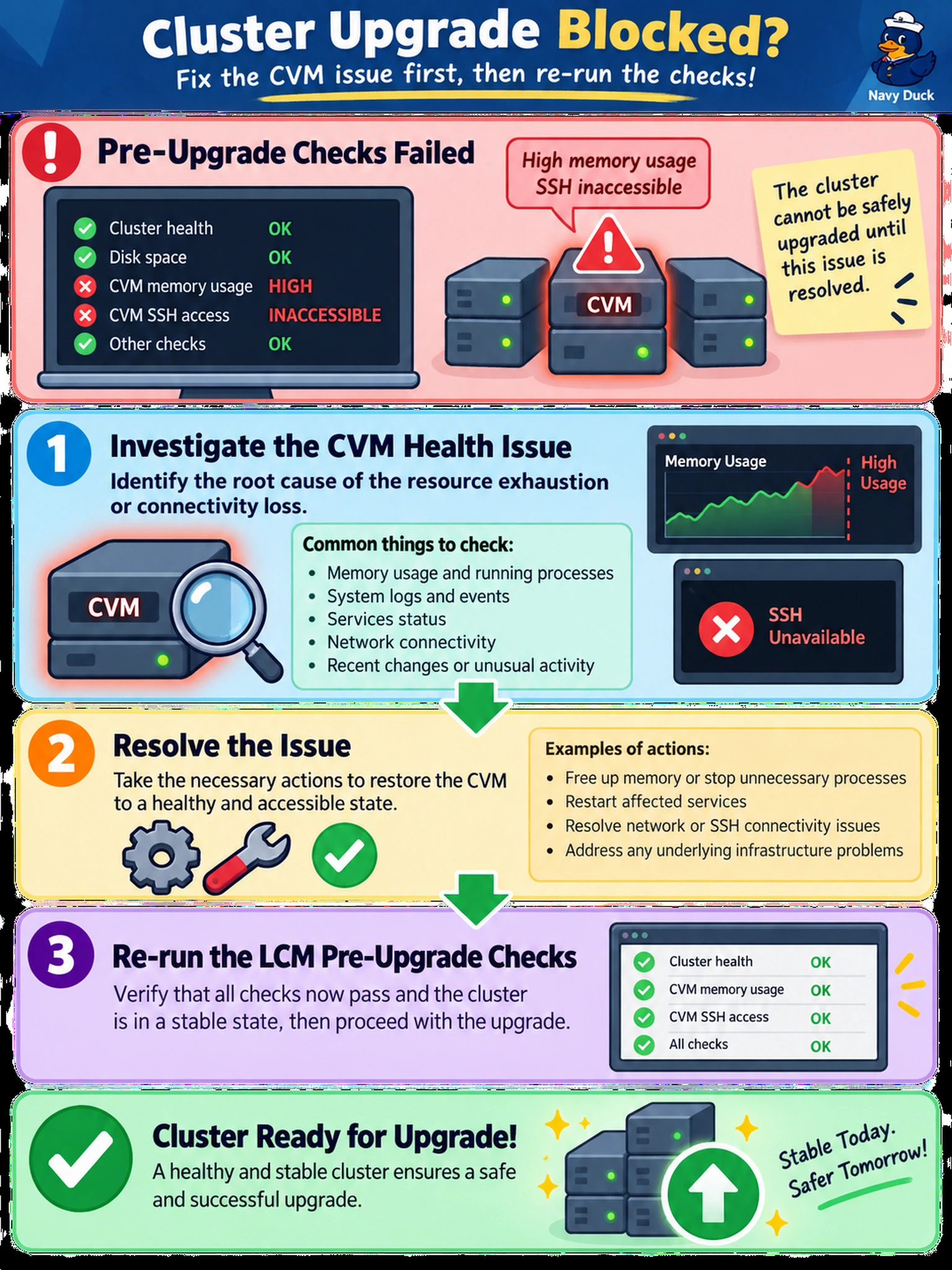
Short Explanation
Think of LCM pre-checks like a pilot’s pre-flight checklist. If a warning light goes off, you don’t just ignore it or hope it fixes itself. You have to fix the underlying issue first. If you skip the check, you risk a failed upgrade that could leave your cluster in a worse state than before.
Full Explanation
LCM pre-upgrade checks validate cluster stability by verifying CVM resource levels, connectivity, and service health. The rolling upgrade depends on healthy CVMs to coordinate data movement and service restarts. If a CVM is inaccessible or under memory pressure, proceeding risks a hung or failed upgrade and possible data unavailability. The correct action is to triage the CVM, identify the root cause, resolve it, then re-run pre-checks so the cluster is validated before upgrade. Ignoring failures is unsafe because a compromised CVM cannot perform essential coordination tasks. Restarting the CVM without root-cause analysis may clear memory temporarily but leaves instability, and skipping re-validation bypasses the safety gate. Excluding a node is not the normal LCM response to pre-check failure, because all nodes should be healthy for redundancy during rolling restarts. Exam caveat: treat LCM health checks as blockers, not warnings to bypass. Operational check: review the LCM pre-check report or run cluster health commands to pinpoint the failing CVM or service before retrying the upgrade and document the remediation.